
SDR colourist
You want to assess the colours of tulips and scenes for an SDR deliverable. Adobe describes Rec.709 as the colour space used for SDR video, so check your monitor mode and the colour settings in your editing software, too.


For an SDR tulip film, accurate Rec.709 reproduction matters more than a wide colour gamut on paper. If you’re delivering an HDR version, you’ll also need to assess the monitor’s actual HDR performance and the entire signal chain. Choose a screen size, colour controls and connections that suit your workspace, too. A monitor won’t make large source files quicker to access: Adobe recommends assessing storage and the media cache separately from your screen choice.
You want to assess the colours of tulips and scenes for an SDR deliverable. Adobe describes Rec.709 as the colour space used for SDR video, so check your monitor mode and the colour settings in your editing software, too.
You want to see detail and your timeline clearly on a 4K screen, but screen resolution and access to large media files are separate considerations. Adobe recommends fast storage for video media, so assess your storage and media cache separately from your monitor.
You may be working towards a deliverable other than SDR and want the colour gamut and HDR performance to suit the task. An HDR input signal alone doesn’t tell you whether a screen is suitable for assessing HDR footage.
Best for: you’re working towards an SDR deliverable and want to match the colour reproduction to it.
Bear in mind: stated coverage or factory calibration isn’t a measurement of your individual screen in your workspace.
Best for: as well as SDR, you work with wide-gamut content or want to check colour settings regularly.
Bear in mind: a wider colour gamut doesn’t replace a suitable output profile or calibration; manufacturers’ figures aren’t independent measurements that can be directly compared.
Best for: you mainly want to edit and view 4K detail, without needing advanced colour controls.
Bear in mind: don’t assume that 4K resolution, HDR10 input or a colour gamut percentage makes a screen suitable as an HDR reference monitor.
The percentages below show each consumer’s primary purchase priority for this specific 4K editing question; the five needs are separate main priorities.
| What to consider | What should you check? | Who is this important for? |
|---|---|---|
| Colour assessment | Check Rec.709 or sRGB modes, calibration options and the colour settings in your editing software. | When I’m assessing the colours of tulips for an SDR deliverable, I want to match the display to that output. Around 28% of consumers have colour control as their main priority. |
| Large source files | Assess your storage, media cache and computer separately from your monitor; a USB hub alone is no guarantee of faster processing. | When I’m editing large source files, I want to know whether my storage and computer can handle the workflow, rather than expecting the screen to do so. Around 22% of consumers have file workflow as their main priority. |
| Detail and editing space | Check the resolution, screen size, stand dimensions and adjustability of the exact model. | I want to check details while leaving enough room for my timeline and tools. Around 22% of consumers prioritise space for the image and timeline. |
| Connecting a laptop | Check video output through your chosen port, USB-C DisplayPort Alt Mode and your laptop’s required charging power. | When I’m editing on a laptop, I want to know whether the screen connection and any power delivery are compatible with my computer. Around 17% of consumers have laptop connectivity as their main priority. |
| HDR deliverable | First decide whether you’re creating HDR content; then check the relevant performance class, signal chain and colour settings. | When my tulip film is finished in HDR, I want to assess the screen’s actual performance for that output. Around 11% of consumers have an HDR deliverable as their main priority. |
A monitor can’t replace a fast media drive or a suitable media cache setup. Adobe recommends fast storage for video media.
Check your storage workflow before choosing extra screen features as a solution to slow source files.
You may also need to upgrade your storage or computer.
Support for an HDR signal doesn’t automatically tell you whether a screen is suitable for your HDR assessment needs.
First decide on your delivery format, then assess the relevant HDR performance and the entire signal chain.
The stated USB-C power output varies by model and needs to suit your laptop. USB-C alone also doesn’t confirm that the required video function is supported.
Compare the power output of the exact model with your laptop, and check that video works through your chosen port.
You may still need a separate laptop charger.
The PD2705U is a 27-inch 4K model worth considering for SDR editing where Rec.709 matters.
The ProArt PA279CRV is a 27-inch 4K model for workflows involving wide-gamut content and colour presets.
The ColorEdge CS2740 is a 4K model to consider if hardware calibration and separate colour space settings matter to you.
The UltraFine 27US550-W and 27UP850K-W are two different 27-inch 4K models for checking detail and editing.
The UltraSharp U2723QE is a 27-inch 4K hub monitor worth considering if connectivity and SDR colour space both matter.
This selection features 4K monitors for checking detail and editing; check which colour settings and connections suit your workflow for each model.
 No image available
A 4K monitor to consider if you want to view fine detail at high resolution while editing.
26.5 inches; OLED; 3840 × 2160; 120 Hz.
 No image available
A 27-inch 4K model to include in your comparison for editing and checking detail.
27 inches; 3840 × 2160; 4K Ultra HD.
 No image available
A 27-inch 4K IPS monitor to compare if you want to check detail on screen.
27 inches; 3840 × 2160; IPS; 120 Hz.
 No image available
A 27-inch 4K monitor to compare for an editing setup where checking detail matters.
27 inches; 3840 × 2160; 4K Ultra HD; LCD.
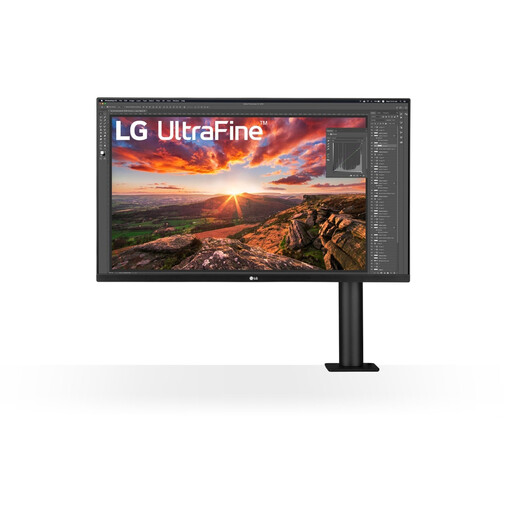 No image available
A 32-inch 4K model to consider if you want to compare screen size with the space available in your workspace.
32 inches; 3840 × 2160; 4K Ultra HD.
No, not by itself. For Premiere, Adobe recommends fast storage for video media and advises paying attention to the media cache. So assess your storage and computer separately from your screen choice.
Match your editing software’s output setting to the intended SDR display and check the corresponding monitor mode. Adobe describes Direct Rec.709 (SDR) as an available colour management setting in Premiere; the right workflow depends on your source material and delivery format.
No. VESA distinguishes support for HDR10 input from a certified DisplayHDR performance level. First decide whether you’re creating an HDR deliverable, then assess the screen and connection for that task.
For a standard online consumer purchase, ACM ConsuWijzer says you generally have a 14-day cooling-off period after delivery; check whether an exception applies. ACM ConsuWijzer also says you’re entitled to a product that performs as you could reasonably expect under normal use. There isn’t a fixed two-year statutory guarantee period for every monitor.