
Filmmaker with a small desk
Editing a film for SDR output and needs to fit the screen and stand into a limited workspace. BenQ Netherlands lists a Rec.709 mode and dimensions including the stand for the PD2705U.


For editing a canal film at a compact desk, start with the desk depth you have available and the output you’re aiming for. For SDR/Rec.709, a 27-inch 4K screen with a suitable colour mode is a focused choice. An HDR logo alone doesn’t show that a monitor is suitable for accurate HDR assessment. Also check the dimensions including the stand, the video connection and whether the USB-C charging capacity is suitable for your laptop.
Editing a film for SDR output and needs to fit the screen and stand into a limited workspace. BenQ Netherlands lists a Rec.709 mode and dimensions including the stand for the PD2705U.
Wants to connect the display, peripherals and, where suitable, laptop power through a tidy connection. BenQ Netherlands and ASUS Netherlands publish different USB-C power delivery ratings for each model.
Carefully matches screen settings to the output colour space and may also need calibration options. Adobe describes separate colour management settings for each sequence; EIZO specifies hardware calibration for the ColorEdge CS2740.
First measure the space available for the screen and stand. Then choose the colour settings and connections that suit your editing workflow.
| Buying consideration | What should you look for? | Who is this important for? |
|---|---|---|
| Screen and desk space | Measure the available width and depth, then compare them with the dimensions including the stand. | If I want to edit without the stand taking over my desk, I compare its total footprint with my available space. Around 34% of consumers put desk space first. |
| Colour for SDR output | Check whether the monitor has a colour mode that matches the output colour space selected in your editing software. | For an SDR canal film, I want to match the screen settings to the output, rather than looking at resolution alone. Around 33% of consumers prioritise SDR colour. |
| Connecting and charging a laptop | Check the USB-C port’s video capabilities and compare the monitor’s charging capacity with your laptop’s requirements. | If I want to use my laptop and screen with as few separate connections as possible, I check both video and power in advance. Around 25% of consumers prioritise a suitable laptop connection. |
| Advanced colour management | Decide whether you need hardware calibration or multiple colour settings for the output you create. | When I want to manage colour settings carefully for different output formats, I look at the available modes and calibration options. Around 8% of consumers prioritise advanced colour management. |
Models with the same screen size can take up different amounts of desk space because of their stands.
Compare the width and depth including the stand with the space where you plan to put the monitor.
You may need to reposition the monitor or use a suitable monitor arm; check the mount and arm compatibility separately.
An HDR rating alone doesn’t tell you whether a screen is suitable for assessing HDR colour accurately.
First decide whether you’re outputting in SDR or HDR, then check the corresponding settings in your editing software.
The stated Power Delivery capacities vary by model, and USB-C alone doesn’t guarantee that the video connection or power supply will suit your laptop.
Check the video capabilities and charging capacity of both the monitor and laptop, and take the cable you use into account.
If the monitor doesn’t supply enough power for your laptop, you may still need a separate laptop charger.
According to the Dutch government, you’re entitled to a product that works properly, even without buying an additional warranty. There is no fixed statutory warranty period in the Netherlands.
Before buying an extended warranty, compare what it adds to your existing rights and read the terms and conditions.
An extended warranty comes at a cost; consider whether the cover it offers is worth that cost to you.
The PD2705U is a 27-inch 4K option for SDR/Rec.709 editing and a USB-C workspace.
The ProArt PA279CRV is a 27-inch 4K option with several stated colour modes and a relatively shallow stand.
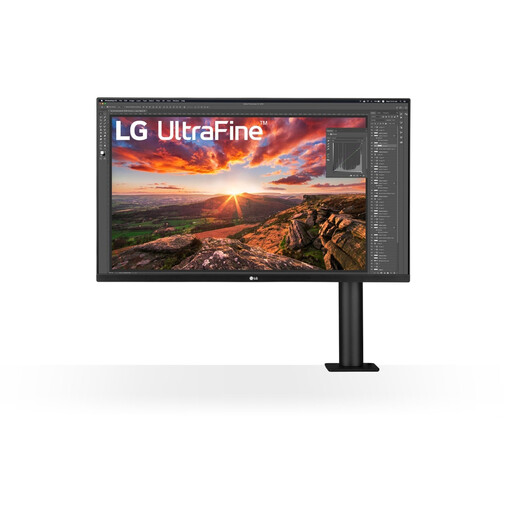
The 27UP850K-W is a 27-inch 4K option with USB-C and an adjustable stand.
The ColorEdge CS2740 is designed for workflows with a specific need for hardware calibration.
The UltraSharp U2723QE is a 27-inch 4K option for a workspace where you also want the monitor to provide connections for peripherals.
This selection at Joybuy includes 4K monitors for video editing, from a portable 15.6-inch screen to 27- and 32-inch models. Compare the size and listed connections with your desk and laptop.
 No image available
A 27-inch 4K screen for editing in a compact workspace; check that the size and connections suit your setup.
3840 × 2160; IPS; 120 Hz; USB-C with 90 W PD; HDMI and DP ports; height-adjustable.
 No image available
A 27-inch 4K option for editing; compare its dimensions and the connections you need with your desk and laptop.
27 inch; 3840 × 2160; 4K UHD; LCD.
 No image available
A 27-inch 4K option for editing; check which connections suit the devices you want to use at your desk.
27 inch; 3840 × 2160; 4K UHD; LCD.
 No image available
The adjustable setup can help you arrange your space to suit you, but bear in mind that the larger screen may take up more room on a compact desk.
32 inch; 3840 × 2160; 4K UHD.
 No image available
A portable 4K option for a compact workspace; bear in mind that its screen offers less viewing area than a larger model.
15.6 inch; 3840 × 2160; 4K UHD; LCD.
No. 4K describes the image resolution; the choice between SDR and HDR depends on your output workflow. Check the output settings in your editing software: Adobe describes separate SDR/Rec.709 and HDR settings.
Measure the available width and depth, then compare them with the dimensions including the stand. If you’re considering a monitor arm, check the exact model’s VESA mount and whether the arm is compatible.
Only if the laptop and the monitor port in question support the required video function and the Power Delivery capacity is suitable for the laptop. The stated figures vary by model: BenQ lists 65 W for the PD2705U, ASUS 96 W for the PA279CRV and EIZO up to 60 W for the CS2740.
Match the screen setting to your output and check the settings in your editing software. Adobe recommends monitor calibration for video work; according to its own specifications, EIZO offers hardware calibration on the CS2740, but this feature isn’t needed for every editing workflow.
For eligible distance purchases in the Netherlands, you generally have 14 days to change your mind, according to the Dutch government. You’re also entitled to a product that works properly; if it’s faulty, contact the seller. According to the Dutch government, there is no fixed statutory warranty period in the Netherlands.