
Digital illustrator
You assess lines, text and colours for on-screen display, and want room for tool panels. Adobe explains how colour management in Illustrator affects output colours; Dell specifies 100% sRGB for the U2723QE.


Start by matching your monitor to how you’ll use your illustrations: for digital work, clear fine details and a display suited to on-screen use matter, while for print preparation, colour gamut and your calibration workflow are more important. Also check that the adjustability, video connection and any USB-C power delivery suit your workspace and laptop. A stated colour gamut alone does not guarantee a match with a print.
You assess lines, text and colours for on-screen display, and want room for tool panels. Adobe explains how colour management in Illustrator affects output colours; Dell specifies 100% sRGB for the U2723QE.
You work with output profiles and want to know whether a monitor suits your colour workflow and any recalibration needs. ASUS and EIZO specify 99% Adobe RGB for the models mentioned; Adobe explains the importance of colour management and output profiles.
You switch between illustration work and other desk tasks, so useful connections and an adjustable workspace can make a difference. LG lists an adjustable stand and USB-C for the 27UP850K-W; Arboportaal explains the requirements for employees who work with display screens.
| What to consider | What should you check? | Who is this important for? |
|---|---|---|
| Colour for output | Compare percentages only within the same named colour space. Also check the colour modes, colour management and whether you’ll need a measuring device for your planned calibration. | If I’m assessing illustrations for print, I want to know how the on-screen display will work with my output profile. Around 40% of consumers in this buying context make colour their top priority. |
| Fine detail visibility | Check that the native resolution is 3840 × 2160, and that text and controls are comfortable to read at the intended screen size and viewing distance. | If I want to inspect outlines, fine lines and small text closely, I look at how much screen space is available for my illustration and tool panels. Around 30% of consumers give detail visibility the highest priority. |
| Connections and workspace | Check whether your laptop outputs video through the port you’ve chosen, whether the charging power is sufficient and whether the monitor can be adjusted to suit your workspace. | If I connect my laptop to my home monitor every day, I want suitable connections and an adjustable setup. Around 20% of consumers make this their main buying priority. |
| What you’ll need during use | Check which accessories are included, whether you’ll need a calibration meter and which energy label applies to the exact model. | If I want to understand the costs after buying, I also look at any equipment I’ll need and the energy information. Around 10% of consumers give requirements and running costs the highest priority. |
A stated DCI-P3 percentage doesn’t show how much Adobe RGB or sRGB the screen displays. The specification is only useful if the colour space suits the intended use of your illustration.
Match the stated colour space to your work, and check the available colour modes and colour management workflow.
USB-C on a monitor doesn’t automatically mean that every laptop will receive video and enough power through that connection. Some combinations still require a separate laptop charger.
Check whether your laptop’s port supports video, and compare the power your laptop needs with the specification for the exact monitor model.
A monitor with hardware calibration may require a separate measuring device. EIZO states that the measuring device is optional for the ColorEdge CS2740.
Check what’s included in the box and whether your planned workflow requires a separate measuring device.
The ProArt PA279CRV is a 27-inch 4K model worth considering for work where Adobe RGB and USB-C matter.
The ColorEdge CS2740 is designed for a colour workflow that involves hardware calibration.
According to Dell, the UltraSharp U2723QE combines 27-inch 4K with sRGB coverage and hub features.
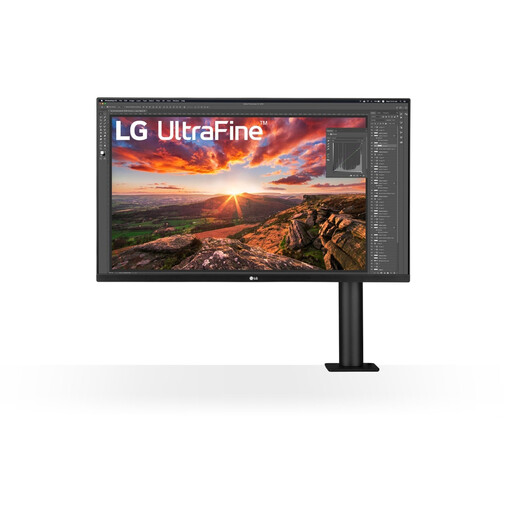
The UltraFine 27UP850K-W is a 27-inch 4K option with USB-C and an adjustable stand.
According to BenQ, the Creative Pro PD2706U has design-focused display modes, including CAD/CAM for lines and shapes.
Joybuy product picks to help you assess vector illustrations and set up a 4K home workspace.
 No image available
A 27-inch 4K model to consider if you want to assess vector details on an IPS screen.
27 inches; 4K; IPS.
 No image available
This larger 4K model could suit you if you’re looking for a 31.5-inch screen for your illustration work.
31.5 inches; 4K UHD; QD-OLED; 165 Hz; 0.03 ms; USB-C.
The stated USB-C Power Delivery is limited to 15 W and, according to the product description, won’t replace the power supply for most laptops.
 No image available
A 27-inch 4K model to compare if you’re setting up an adjustable home workspace.
27 inches; 4K UHD; IPS; 3840 × 2160; 120 Hz; HDR500; USB-C Power Delivery up to 90 W; height-adjustable.
 No image available
A 27-inch 4K model to consider if you want to view vector illustrations on a larger screen.
27 inches; 3840 × 2160; 4K Ultra HD; LCD.
 No image available
This 32-inch model is worth considering if you want a larger screen for vector work.
32 inches; 3840 × 2160; 4K Ultra HD.
The product description lists an adjustable monitor arm and USB-C Power Delivery up to 60 W; check that this is suitable for your laptop.
No. A colour gamut percentage alone doesn’t predict how a print will look. Check which colour space the model specifies, and use colour management for print with a profile suited to the output conditions.
Only if the laptop supports video through that connection and the power delivery is sufficient. The models mentioned vary: EIZO specifies up to 60 W for the CS2740, Dell up to 90 W for the U2723QE, and ASUS up to 96 W for the PA279CRV.
For consumer purchases, statutory guarantees apply for as long as you could reasonably expect the product to work properly, according to ACM ConsuWijzer; a commercial warranty period is not automatically the limit. For online purchases, you generally have up to 14 days after delivery to change your mind, subject to applicable exceptions.
No. The information cited from Arboportaal does not specify a mandatory 4K model. However, for employees who work with display screens for more than two hours a day, Arboportaal states that the screen and keyboard must not be attached to each other.
Compare the energy label and product information for the exact model. The European Commission states that electronic displays, including computer monitors, have an energy label with a scale from A to G.