
Comparing technical drawings
You view multiple versions or details side by side and need to read dimensions and annotations clearly.


A 31.5-inch 4K monitor is a good starting point for comparing technical drawings in a shared workspace, provided there’s room for two windows. Test the legibility of dimensions and annotations using your own software and scaling settings. On a shared desk, adjustability and the right laptop connections matter, while colour modes are mainly relevant for colour-critical presentations.
You view multiple versions or details side by side and need to read dimensions and annotations clearly.
You share a desk with colleagues and want to be able to readjust the screen each time you use it.
You want to know in advance whether a single connection can handle the display and peripherals, while also providing enough power to charge your laptop.
| What to consider | What to look for | Who should consider this? |
|---|---|---|
| Viewing drawings side by side | Compare 27- and 31.5-inch screens with your own drawings, window layout and scaling settings. | I want to view two versions at once without the dimensions and annotations becoming too small. Around 33% of consumers say legibility when viewing items side by side is their top priority. |
| Screen position | Check height adjustment, swivel and tilt, as well as the space available for a stand or clamp. | At a shared desk, I want to be able to set the screen to my eye level after a colleague has used it. Around 27% of consumers say screen positioning is their top priority. |
| Laptop and peripherals | Check video output, cable compatibility, required charging power and the connections you need for your peripherals. | If I regularly switch between laptops, I want to connect the display, peripherals and power easily; around 20% of consumers prioritise these connection requirements. |
| Colour reproduction | Decide whether you assess colour-critical presentations and check the modes available on the exact model. | For renders or colour presentations, I want to know whether the stated colour modes suit my work. Around 20% of consumers say assessing colour is their top priority. |
The models reviewed pair 4K resolution with different screen sizes. Resolution alone doesn’t tell you how large text and dimensions will appear on your screen.
Before choosing a size, open two representative drawings with annotations at your usual viewing distance and scaling setting.
The stated charging power varies by model. A USB-C connection on its own doesn’t guarantee that the laptop will output video through that connection or receive enough power to charge.
Check the video support of each laptop, the cable you’re using and the charging power required.
If the monitor doesn’t provide enough power, you may still need a separate laptop charger or dock as well as the connection.
Whether a C-clamp arm will fit depends on the desktop and the space around it.
Check the desktop thickness, the space beneath the desk and your preferred screen position before choosing a clamp-mounted model.
If the clamp doesn’t fit, you may need a different mounting solution.
BenQ describes the PD3205U as a 31.5-inch 4K monitor with design features, USB-C and KVM.
Dell describes the UltraSharp U3225QE as a 31.5-inch 4K monitor with a Thunderbolt hub.
Philips describes the Business Monitor 32B1U3900/00 as a 31.5-inch 4K monitor with a built-in USB-C dock.
LG says the 32UN880K-B combines a 31.5-inch 4K screen with an adjustable C-clamp arm.
ASUS describes the ProArt PA279CRV as a 27-inch 4K monitor with an adjustable stand and colour modes.
These Joybuy products are 31.5-inch 4K monitors offering plenty of workspace. Check each model’s adjustability and connections to make sure they suit your shared workspace.
 No image available
This 32-inch 4K model is designed to offer plenty of workspace for viewing drawings side by side.
The product description lists 3840 × 2160 pixels, 120 Hz, Auto-KVM, Picture-by-Picture and Picture-in-Picture, and Thunderbolt 4.
 No image available
This 4K model is worth considering if you want plenty of workspace and need to switch between computers.
The product description lists a 31.5-inch diagonal, 3840 × 2160 pixels, Thunderbolt 3 with 85 W Power Delivery and a built-in KVM switch.
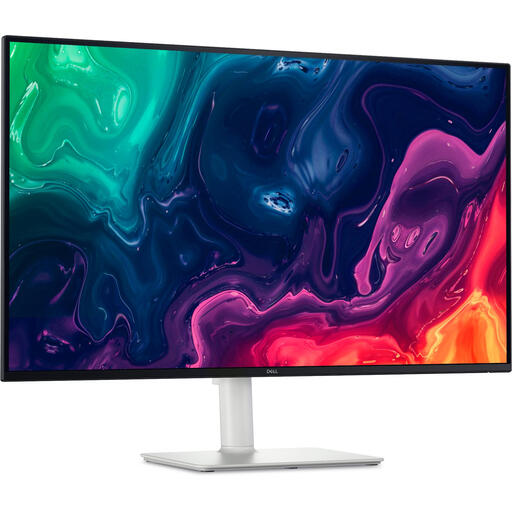 No image available
This model could be a good fit if you want a 4K workspace and the option to adjust the screen height.
The product description lists 31.5 inches, 3840 × 2160 pixels, HDMI and DisplayPort connections, and a height-adjustable stand.
 No image available
This model is worth considering if you want to compare drawings on a spacious 4K screen and switch between computers.
The product description lists 31.5 inches, 3840 × 2160 pixels, USB-C with 90 W Power Delivery, a KVM switch, and height and tilt adjustment.
 No image available
This model has an adjustable stand for a shared workspace.
The product description lists 31.5 inches, 3840 × 2160 pixels and 15 W USB-C power delivery. It also says that this won’t replace the power supply for most laptops, so check what your laptop requires.
No, it depends on the laptop and the monitor. Check whether the laptop outputs video through the connection in question, then compare its power requirements with those of the exact model: BenQ states that the PD3205U provides 90 W, while LG specifies up to 60 W for the 32UN880K-B.
For applicable display screen workstations, Arboportaal recommends a height-adjustable, non-reflective screen. The employer assesses the whole workstation; an adjustable monitor alone doesn’t automatically mean that all requirements are met.
Compare the energy label and consumption per 1,000 hours for the exact models, rather than looking only at the label letter. According to Energielabel.nl, the Dutch energy label for displays has run from A to G since 1 March 2021.