
For comparing drawings side by side
If you want to view two versions, or a drawing and a document, at the same time, available screen space matters more than a compact setup. Dell and EIZO describe 31.5-inch 4K monitors as options to consider.


First, work out how much space you need to view two drawings side by side without losing legibility. Then check whether you can position the screen comfortably when sitting and standing. A 31.5-inch 4K monitor gives you more physical screen area than a 27-inch model, while an adjustable stand, monitor arm, colour features and USB-C connections each involve different trade-offs. Measure your desk and check that the mounting option and laptop connection suit your workspace.
If you want to view two versions, or a drawing and a document, at the same time, available screen space matters more than a compact setup. Dell and EIZO describe 31.5-inch 4K monitors as options to consider.
If you change position during the working day, you’ll want to reposition the screen without ending up with an awkward viewing angle. Arboportaal offers advice on monitor positioning, while BenQ and LG describe different adjustable setups.
If you compare colour presentations or regularly connect a laptop, the colour features and connections on the exact model matter. ASUS, BenQ and EIZO publish model specifications for these features.
First, decide how much screen space you need to view two drawings, then consider screen positioning and connections. Colour features are most relevant if colour plans or presentations are part of your work.
| Key consideration | What to look for when buying | Who is it for? |
|---|---|---|
| Reading two drawings at once | Compare the screen width and resolution, and check how legible your own drawings are at the scale you plan to use. | If I want to view two drawings side by side, I need enough physical space without the text and lines becoming too small. Around 33% of consumers give screen space their highest priority. |
| Screen positioning when sitting and standing | Check the height adjustment, tilt and range of movement of the stand or arm. Also measure the space needed for a desk clamp, if applicable. | When I alternate between sitting and standing, I want to be able to reposition the screen for each posture. Around 27% of consumers put adjustability first. |
| Colour reproduction | Compare the stated colour gamut and colour settings of the exact model; manufacturers’ specifications are not independent measurements. | If I work with colour plans or presentations, I want to know which colour features the chosen model offers. Colour reproduction is the top priority for around 20% of consumers. |
| Connecting a work laptop | Check that your laptop, monitor and cable support video and data through the connection you plan to use; also compare the charging power required. | If I regularly connect my work laptop, I want to know in advance whether the connection provides the picture and charging I need. Around 20% of consumers give laptop connectivity their highest priority. |
Resolution doesn’t tell you how much physical space you’ll have for two windows, or how legible text and lines will be at the scale you choose.
Compare the screen size and width, and view your own drawings at a scale that’s comfortable to read for your work.
The BenQ PD3205UA comes with an ErgoArm, while the PD3205U has an adjustable stand. The model codes therefore refer to different versions.
Check the full model code and the mounting option included with the version you choose. If you’re opting for an arm, also check that the desk clamp will fit your desktop.
The available functions depend on the monitor, laptop and cable you use. A USB-C port alone doesn’t confirm compatibility.
Compare the laptop and monitor specifications for video, data and the charging power required.
The Creative Pro PD3205U is a 31.5-inch 4K model with an adjustable stand; the separate PD3205UA comes with an ErgoArm.
The UltraFine 32UN880P-B is a 31.5-inch 4K model supplied with a C-clamp arm.
The ProArt PA279CRV is a 27-inch 4K model with an adjustable stand.
The UltraSharp U3225QE is a 31.5-inch 4K model with an adjustable stand and a docking-focused design.
The FlexScan EV3240X is a 31.5-inch 4K model with USB-C docking.
This selection focuses on 32-inch-class 4K monitors for viewing technical drawings side by side.
 Image unavailable
A 32-inch 4K screen for viewing drawings side by side; check how legible they are at the scale you use.
3840 × 2160 pixels at 60 Hz; VA panel; 300 cd/m²; 2 HDMI connections and DisplayPort; tilting stand; speakers.
 Image unavailable
A 31.5-inch 4K monitor with an adjustable stand for anyone looking for screen space and flexibility.
3840 × 2160 pixels; 120 Hz; QD-OLED; Thunderbolt 4; 140 W Power Delivery; Auto-KVM and Picture-by-Picture. Check that your laptop and cable support the features you want.
 Image unavailable
A 32-inch 4K option if you want to view two drawings side by side; consider whether a curved screen suits your workspace.
VA screen; 3000R curvature; 3840 × 2160 pixels; HDR10 and Adaptive Sync.
 Image unavailable
A 31.5-inch 4K monitor with an adjustable stand for comparing drawings and positioning the screen.
3840 × 2160 pixels; 150 mm height adjustment; Thunderbolt 3; 85 W Power Delivery; built-in KVM switch. Check laptop compatibility and the charging power required.
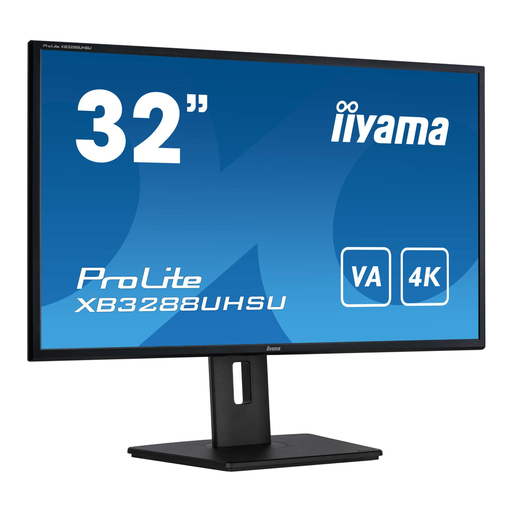 Image unavailable
A 32-inch 4K monitor for viewing technical drawings; check that its adjustability suits your sit-stand workspace.
VA panel; 3840 × 2160 pixels; HDMI and DisplayPort; height-adjustable stand with pivot function.
Adjust your workstation and position the screen directly in front of you. Arboportaal advises placing the top of the screen slightly below eye level and alternating between postures. This positioning advice doesn’t prove that a particular monitor prevents discomfort.
In Windows, you can change the scaling for text and apps. Microsoft generally recommends keeping the screen resolution marked as ‘Recommended’; a lower resolution may make text look blurry.
Compare the EU energy label for the exact model; the scale for computer monitors runs from A to G. According to the Government of the Netherlands, consumer purchases are covered by a legal guarantee, with no fixed statutory guarantee period. For distance purchases from a business, you generally have a 14-day cooling-off period; check the terms of the specific purchase.
For employees, Arboportaal outlines requirements for computer workstations, including an adjustable screen. If you work at a screen for more than two hours a day, Arboportaal also states that the screen and keyboard must not be attached to each other. This is not a general product specification for every private buyer; according to Arboportaal, employers may make exceptions in certain circumstances if safety and health remain protected.