
SDR showreel editor
You’re delivering an SDR showreel and want to check the Rec.709 display and settings, while still having enough room for your timeline.


Choose a 4K monitor based first on the format you’ll deliver your showreel in and how much room the screen and its stand or mount will take up. For an SDR showreel, a suitable Rec.709 mode matters more than an HDR logo alone. Then check that the video connection and USB-C charging power are right for your laptop. The colour and power figures quoted are manufacturer specifications, not independent measurements.
You’re delivering an SDR showreel and want to check the Rec.709 display and settings, while still having enough room for your timeline.
You need to consider more than just the screen’s width: factor in the stand’s depth, adjustment space and whether a clamp mount is an option.
You want to combine video, data and possibly charging over USB-C, so you’ll need to compare your laptop’s connectivity with the monitor’s.
First decide whether your showreel will be shown in SDR or HDR. Then measure the space available for the screen and its mount, and check the connection to your laptop.
| Key consideration | What should you check? | Who does this matter to? |
|---|---|---|
| Colour for your delivery format | Check the Rec.709 mode and the colour settings for your editing and export. Adobe describes Rec.709 as an output option for SDR presets in Premiere. | If I’m delivering in SDR, I want to be able to assess a suitable colour mode rather than focus only on HDR. Around 34% of consumers give SDR colour checking top priority. |
| Screen and mount on your desk | Measure the width and depth, and the space behind your desk. BenQ lists a depth of 256,8 mm with the stand for the PD2705U; ASUS lists a depth of around 21,50 cm with the stand for the PA279CRV. | If my desktop has limited space, I want to know whether the stand will fit or whether a suitable clamp mount is possible. Around 33% of consumers put desk space first. |
| Connection to your laptop | Check whether your laptop supports video over the connection you’ve chosen and how much charging power it needs. BenQ lists 65 W for the PD2705U, ASUS 96 W for the PA279CRV and LG 90 W for the 27U730A-B. | If I want to connect and charge my laptop through the monitor while editing, the connection needs to be compatible with my laptop. Around 22% of consumers give laptop connectivity top priority. |
| HDR only if your showreel requires it | Establish whether the screening requires SDR or HDR, then set the output colour space in your editing software accordingly. An HDR10 label alone doesn’t show that a monitor is suitable as an HDR reference monitor. | If the exhibition requires HDR, I want to match the monitor to that output and screening setup. Around 11% of consumers put HDR delivery first. |
A screen might fit widthways, while its stand takes up too much desk depth. BenQ lists a depth of 256,8 mm with the stand for the PD2705U; the PD2705UA comes with a different mounting option.
Measure the available space and work out before buying whether a stand or clamp arm will actually fit your desk.
If the stand or mount you choose doesn’t fit, you may need a different mounting solution.
A USB-C port on your laptop doesn’t prove that it supports video output. The monitors in this comparison also list different charging power levels.
Check your laptop’s video output and charging requirements against the specifications of the exact monitor model.
If the connection doesn’t provide the video or power you need, you may need a separate power or video cable.
An HDR10 label or stated peak brightness doesn’t, on its own, tell you whether a monitor is fully suitable for HDR assessment. Your choice will also depend on whether the exhibition shows SDR or HDR.
Confirm the delivery format and screening chain before letting HDR features determine your choice. Then set the output colour space in your editing software accordingly.
ACM ConsuWijzer distinguishes between commercial and statutory guarantees. According to the ACM, the statutory guarantee in the Netherlands isn’t automatically limited to exactly two years.
Keep your proof of purchase and contact the seller if the product is faulty.
The PD2705U and the separate PD2705UA are 27-inch 4K options for an SDR showreel, but their included desk setups differ.
According to ASUS, the ProArt PA279CRV combines a compact stand, 4K resolution, colour presets and USB-C for a creative workspace.
The UltraFine 27U730A-B is a 27-inch 4K option to consider if you’re using a USB-C laptop setup.
The UltraSharp U2725QE is a 27-inch 4K hub monitor for anyone also considering hub features and a higher refresh rate.
This Joybuy selection includes 4K monitors for image editing, with a range of screen sizes and connectivity options. Measure your workspace and check the specifications of the exact model before choosing.
 No image available
An option if you’re looking for a 31,5-inch screen as well as 4K resolution; measure beforehand to check that the screen and stand will fit your workspace.
The product name lists QD-OLED, 4K UHD and 165 Hz. According to the product information, USB-C provides up to 15 W Power Delivery; check whether your laptop will also need its own power adapter.
 No image available
An option if you’re considering a 27-inch 4K screen for editing; remember to measure the space taken up by the stand, too.
The product name lists 3840 × 2160 pixels and an IPS panel. Before buying, check the full dimensions and whether the connections are compatible with your laptop.
 No image available
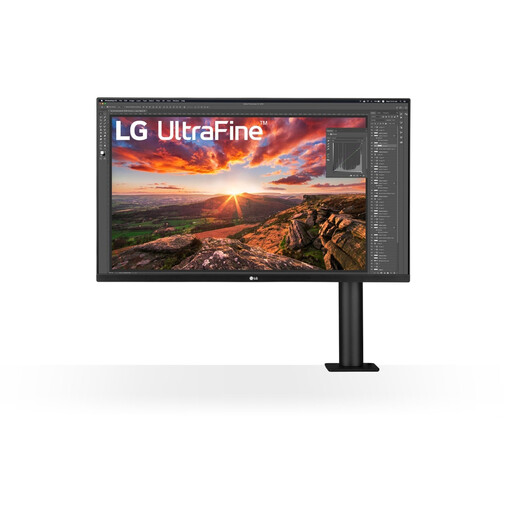
An option if you’re looking for a 27-inch 4K screen with an adjustable setup; check the space and mounting requirements for your desk.
The product name lists 4K up to 160 Hz and Type-C with 65 W. Check that the video connection and charging power are right for your laptop.
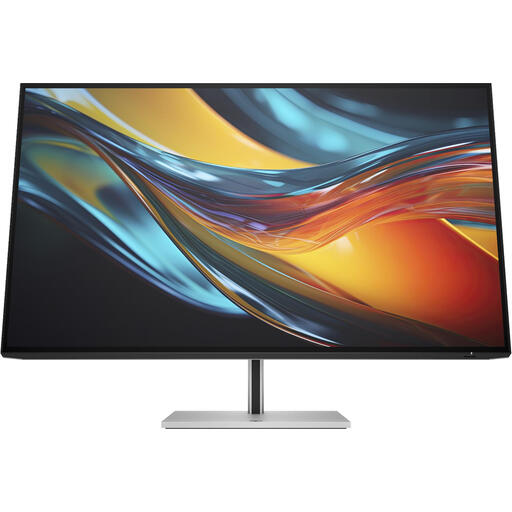 No image available
An option if you’re considering a 31,5-inch 4K screen with Thunderbolt 4; measure the space needed for the screen and stand beforehand.
The product name lists 4K and Thunderbolt 4. Check the connection and laptop compatibility for your editing setup.
 No image available
An option if you’re looking for a 32-inch screen for image editing; check that the size and setup will fit your desk.
The product name lists 3840 × 2160 pixels and 4K Ultra HD. Check the connections and full dimensions for your workspace.
Not necessarily. First establish whether you need to deliver in SDR/Rec.709 or HDR. Adobe describes different colour settings and output colour spaces for each; an HDR10 label on a monitor doesn’t determine your delivery format.
No, not if you’re relying on them having the same mount. According to BenQ, the PD2705U has a height-adjustable stand, while the PD2705UA has an Ergo Stand with a clamp design. Check that the version you choose suits your desk.
Choose the intended SDR output colour space in your editing workflow and select a suitable monitor mode. Adobe describes Rec.709 as an output option for SDR presets in Premiere; BenQ lists a Rec.709 mode for the PD2705U. Check the result on the screening setup, too.
Compare the EU energy label and model information in EPREL; the label may also show HDR power consumption. The statutory guarantee isn’t automatically limited to two years: according to the ACM, expected product lifespan depends on the product and circumstances, and the seller is your point of contact.
For a typical online purchase of a standard monitor, the ACM says you’ll generally have a statutory cooling-off period of up to 14 days after delivery. The ACM lists exceptions, so check which terms apply to your purchase.