What should you look for when buying?
First, decide on the output colour space and colour-management workflow. Then compare the connections for shared computers and choose a size and mounting option that suits your workspace. The screen specifications mentioned are provided by BenQ Netherlands, Dell Netherlands, EIZO Netherlands, ASUS Netherlands and LG Netherlands; they are not independent measurements of colour performance.
| What to consider |
What should you check? |
Who is it for? |
| Colour for your output |
Check the Rec.709 mode or coverage for SDR, and whether the monitor can be calibrated and profiled. |
If I edit colour-critical SDR time-lapses, I want to be able to match the display to the computer I’m using. Around 36% of consumers give colour assessment their highest priority. |
| Switching between computers |
Check the KVM function, required upstream connections, video signals and power for each computer. |
If different editors use the same peripherals, I want to know how the monitor connects to each of their computers. Around 29% of consumers prioritise switching between computers. |
| Space for your footage and timeline |
Compare the screen size and resolution with the available desk space and the layout you want for your footage and interface. |
If I want to see my footage and editing timeline side by side, the physical screen area matters when I choose a monitor. Around 21% of consumers give screen space their highest priority. |
| A setup for multiple users |
Check the height, swivel and tilt adjustments, and whether any clamp is suitable for the desk. |
If users sit in different positions, I want to be able to position the screen appropriately and make sure the mount will fit the desk. Around 14% of consumers prioritise the physical setup. |
Joybuy products
These products are suited to a shared 4K editing workspace, with options for a large screen, colour management or a physical setup that fits your workspace.
 Image unavailable
Dell UltraSharp U3226Q 32-inch 4K UHD 120 Hz QD-OLED monitor
A 32-inch 4K screen may suit anyone who wants to arrange footage and an editing timeline on a large display.
32 inches; 4K UHD; 120 Hz; QD-OLED.
For a shared workspace, check separately that the connections and colour-management workflow suit the computers and output.
View at Joybuy
 Image unavailable
CRUA CR320QB 32-inch curved 4K monitor
This 32-inch option may suit you if you want to arrange footage and a timeline on a large screen. Consider the screen shape in relation to your editing workspace too.
Curved screen with 3000R curvature; VA panel; 3840 × 2160 pixels; HDR10; 100% sRGB.
View at Joybuy
 Image unavailable
ASUS ProArt OLED PA32UCDM 31.5-inch 4K QD-OLED monitor
A 31.5-inch 4K model may suit you if you’re looking for a large workspace for footage and a timeline. Check the colour-management workflow and connections for your shared computer setup.
31.5 inches; 3840 × 2160 pixels; QD-OLED.
The product description warns that the panel may be susceptible to burn-in and recommends using a screensaver and varying the on-screen content.
View at Joybuy
 Image unavailable
BenQ PD3225U 32-inch 4K monitor
An option for anyone looking to combine colour-critical SDR editing with a workspace shared by several computers.
BenQ Netherlands lists 100% Rec.709, a KVM switch, Thunderbolt 3 and 85 W Power Delivery for the PD3225U.
Manufacturer specifications aren’t an independent measurement of colour performance; adjust the colour settings to suit your workflow.
View at Joybuy
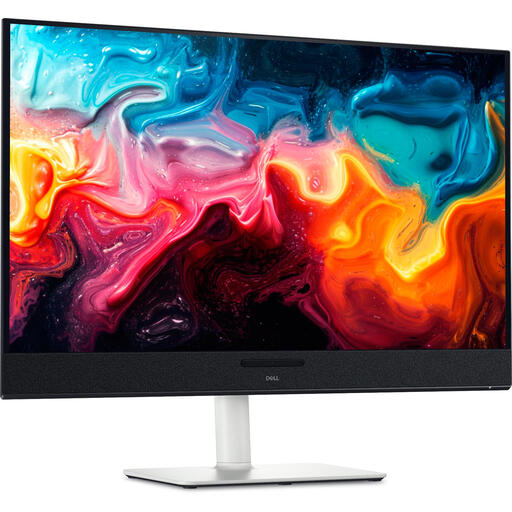 Image unavailable
Dell Plus S3225QC 31.6-inch 4K QD-OLED monitor
This screen size may suit you if you want plenty of room for footage and a timeline. Also check the colour workflow and connections for your shared workspace.
31.6 inches; 3840 × 2160 pixels; QD-OLED.
View at Joybuy
Frequently asked questions
Does a 4K monitor for this time-lapse need to support HDR?
No, not simply because the footage is 4K. First, decide on the output format: Adobe describes Rec.709 for SDR and separate settings for HDR. An HDR label on a monitor doesn’t, by itself, prove that it’s suitable for a complete HDR assessment workflow.
How can you keep colour assessment consistent when editors take turns?
Record the output colour space and screen settings, then calibrate and profile the monitor you’re actually using. Adobe distinguishes calibration from profiling and recommends stable lighting during calibration. Check the settings again when a different computer is driving the display.
Does one USB-C cable mean two computers can automatically use the same keyboard?
No. Check separately whether the model has a KVM function, which upstream connections are required, and whether the computer receives video and sufficient power through that connection. BenQ lists KVM for the PD3225U; a hub listing alone doesn’t confirm this function.
What are the rules on returns and guarantees in the Netherlands?
For an eligible online consumer purchase, you usually have a statutory 14-day cooling-off period from delivery, according to ACM ConsuWijzer. You’re also covered by the statutory guarantee if a product doesn’t meet what you could reasonably expect during normal use. If a business buys the screen, consumer rules don’t necessarily apply; Business.gov.nl explains the distinction. Check who the legal buyer is.
What statutory product information can you compare for a monitor?
The European Commission states that computer monitors are covered by the energy-labelling rules for electronic displays, subject to applicable exceptions. The EU energy label shows the efficiency class, among other things; check the information for the exact model variant.


