What should you look for when buying?
First, decide whether the photos will mainly be shared digitally or also prepared for print. Then choose the colour modes and calibration approach you need, before considering connectivity and shared use.
| Consideration |
What to look for |
Who is this most important for? |
| Colour consistency |
Check the calibration options, the measuring equipment you’ll need and how colleagues can use the same profile and colour mode. |
If I want to assess the same product photo on different screens, I want colleagues to follow the same guidelines for profiles and colour modes. Around 31% of consumers put consistent colour across sessions and users first. |
| Colour for the intended output |
Decide whether the photos will be published digitally or also prepared for print, then compare the documented colour modes for each exact model. |
If I want my choice of screen to suit the intended use of my photos, I first look at the planned output. Around 25% of consumers prefer a screen that matches the end result. |
| Light and reflections |
Consider windows, blinds, the screen surface and height adjustment. Assess and calibrate the screen in lighting conditions that are as stable as possible. |
If changing office light or reflections affect my assessment, I also want to address the desk’s position and lighting. Around 19% of consumers make light control their main buying concern. |
| Reviewing details together |
Compare resolution, screen size, panel type, viewing angles and the available desk space. |
When colleagues review details together on one screen, viewing position and placement matter to me. For around 13% of consumers, collaborative detail work comes first. |
| Connecting a laptop |
Check that each laptop supports video over USB-C, along with the required charging power, cable and peripherals. |
If different colleagues connect their laptops, I want to know whether a single USB-C cable will work with their devices. Around 12% of consumers prioritise switching and connecting laptops. |
Joybuy products
These models are aimed at 4K product photography workstations where colour coverage, shared use or laptop connectivity are important. Check whether the quoted features of each model suit the intended use of your photos and the equipment in your office.
 No image available
MSI MAG 322UP QD-OLED E16, 31.5-inch 4K UHD
An option to consider if you’re looking for a larger 4K screen and a quoted wide colour gamut for shared reviews.
The product information lists 98% Adobe RGB and 99% DCI-P3. These are product specifications, not measurements of an individual unit.
The description mentions an anti-reflective treatment, an adjustable stand and viewing angles of 178° horizontally and vertically.
Joybuy
 No image available
Dell UltraSharp U3226Q, 31.5-inch 4K UHD
Consider this model if you want to include colour calibration and managing multiple computer sources at a shared desk in your decision.
The product information lists an integrated automated colorimeter, 100% sRGB and 94% Adobe RGB.
The description also mentions wide 178° viewing angles and Auto-KVM for managing multiple sources.
Joybuy
 No image available
MSI Modern MD272UPHG, 27-inch 4K UHD
A model to consider if switching between laptops and easy connectivity matter alongside colour settings.
The product description lists 94% Adobe RGB and factory calibration. These are product claims, not independent measurements.
According to the product information, USB-C supports power delivery up to 98 W and a KVM switch is built in. The stand is adjustable for height, tilt and swivel.
Joybuy
 No image available
INNOCN CB27U1, 27-inch 4K UHD IPS
An option to compare if you’re looking for a 27-inch screen with an adjustable stand and USB-C connectivity for a shared desk.
The product specifications list 99% Adobe RGB and Delta E < 1. These are catalogue claims, not independent measurements of an individual unit.
The product information lists USB-C power delivery up to 90 W and a stand adjustable for height, tilt, swivel and pivot.
Joybuy
 No image available
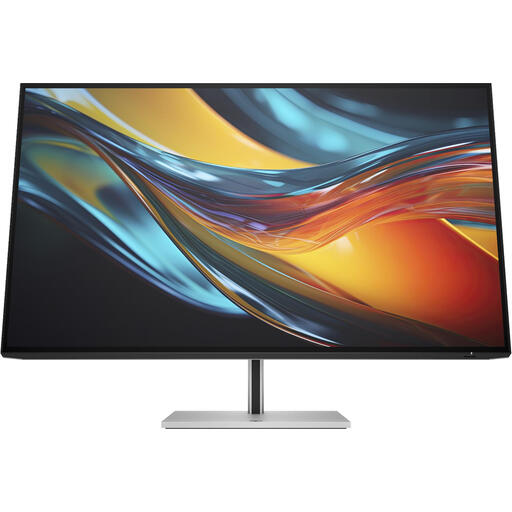
HP Series 7 Pro 732pk, 31.5-inch 4K Thunderbolt 4
Consider this model if you use several computers at a shared desk and want to assess connectivity and your colour workflow together.
The product description lists IPS Black and 98% DCI-P3.
According to the product information, the screen has a KVM switch for two computers and Thunderbolt 4 with power delivery up to 100 W.
Joybuy
Frequently asked questions
Are 4K resolution or a quoted wide colour gamut enough to make product colours look the same to colleagues?
No. Adobe explains that screens, their calibration status, ambient light and colour profiles all affect how colours appear. Agree on which colour mode and profiles to use, and calibrate in stable lighting conditions.
How do you get started with calibration at a shared workstation?
Adobe recommends letting the screen warm up first, ensuring the lighting is stable, calibrating the screen and creating a monitor profile. Adobe recommends measuring equipment for colour-critical work and advises recalibrating regularly. Also check that each computer in use applies the correct profile.
Are people buying a monitor for the office always entitled to a 14-day cooling-off period?
No. According to Ondernemersplein, consumers who buy online have a statutory 14-day cooling-off period, subject to applicable exceptions. This doesn’t automatically apply when a business buys a monitor for commercial use; check the agreed terms in that case.
What warranty rights apply to consumer purchases in the Netherlands?
ACM ConsuWijzer says consumers are entitled to a product that does what they can reasonably expect it to do. If it breaks too soon under normal use, the seller must resolve the issue in accordance with the applicable terms. In the Netherlands, the statutory guarantee doesn’t have a universal fixed term of two years.
Are there specific workplace requirements for a monitor in a shared office?
For employees, Arboportaal describes employers’ obligations regarding safe screen work. Its guidance covers screen adjustability, preventing glare and suitable lighting, among other things. It also sets out conditions for workstation layout, including the screen and keyboard, for people who work with screens for more than two hours a day. This applies to the relevant employment situation; it isn’t a legal requirement for every individual monitor bought by a consumer.


