
Portrait editor with a small desk
You want to see fine detail in 4K, but need to allow for the space taken up by the screen, stand and possibly a hood.


Start by measuring the available width and depth: a smaller screen diagonal doesn’t automatically mean the whole setup will fit. Then choose based on how you’ll use the monitor for portraits. For print workflows, the right colour gamut and calibration matter, while laptop users should also check the video connection and USB-C power delivery against their laptop’s requirements. Manufacturer specifications describe features, but they aren’t independent performance measurements.
You want to see fine detail in 4K, but need to allow for the space taken up by the screen, stand and possibly a hood.
You want to match colour management to your print workflow and check that the colour gamut and calibration options are suitable. Adobe describes colour conversion as part of colour-managed printing in Photoshop.
You want to connect your display, peripherals and possibly laptop power neatly, without losing sight of what your portrait workflow needs.
Suitable for: a workstation where a 27-inch screen may be too large, but you still want 4K and the ability to edit portraits.
Bear in mind: check the full dimensions. The ASUS PA24US also has video and HDR features that aren’t necessary for every portrait workflow.
Suitable for: a desk that can accommodate a 27-inch screen, while still leaving room for your portrait and editing panels.
Bear in mind: check the stand depth and laptop compatibility. Factory calibration doesn’t prove that every unit will remain accurate over time.
Suitable for: a photo or print workflow where you’ll make actual use of the extra calibration features.
Bear in mind: a wide colour gamut doesn’t replace suitable document, printer or paper profiles. BenQ lists the SW272U as 274 mm deep with its stand and 364.8 mm with its hood; EIZO lists USB-C power delivery of up to 60 W for the CS2740.
Suitable for: a workstation where 4K visuals and adjustability matter, but a specialist print workflow isn’t a confirmed requirement.
Bear in mind: don’t assume a monitor is suitable for print work just because it offers 4K or has an IPS panel. The Philips description doesn’t substantiate comparable hardware calibration or Adobe RGB coverage for the 27E1N1800AE/00.
For consumers choosing a 4K monitor for portrait editing on a small desk, the decision mainly comes down to space, colour workflow, laptop connectivity and everyday use.
| What to consider | What should you check? | Who should pay particular attention? |
|---|---|---|
| Will the whole monitor fit? | Compare its width and depth with the available desk space, including the stand and any hood. | If you have a compact desk, the stand or hood could be just as important as screen size; around 34% of consumers prioritise available space. |
| Is the colour reproduction right for how you’ll use it? | Decide whether you’ll only publish online or also print. Then check the colour modes, calibration and output profiles you use. | If you prepare portraits for a managed print workflow, you’ll want colour management to match the end result; around 33% of consumers give colour workflow top priority. |
| Will the laptop connection work? | Check both USB-C video output and the power your laptop needs. BenQ lists 90 W for the SW272U, ASUS 96 W for the PA279CRV and EIZO up to 60 W for the CS2740. | For a laptop workstation with as few separate connections as possible, check that both devices support the video and power requirements; around 20% of consumers prioritise connectivity. |
| Which practical details matter? | Check the adjustability of the exact model, its EU energy label and the seller’s terms. | If everyday adjustability and clear purchase terms matter more to you than extra colour features, these are relevant factors to consider; around 13% of consumers prioritise these everyday practicalities. |
The space you need also depends on the stand and any hood. BenQ lists the SW272U as 274 mm deep with its stand and 364.8 mm with its hood.
Measure the available width and depth, then compare them with the exact setup you plan to use.
A hood may require a different position or setup on a shallow desk.
For printing, colour conversion using suitable document, printer and paper profiles still matters. Resolution alone doesn’t describe the whole workflow.
First decide on your final medium, then check the colour mode, calibration and output profiles you use.
Power ratings vary by model. BenQ lists 90 W for the SW272U, ASUS 96 W for the PA279CRV and EIZO up to 60 W for the CS2740.
Compare your laptop’s power requirements and USB-C video capabilities with the specifications of the exact monitor model.
If the power delivery is insufficient or unsuitable, you may still need to use your laptop’s separate power supply.
The ProArt models listed in the Netherlands include the 27-inch PA279CRV and the 23.6-inch PA24US.
BenQ positions the 27-inch SW272U for photography and colour management.
According to its Netherlands specifications, EIZO targets the 27-inch ColorEdge CS2740 at 4K photo and video editing.
Philips describes the 27E1N1800AE/00 as a 27-inch 4K IPS model with a height-adjustable stand.
This selection features 27-inch 4K monitors for a compact workstation. Check each model to make sure its listed connections and colour features suit your laptop and portrait workflow.
 No image available
A 27-inch 4K screen to consider if you have room for this size on your desk.
The product name lists a 27-inch screen, 4K and an IPS panel.
 No image available
A 27-inch 4K model to compare with your laptop and colour workflow requirements.
The product name lists 3840 × 2160 pixels and 4K Ultra HD.
 No image available
A 27-inch model to consider if you’re looking for 4K and a USB-C connection with the listed power delivery.
The product name lists 3840 × 2160, IPS, 120 Hz, USB-C 90 W and a height-adjustable stand.
 No image available
A 27-inch 4K model to include in your comparison if adjustability is important for your workstation.
The product name lists 4K 160 Hz/FHD 320 Hz, Fast IPS, USB-C 65 W, and height, tilt and swivel adjustment.
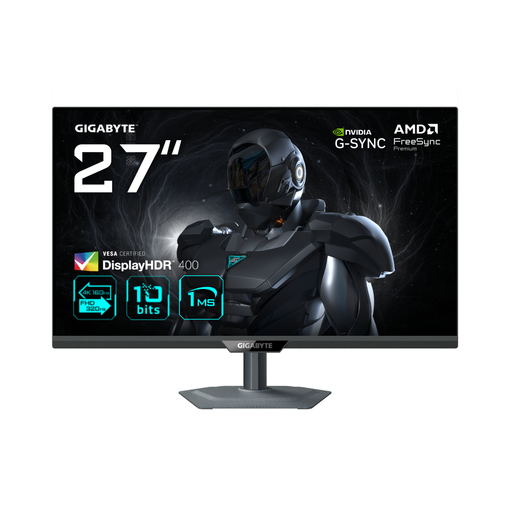 No image available
A 27-inch 4K model to compare if this screen size suits your workstation.
The product name lists 4K 160 Hz/FHD 320 Hz and an IPS panel.
No. 4K describes the image resolution; printing also involves colour conversion using suitable document, printer and paper profiles. Adobe describes colour management as part of printing in Photoshop. So first decide whether you actually have a print workflow.
Not without checking the specifications of both devices. BenQ lists 90 W for the SW272U, ASUS 96 W for the PA279CRV and EIZO up to 60 W for the CS2740. Also check that your laptop’s USB-C port supports video and that the power delivery is sufficient.
Match the colour mode with the calibrated monitor profile and output profiles, where your workflow requires them. The hardware calibration listed by BenQ and EIZO is a feature of those models; on its own, it doesn’t prove that all the settings are right for your workflow.
The Government of the Netherlands states that distance purchases generally come with a 14-day cooling-off period. This applies to consumer purchases and doesn’t necessarily apply to business purchases. Check the terms that apply to your order.
The European Commission states that computer monitors are covered by energy labelling for electronic displays, and that the label uses an A–G scale. For a specific model, check the product label or model information in EPREL. An energy rating says nothing about the accuracy of skin tones.