
Album designer checking prints
You assess the colour and tone of spreads before they go to the printer, and can check your screen display periodically. Adobe describes soft proofing as a way to get an impression of how a print will look.


For colour-critical checks of album prints, choose a 4K monitor with a suitable calibration method and match it to your print workflow; 4K alone won’t predict how a print will look. If colleagues review spreads together, screen size, viewing position and glare reduction may matter more. Also check that the connections, adjustability and any calibration accessories suit your shared workspace.
You assess the colour and tone of spreads before they go to the printer, and can check your screen display periodically. Adobe describes soft proofing as a way to get an impression of how a print will look.
You want to discuss a full spread with colleagues from different positions. BenQ specifies a matte screen coating for the SW272U; LG lists a 31.5-inch screen for the 32UQ850V-W. Arboportaal recommends paying attention to reflections when working with screens.
You connect computers belonging to different users and want to be able to adjust the monitor setup. ASUS and LG list adjustable stands for the models mentioned.
Best suited to when: you assess colour choices for album prints and can maintain a calibration workflow. EIZO and BenQ list 4K, 99% Adobe RGB and hardware calibration for the CS2740 and SW272U respectively.
Trade-off: the focus is on colour management, rather than showing the spread at a larger size. For the CS2740, EIZO lists a measuring device and monitor hood as optional accessories.
Best suited to when: you switch between computers and 27 inches is sufficient. ASUS lists 4K, multiple video inputs, USB-C power delivery and an adjustable stand for the PA279CRV.
Trade-off: factory calibration does not replace checking and maintaining your monitor and print workflow.
Best suited to when: you want to show a spread to a colleague at a larger size and have room for the screen on your desk. LG lists 4K, an IPS panel and adjustability for the 32UQ850V-W.
Trade-off: LG lists 98% DCI-P3 as a typical value, not an Adobe RGB coverage figure for this model. Screen size and colour gamut do not prove a match with a specific print.
The main considerations are your print workflow, viewing together, connecting different computers and having an adjustable workspace.
| Consideration | What should you check? | Who is this important to? |
|---|---|---|
| Assessing colour before printing | Calibration method, measuring equipment required and the profile for the intended print. | If I assess album colours before sending them to the printer, I want to be able to check my screen settings and proof display. Around 37% of consumers put print colour first. |
| Viewing a spread together | Screen size, viewing position and reflections where the screen will be placed. | When colleagues discuss the composition together, I want the spread to be easy to view from where they are sitting. Around 27% of consumers give viewing together top priority. |
| Connecting different computers | Video compatibility of the port you’re using, the cable required and USB-C charging power. | If several colleagues connect their own computers, I want to know in advance whether the port carries video and whether the power supply is sufficient. Around 18% of consumers prioritise flexible connections. |
| Adjusting the workspace | Height and swivel adjustment, stand dimensions and positioning in relation to windows. | When users and seating positions change, I want to be able to adjust the monitor to suit the workspace and reduce distracting reflections. Around 18% of consumers name adjustability as their top priority. |
Screen specifications alone won’t predict how an album print will look. The result also depends on setting up and maintaining your colour workflow.
Before buying, check which calibration method and accessories your workflow requires, and match the proof display to the intended print process.
A measuring device may be an optional purchase; you’ll also need to spend time maintaining colour management and checking settings again.
A 31.5-inch screen needs a different setup from a 27-inch model. Desk space, viewing position and reflections all affect how well it works for shared use.
Measure the available space and check the position of windows and lighting before placing the monitor.
The Chamber of Commerce distinguishes between business and consumer contracts; the terms that apply also depend on the agreement.
Confirm who the contracting party is and check the terms of sale, manufacturer’s warranty and any exchange service.
The ColorEdge CS2740 is a 27-inch 4K model for teams looking to include hardware calibration in their print workflow.
The SW272U is a 27-inch 4K photo monitor for anyone looking to combine calibration, glare reduction and laptop connectivity.
The ProArt PA279CRV is a 27-inch 4K option for a shared desk where colour modes and multiple connections matter.
The 32UQ850V-W offers a 31.5-inch 4K display for viewing spreads together.
These models are suited to assessing photo album spreads, from colour-focused checks to a larger display or connecting multiple computers.
 No image available
The larger screen may suit you if you want to view album spreads with colleagues.
31.5 inches; 4K UHD (3840 × 2160); 94% Adobe RGB; integrated automatic colourimeter; Thunderbolt 4 power delivery up to 140 W; adjustable stand.
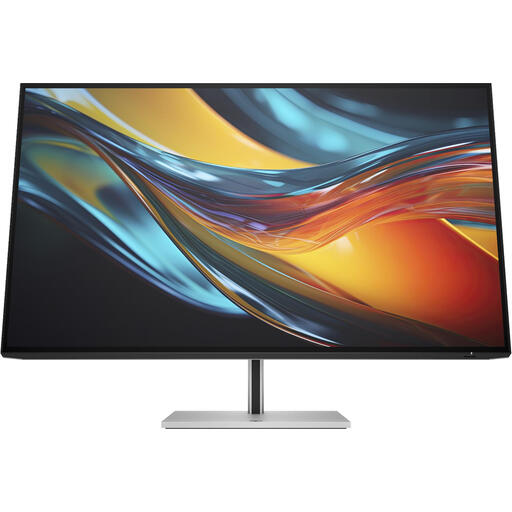 No image available
The 31.5-inch screen may suit you if several colleagues want to view the same spread.
4K (3840 × 2160); 98% Display P3; matte anti-glare finish; built-in KVM switch; Thunderbolt 4 power delivery up to 100 W.
According to the product description, the charger is not included as standard and must be purchased separately.
 No image available
The screen size may suit a shared view of album spreads.
31.5 inches; 4K Ultra HD (3840 × 2160); IPS panel; USB-C with 90 W Power Delivery; RJ45 connection; adjustable stand.
 No image available
This 27-inch model may suit you if colour-focused checks and connecting to a shared computer workspace are both priorities.
4K Ultra HD (3840 × 2160); factory calibration; 94% Adobe RGB; KVM switch; USB-C with 98 W Power Delivery; adjustable stand.
 No image available
The adjustable stand may come in handy when different users need to set up the monitor.
4K UHD (3840 × 2160); 99% Adobe RGB; matte finish; 90 W USB-C power delivery; 150 mm height adjustment.
No, resolution alone can’t tell you that. Use a colour-managed workflow, check your screen settings and view a proof using the profile for the intended output process. Ask the printer which settings and profiles are supported for the final production.
For each laptop, check whether the port you’re using can send video to the monitor, which cable is needed and whether the USB-C charging power is sufficient. Compare these requirements with the monitor’s connections and stated maximum power output.
That depends on the workflow you choose and the equipment you already have. EIZO lists a measuring device as an optional accessory for the CS2740; you’ll also need to allow time to manage and recheck your screen settings.
Not automatically. The Dutch government’s guidance on consumer rights covers private purchases; the Chamber of Commerce distinguishes between business and consumer contracts and notes that consumer protections may apply by analogy only in certain cases. So check who the contracting party is and which terms of sale and manufacturer’s warranty apply.
For setting up screen-based work, you can refer to Arboportaal’s guidance on matters such as adjustability and reflections; what applies depends on the workspace and circumstances. The Dutch Data Protection Authority notes that business use of photos showing identifiable people does not fall under the exception for exclusively personal or household use. So establish the applicable GDPR lawful basis and secure the images; this is neither blanket permission nor a general ban on showing album spreads.