What should you look for?
First, assess where window light falls on the screen and how you can reduce reflections. Then match colour management to your output and, finally, check that the resolution, connections and stand suit your setup.
| What to consider |
What should you check? |
Who should pay particular attention? |
| Reflections and daylight |
Look at the position of the window and screen, the screen finish, and whether a suitable hood shields it from light from above or from the sides. EIZO describes how its CH2710 hood works. |
If I work beside a bright window, I want to assess dark areas of an image without being distracted by incoming light. Around 36% of consumers prioritise reflection control. |
| Colour consistency |
Decide whether you mainly publish digitally or also print. Then compare the stated colour space and calibration options for the specific model; EIZO lists an integrated calibration sensor for the CG2700X. |
For my prints or other colour-critical output, I want a suitable colour space and a repeatable calibration process. Colour consistency is the top priority for around 29% of consumers. |
| Detail and workspace |
Check the resolution, screen size and available desk depth. According to the manufacturers, the 27-inch 4K UHD models mentioned have a resolution of 3840 × 2160 pixels. |
When blending landscape exposures, I want to inspect highlights, shadows and transitions while leaving room for my editing panels. Around 21% of consumers prioritise detail assessment and workspace. |
| Laptop connection and everyday use |
Check whether your laptop supports USB-C video, how much power it needs and which cables are included. ASUS lists USB-C Power Delivery up to 96 W for the PA279CRV. |
If I use one screen for photos and everyday laptop work, I want to know whether the connection and power supply are compatible with my laptop. Connection and everyday use are the top considerations for around 14% of consumers. |
4K monitors at Joybuy
This selection of Joybuy products focuses on 4K monitors for viewing and editing landscape photos. Compare the stated resolution, screen size and any connections for each model with your setup.
 No image available
LG UltraFine 27U711B-B 27-inch 4K IPS monitor
The stated 27-inch 4K resolution suits anyone looking to edit photos on a high-resolution screen.
IPS panel; 4K resolution.
Joybuy
 No image available
Philips 27E1N1800AE/00 27-inch 4K UHD IPS monitor
The stated UHD resolution is worth considering if you want to view photos and editing panels on a single screen.
3840 × 2160; 60 Hz; HDMI and DisplayPort; height-adjustable stand.
Joybuy
 No image available
MSI Modern MD272UPHG 27-inch 4K UHD monitor
This 27-inch 4K UHD model is one to compare if you’re looking for a high-resolution screen for image editing.
3840 × 2160 pixels; 4K UHD.
Joybuy
 No image available
INNOCN CB27U1 27-inch 4K UHD monitor
The stated 27-inch 4K UHD resolution suits anyone who wants to view details in landscape photos on a high-resolution screen.
3840 × 2160; IPS panel; 120 Hz; USB-C 90 W Power Delivery.
Joybuy
 No image available
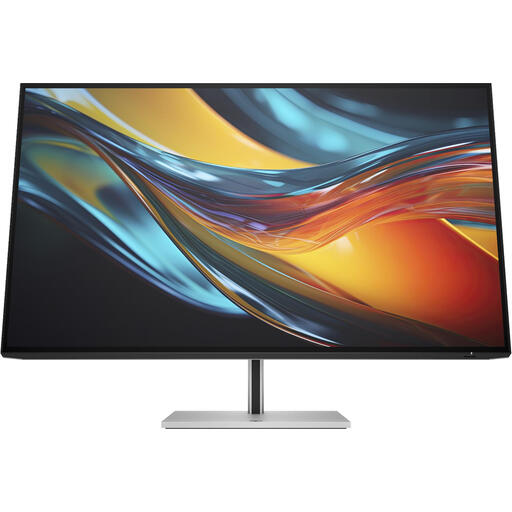
HP Series 7 Pro 732pk 31.5-inch 4K Thunderbolt 4 monitor
The 31.5-inch size may be worth considering if you want extra screen space alongside your photos; check that it will fit on your desk.
4K resolution; Thunderbolt 4.
Joybuy
Frequently asked questions
Do I need an HDR monitor to blend landscape exposures?
Not just to blend exposures. Adobe describes exposure blending as a way to preserve information in highlights and shadows, including in output that uses tone mapping. Choose HDR display if your intended assessment and output require it; an HDR label alone does not determine which monitor suits your workflow.
How should I use and calibrate a monitor by a window?
First, reduce distracting incoming light by adjusting the screen position or using a suitable hood. For its PhotoVue calibration process, BenQ recommends allowing the monitor to warm up before measuring. Follow the instructions for other models and assess the screen under the lighting conditions in which you work.
Which accessories should I check when buying a photo monitor?
Check whether the light hood and calibration option you want are included with the exact model you have chosen, and what cables or measuring equipment your workflow requires. For example, EIZO lists the CH2710 as included with the CG2700X and as an optional accessory for the CS2740. When buying, also ask about the applicable service and returns terms.
Is there a cooling-off period for online purchases in the Netherlands, and does a monitor have an energy label?
According to the Dutch government, distance purchases are often covered by a 14-day cooling-off period; exceptions and the type of seller may be relevant. According to the European Commission, computer monitors are covered by the energy label for electronic displays, with classes from A to G. Check the label for the specific model.


