What should you look for?
First, decide whether source readability or space for multiple windows is the biggest challenge in your workspace. Then compare the colour workflow and laptop connection you actually use.
| Concern |
What to look for when buying |
Who is this important to? |
| Reading small details |
Compare the 4K resolution, screen size and text scaling with your own viewing distance. |
If I want to check small captions, map labels and scans alongside my edit, the text needs to remain readable at my viewing distance. Around 31% of consumers put source readability first. |
| Assessing colour |
Check the intended output colour space and whether the monitor supports that workflow and can be calibrated. |
If I want to assess archive footage and new recordings consistently, I need the screen settings to match my SDR or HDR output. Around 25% of consumers put colour checking first. |
| Arranging the timeline and sources |
Compare the physical screen space, stand dimensions and adjustability with your desk and window layout. |
If I want to see the timeline, transcript and reference images at the same time, I need room to place windows side by side. For around 25% of consumers, having this workspace visible all at once is the top priority. |
| Connecting a laptop |
Check the exact connection, video mode and charging power of the monitor, laptop and cable. |
If I want to connect my laptop and peripherals easily, the connection needs to meet my laptop’s requirements. Around 19% of consumers put laptop connectivity first. |
At 27 inches, the same 3840 × 2160 pixels are physically closer together than they are on a 31.5-inch screen. This means text scaling can affect how many windows remain visible at once. A larger screen gives you more physical space, but also takes up more room on your desk.
Joybuy products for a more spacious workspace
These Joybuy products are 4K monitors with screen sizes of around 31.5–32 inches, designed for anyone who wants to make room for a timeline and reference windows.
 No image available
Philips 32E1N1800LA 32-inch 4K UHD monitor
The 32-inch screen may suit a layout with your timeline and references side by side.
VA panel; 3840 × 2160 pixels; 60 Hz; 300 cd/m²; 2× HDMI and DisplayPort; tiltable stand.
View at Joybuy
 No image available
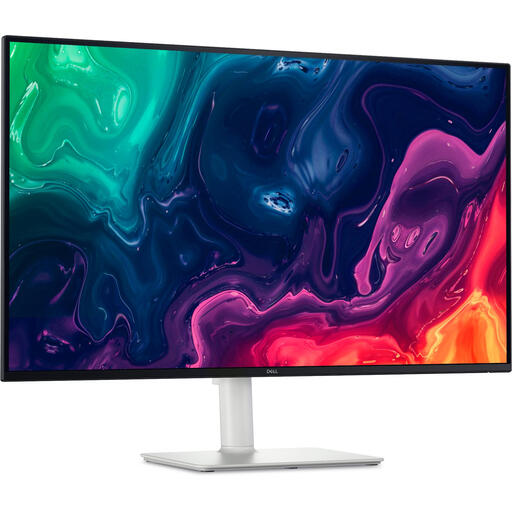
Dell UltraSharp U3226Q 32-inch 4K UHD monitor
The stated 31.5-inch screen size suits a setup with several reference windows alongside the timeline.
3840 × 2160 pixels; 120 Hz; QD-OLED; integrated colourimeter; 100% sRGB and 99% DCI-P3; Thunderbolt 4.
View at Joybuy
 No image available
AOC AGON PRO AG326UD 32-inch 4K monitor
The 31.5-inch screen may suit anyone looking for room for a timeline and references.
3840 × 2160 pixels; QD-OLED; 165 Hz; adjustable stand with height, tilt and swivel adjustment.
View at Joybuy
 No image available
BenQ PD3225U 32-inch 4K monitor
This model may suit anyone who wants more space to arrange a timeline and reference windows.
3840 × 2160 pixels; 4K Ultra HD; LED; Thunderbolt 3 with 85 W Power Delivery and KVM.
View at Joybuy
 No image available
Dell Plus S3225QS 31.5-inch 4K Ultra HD monitor
The 31.5-inch screen can provide space for a timeline and references on the same display.
3840 × 2160 pixels; 4K Ultra HD; LCD.
View at Joybuy
Frequently asked questions
Which colour setting should I use for an SDR version of the film?
Match the settings to your intended output. Adobe describes a Rec.709 SDR workflow and separate HDR settings, so check both your editing project and monitor rather than relying on an HDR logo alone.
Is factory calibration enough for the entire editing process?
For an objective check of colour reproduction, factory calibration isn’t the same as measuring and adjusting the display yourself. Adobe recommends using a colourimeter for this; check which tools your monitor supports.
Can a single USB-C cable always carry video and charge a laptop?
No, it depends on the monitor, laptop and cable. Check that the exact combination supports the required video mode and charging power.
What are my rights when I buy a monitor online as a consumer in the Netherlands?
According to ACM ConsuWijzer, online purchases generally come with a statutory cooling-off period of up to 14 days after delivery. You also have statutory rights for as long as the product should reasonably be expected to last; a stated manufacturer’s warranty period doesn’t replace them.
Should I check the EU energy label when buying a monitor in the Netherlands?
The European Commission says EU energy labelling rules also cover computer monitors. Compare the label or product information sheet for the exact version.


