
Editors working with lots of references
If you want to view recipe notes and close-up shots alongside your footage and timeline, you’ll benefit from a layout that suits the screen size, viewing distance and text size you prefer.


Start with a 4K monitor that lets you arrange your footage, timeline and recipe notes comfortably. Consider the screen size and viewing distance at your workstation. Give colour management and calibration more weight if you want to assess colours carefully, or look for USB-C video and sufficient charging power if you edit on a laptop. Manufacturer specifications are useful for comparisons, but they are not independent measurements of the picture you’ll see for yourself.
If you want to view recipe notes and close-up shots alongside your footage and timeline, you’ll benefit from a layout that suits the screen size, viewing distance and text size you prefer.
If you want to assess dishes consistently, you can weigh up colour modes and calibration options against your SDR or HDR workflow. BenQ and EIZO list model-specific colour and calibration features.
If you want to connect your display and potentially charge your laptop using a single cable, check that your laptop, cable and monitor support the required USB-C video connection and that the charging power is sufficient.
| What to consider | What should you check? | Who is this important for? |
|---|---|---|
| Room for footage and references | Compare the screen size and resolution with your desk, viewing distance and preferred text size. | If I want to see recipe notes, close-up shots and the timeline at the same time, I prioritise a practical screen layout. Around 36% of consumers put space for references first. |
| Colour assessment | Check whether the colour mode suits your SDR or HDR output and see which calibration features are listed for the exact model. | If you want to assess ingredients and other colours in your footage carefully, you’ll benefit from a workflow that matches your output. Around 29% of consumers prioritise colour assessment. |
| Connecting and charging a laptop | Check USB-C video support and compare the stated charging power with your laptop’s requirements. | If I want to keep my editing desk tidy with a single cable, I check the laptop, cable and monitor together first. Around 21% of consumers put ease of connection first. |
| Comfort and energy use | Check how adjustable the stand is and look at the EU energy label for the exact model. | For long editing sessions, I want to be able to adjust my screen setup and compare energy use. Around 14% of consumers prioritise comfort at work and running costs. |
A monitor’s HDR support doesn’t automatically mean its settings are right for your SDR or HDR output.
First decide how you’ll export your video, then check whether the monitor settings suit that workflow.
Your laptop, cable and monitor must support the required video connection. Charging power varies by model and needs to be right for your laptop.
Compare the connections and power output of the exact monitor model with your computer’s requirements.
The MSI MAG 322UP QD-OLED E16 specifies USB-C Power Delivery of up to 15 W; according to the product description, this won’t replace a power adapter for most laptops.
A manufacturer’s warranty is not the same as the statutory protection you have if a product doesn’t meet reasonable expectations.
The Dutch government states that there is no fixed statutory warranty period in the Netherlands. The retailer is your point of contact if a product is faulty; what you can reasonably expect depends, among other things, on the product, its price and the information provided. Read the manufacturer’s terms and information about your statutory rights separately.
The UltraFine models listed are 27-inch 4K options that you can compare individually for colour coverage and connections.
The Creative Pro PD2705U is a 27-inch 4K model to include when comparing colour features and laptop connectivity.
The UltraSharp U2723QE is a 27-inch 4K model worth considering if connectivity and a USB-C workstation matter to you.
The ColorEdge CS2740 is a 27-inch 4K option for anyone looking to include hardware calibration in their colour workflow.
The ProArt PA279CRV is a 27-inch 4K option with manufacturer specifications for colour coverage and USB-C.
This selection includes 4K monitors for video editing, with a range of screen sizes, panel types and connections.
 No image available
This 27-inch 4K version is an option to compare for a workstation with footage and references.
27 inches; UHD 3840 × 2160; IPS.
 No image available
This model is worth a look if you want to weigh up several of the listed connection options for your editing computer.
27 inches; 4K IPS. The product description lists USB-C, HDMI and DisplayPort; check that the video features and power supply you need are compatible with your computer.
 No image available
The 31.5-inch screen is a larger option to compare with the space available on your desk and your viewing distance.
31.5 inches; 4K UHD. The product description lists 99% DCI-P3 and USB-C Power Delivery of up to 15 W. According to the product description, this power output won’t replace a power adapter for most laptops. The description also advises against displaying static images at high brightness for extended periods.
 No image available
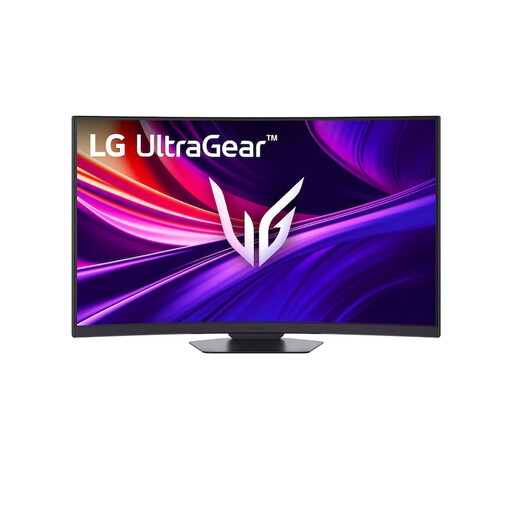
The 37-inch screen makes this model worth comparing if you have room for a larger display on your desk.
37 inches; 4K UHD; curved VA panel. The product description lists 95% DCI-P3.
 No image available
A 27-inch 4K IPS model to compare if colour coverage and adjustability matter for your workstation.
27 inches; 4K UHD IPS. The product description lists 95% DCI-P3, factory calibration and a stand with height, tilt, swivel and pivot adjustment.
No. Match the colour mode to your editing and output workflow. Adobe describes Direct Rec.709 as an SDR setting in Premiere and distinguishes it from wide-gamut settings; the right choice depends on your footage and intended output.
Only if your laptop, cable and monitor support the required video connection and the power supplied is right for your laptop. BenQ lists USB-C with DisplayPort Alt Mode and 65 W Power Delivery for the PD2705U; check the specifications for any other model.
Check that you can adjust the monitor to suit your workstation, for example with height and tilt adjustment. The Dutch Arboportaal outlines employers’ obligations for screen-based work; these workplace rules don’t automatically mean that every home editor has a personal obligation to buy particular equipment.
The European Commission classifies computer monitors as electronic displays covered by EU energy labelling rules. Compare the label for the exact model: the scale runs from A to G, and the label also includes information for HDR viewing.
For distance sales to consumers, there is generally a statutory 14-day cooling-off period from delivery. Check the applicable terms and the retailer’s information; this right is separate from your statutory rights if a product is faulty.