
Vandaag of morgen in huis

Kwaliteit gegarandeerd

Welkomstaanbiedingen ontgrendelen: GRATIS bezorging | Tot 80% korting | Gratis 30 dagen JoyPlus-proefperiode
Download de app
A 4K monitor has a resolution of 3840 × 2160 pixels. That means a sharp picture for text, photos, videos and games. However, not every 4K UHD monitor is automatically right for every user. A gamer looks for different features from someone choosing a monitor for graphic design or photo editing.
The most common buying mistakes usually stem from three misunderstandings:
An IPS panel typically offers wide viewing angles, making it a practical choice for office work, photo editing and graphic design. A VA panel can offer higher contrast, which is useful for films and dark scenes. An OLED or QD-OLED monitor uses self-emissive pixels, allowing dark areas to appear a very deep black.
When choosing a monitor for colour-critical work, look for:
A wide colour space is only useful if your software, camera and output format can handle it. For standard office work, 100% sRGB is often more relevant than the widest possible colour gamut.
A 60Hz monitor refreshes the picture 60 times per second. That’s sufficient for documents, image editing and most office computers. For a 4K gaming monitor, 120Hz, 144Hz, 165Hz or higher is more appealing, provided your computer or games console can support it.
Also check:
A 240Hz monitor isn’t automatically useful for every gamer. With demanding 4K games, the graphics card can be the limiting factor. For competitive gaming, a lower resolution with a higher refresh rate may be more practical.
A USB-C monitor can carry video, data and power through a single cable. Check the power delivery: 15W is suitable for small devices, but usually won’t replace a laptop charger. For a laptop docking setup, 65W, 85W, 90W or 98W is more useful.
A monitor with a KVM switch lets you control two computers with one keyboard and mouse. This is handy if you use a work laptop alongside a personal computer at home.
Also look for:
A 32-inch monitor gives you plenty of workspace, but it also takes up more desk depth. A 27-inch 4K monitor has a higher pixel density and is often a better fit for a compact desk. Check the scaling settings in Windows or macOS, as text and icons can look small at 4K without scaling.
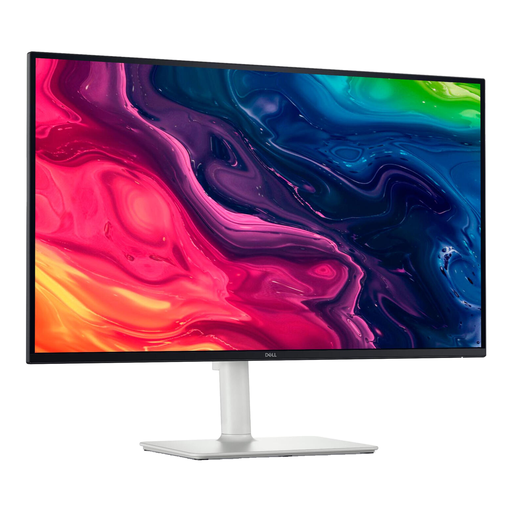
Why it suits this profile: This 27-inch IPS monitor combines 4K resolution with 120Hz, HDMI 2.1, DisplayPort and a height-adjustable stand. That makes it suitable for office work, media and light gaming.
The specifications list both 4K and 120Hz, so you don’t have to sacrifice smooth motion for sharpness. FreeSync Premium is included, but always check compatibility with your graphics card.
IPS panel, 163 ppi, height adjustment, pivot function and integrated speakers with 10W total output.
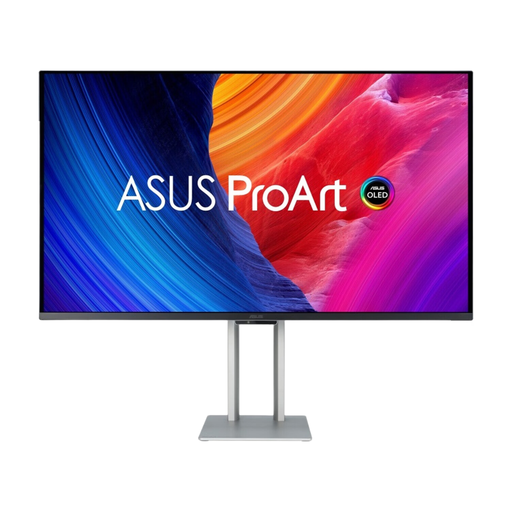
Why it suits this profile: This 31.5-inch QD-OLED monitor is aimed at users who want to combine 4K detail, HDR and a high refresh rate in one screen.
Alongside 240Hz, this model features HDMI 2.1 and Thunderbolt 4. Use a screen saver and varied content to reduce the risk of image retention when using OLED.
QD-OLED panel, 0.1 ms response time, HDR support, USB hub and up to 96W power delivery via USB-C.
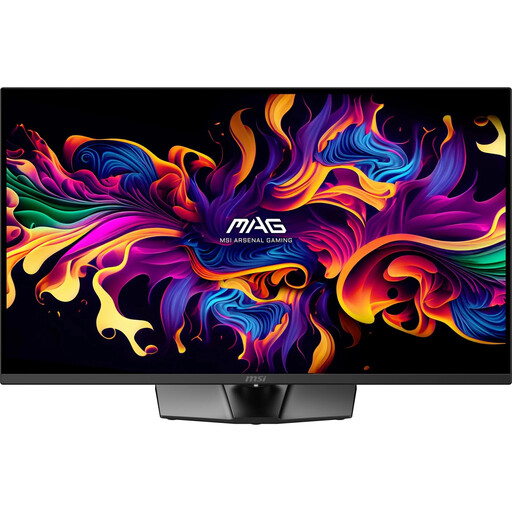
Why it suits this profile: This 31.5-inch 4K UHD gaming monitor is designed for gamers who need a high refresh rate, HDMI 2.1 and adaptive sync.
The maximum 165Hz is only available with a suitable source and cable. The USB-C connection delivers up to 15W, so it won’t replace most laptop chargers.
QD-OLED, 165Hz, 0.03 ms GTG, HDMI 2.1, FreeSync Premium Pro and G-SYNC Compatible. There’s no KVM switch or built-in speakers.
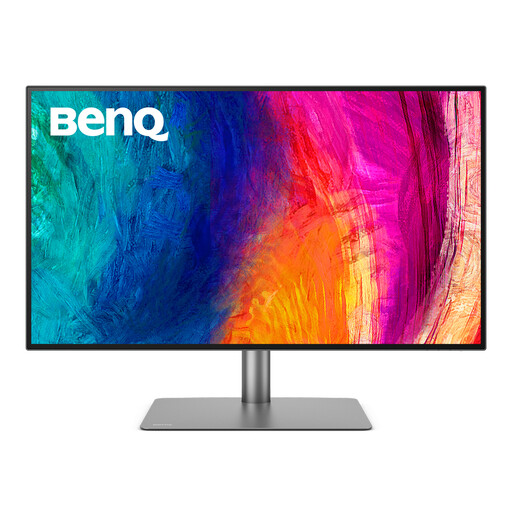
Why it suits this profile: This IPS model is designed for designers and business users who need a large workspace, USB-C docking and support for multiple computers.
The stated 60Hz makes it clear that this isn’t a high-refresh gaming model. The KVM switch, PIP/PBP and Thunderbolt 3 are instead geared towards productivity.
IPS panel, 10-bit colour, 85W Power Delivery, four video inputs, KVM switch and 15 cm of height adjustment.
We’ve put together a complete, up-to-date list of products that meet these strict selection criteria and comply with current European safety regulations.
Yes. 4K gives you sharper text and more workspace than Full HD. On a 27-inch monitor, the default display size may be small; a scaling setting of, for example, 125% or 150% makes text easier to read. For extended use, height adjustment, a matte coating and a suitable viewing distance are important.
For spreadsheets, web pages, photo editing and administrative work, 60Hz is usually enough. Gamers may benefit from 120Hz, 144Hz or 165Hz. Check that your graphics card, cable and connection support the combination of 4K and the high refresh rate you want.
Power consumption depends on screen size, brightness, panel type and how long you use it. Check the stated power consumption and energy label. Lowering the brightness can reduce energy use. With an OLED monitor, a screen saver and varied content can also help you take good care of the panel.
