
Portrait editor working beside a window
You want to manage reflections and changing daylight before judging subtle shades of grey.


First, choose a 4K monitor and a workspace where you can control reflections. Then consider contrast, calibration and the connections you need. BenQ lists a matte coating, an included hood and hardware calibration for the SW272U, while Dell quotes a 3000:1 contrast ratio for the U2725QE. Manufacturer specifications like these can’t predict exactly how shadow detail will look in the light from your window.
You want to manage reflections and changing daylight before judging subtle shades of grey.
You’re looking for a repeatable way to assess images on screen, so you’re considering calibration and ways to shield the display from ambient light.
You’re weighing up shadow detail, 4K workspace and your computer’s connections without treating any one specification as the deciding factor.
Start with the position of the screen and the effect of the window. Then compare greyscale performance, calibration and connections to suit your editing and, if relevant, printing workflow.
| What to consider | What to look for | Who is this important for? |
|---|---|---|
| Reflections beside the window | Check the screen coating, whether a hood is included and whether you can position the screen effectively. | If the window is reflected in my screen, I want to reduce reflections first and position the monitor properly. Around 31% of consumers prioritise managing reflections from windows. |
| Shadow detail and greyscale contrast | Compare typical or native contrast on a like-for-like basis, and consider peak HDR brightness separately. | When editing black-and-white portraits, I want to distinguish between dark shades of grey without judging contrast figures in isolation from reflections. Around 31% of consumers prioritise shadow detail. |
| Calibration and printing | Check the supported calibration method, software and any measuring equipment required for the exact model. | If I also assess portraits for print, I want to set up my screen to suit my workflow. Around 23% of consumers prioritise repeatable assessment and calibration. |
| Connections and workspace | Check video support and power delivery through the computer connection, as well as the space needed for the screen and any hood. | At a compact desk, I want to know whether my computer can deliver the resolution I want through its available connection, and whether the screen and any hood will fit. Around 15% of consumers prioritise connections and desk layout. |
A quoted peak figure is not the same as typical brightness, and it won’t automatically eliminate reflections from a window.
Compare brightness figures on a like-for-like basis, and assess the screen coating, screen position and any hood separately.
For the ASUS PA279CRV, ASUS lists a maximum of 3000:1 as well as typical contrast of 1000:1. BenQ quotes native contrast of 1000:1 for the SW272U; these figures aren’t directly comparable.
Check whether a figure refers to typical, native or maximum contrast before comparing models for dark areas in portraits.
Features and supplied accessories vary by version. Any calibration meter or other accessories you need may also incur extra costs.
Check what’s in the box, which calibration methods are compatible and whether you need any additional accessories for your workflow.
The SW272U is a 27-inch 4K monitor designed by BenQ for photography, with a matte coating, a black-and-white mode and hardware calibration.
The U2725QE is a 4K hub monitor with IPS Black, while the S2725QS is a more general-purpose 27-inch 4K model.
EIZO positions the ColorEdge CS2740 as a 27-inch 4K monitor for photography and retouching.
The ProArt PA279CRV is a 27-inch 4K monitor with an anti-glare screen and USB-C.
This selection includes 4K monitors in a range of sizes and configurations. For each model, consider whether the screen surface, calibration and connections suit editing black-and-white images beside your window.
 Image unavailable
Product information lists an integrated colourimeter and a magnetic light hood; check how the calibration suits your workflow.
32-inch; 4K UHD; 120Hz; QD-OLED.
 Image unavailable
Product information lists an anti-glare screen surface. In your window setup, also consider the screen position and whether you need a hood.
27-inch; IPS; 4K UHD; 3840 × 2160 pixels.
 Image unavailable
An option to compare if you want to combine photo and video editing on a 4K screen; check whether the calibration method suits your workflow.
27-inch; 3840 × 2160 pixels; 4K UHD.
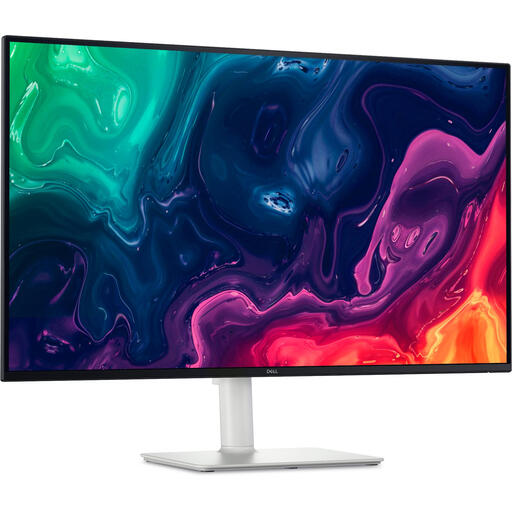 Image unavailable
This 4K monitor is worth comparing if you’re considering a larger screen; check reflection management and contrast using a like-for-like measurement.
31.5-inch; 3840 × 2160 pixels; 4K UHD.
 Image unavailable
An option to compare if you want to edit photos on a larger 4K screen; check what colour coverage and calibration your workflow requires.
31.5-inch; 3840 × 2160 pixels; 4K UHD.
Not always. BenQ and ASUS list reflection-reducing screen surfaces for the SW272U and PA279CRV respectively, but the position of the screen and window also matters. Check separately whether a hood is included with the version you’re considering.
If you want to assess greys reliably, match the settings and calibration method to your own workflow. Adobe highlights the importance of a calibrated screen for colour and greyscale; a factory report doesn’t automatically account for your setup.
Only if your laptop supports video through that connection and the available power delivery is sufficient. BenQ lists DisplayPort Alt Mode and up to 90 W power delivery for the SW272U; ASUS lists DisplayPort Alt Mode and up to 96 W for the PA279CRV. Also check the capabilities of your laptop’s connection.
For eligible distance purchases, you’ll often have a 14-day cooling-off period, according to the Dutch government. If a product is faulty, you’re entitled to an appropriate legal remedy, such as repair, replacement or a refund; the Netherlands has no fixed statutory guarantee period. Check the terms of the specific purchase, and distinguish any commercial guarantee from your statutory rights.
EU rules for electronic displays require suppliers to provide a printed energy label, according to EUR-Lex. Check the information for the exact model; the energy rating alone doesn’t tell you how suitable the screen is for portrait editing.