
Vandaag of morgen in huis

Kwaliteit gegarandeerd

Welkomstaanbiedingen ontgrendelen: GRATIS bezorging | Tot 80% korting | Gratis 30 dagen JoyPlus-proefperiode
Download de app
The search for a new gaming monitor can be overwhelming. You're faced with terms like 4K, 144Hz, QD-OLED, and HDR. What do these specifications mean, and which ones are truly important for your gaming experience on a PC or console like the PS5?
This article is designed to help you make an informed choice. We'll explain the most important specifications and present a selection of 4K gaming monitors that stand out for their features, without the marketing jargon.
Before we dive into specific models, it's helpful to understand a few key points. This will help you determine which monitor is the right fit for your setup and playstyle.
The panel technology largely determines the image quality. The two most common options in the premium segment are IPS and QD-OLED.
For smooth gameplay, the refresh rate (expressed in Hertz, Hz) is crucial.
The combination of screen size and resolution affects the sharpness of the image.
Based on specifications and features, we have selected a few models that are compelling options for serious gamers.
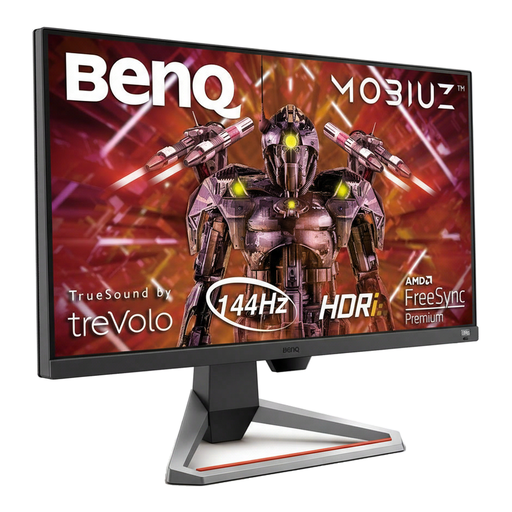
Why This Model Stands Out The BenQ EX2710U is a versatile 27-inch 4K monitor with an IPS panel. It combines a high refresh rate with excellent image quality and extra features like built-in 2.1-channel speakers and a noise-cancelling microphone.
Pros
Who Is This For? This monitor is a solid choice for gamers looking for an all-rounder for both PC and console (PS5/Xbox Series X). The combination of 4K, a high refresh rate, and the extra audio features make it a complete package.
View the BenQ EX2710U MOBIUZ on Joybuy.nl
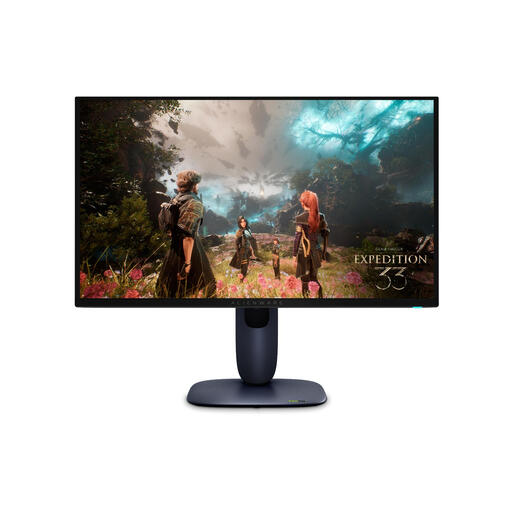
Why This Model Stands Out The Alienware AW2725Q is aimed at gamers who demand top-tier performance. It combines a 4K resolution with an extremely high 240Hz refresh rate and the superior image quality of a QD-OLED monitor.
Pros
Who Is This For? This is a monitor for the competitive PC gamer seeking the fastest possible response and the smoothest visuals in 4K. The QD-OLED technology also provides a visually stunning experience in graphically-intensive games.
View the Alienware AW2725Q on Joybuy.nl
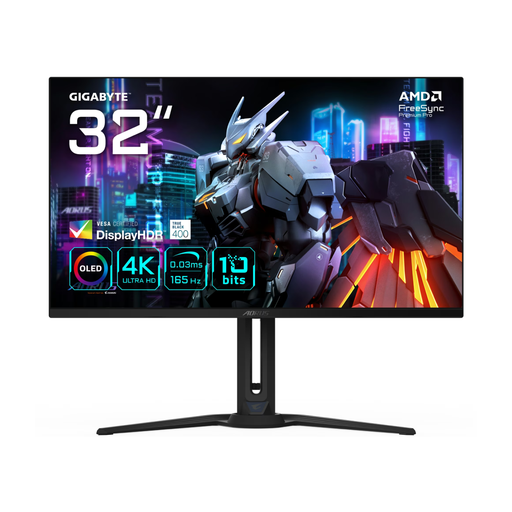
Why This Model Stands Out The Gigabyte AORUS FO32U offers a large 31.5-inch QD-OLED panel for an immersive 4K experience. With a 165Hz refresh rate, it's a strong contender for gamers who value both visual splendour and high performance.
Pros
Who Is This For? This monitor is ideal for gamers looking for a large screen for an immersive experience in single-player adventures, but who don't want to compromise on speed for multiplayer games.
View the Gigabyte AORUS FO32U on Joybuy.nl
The gaming monitor market is constantly evolving. If the models above don't quite meet your needs, many more options are available. Browse our full range for a wider selection of screens with different sizes, specifications, and prices.
Discover More Ultra HD LED Monitors on Joybuy.nl
1. Is a 4K gaming monitor worth it for competitive gaming? Yes, provided your PC or console is powerful enough to run high frame rates at 4K resolution. The combination of extra sharpness (which helps you spot enemies at a distance) and a high refresh rate (144Hz or higher) can provide a competitive edge.
2. What is the main difference between QD-OLED and IPS for gaming? QD-OLED excels in contrast (perfect blacks) and response time, resulting in a very vibrant and responsive image. IPS is known for its accurate and consistent colour reproduction from various viewing angles and is often a more accessible technology.
3. Do I need HDMI 2.1 for my PS5 or Xbox Series X? Yes, to take full advantage of a PlayStation 5 or Xbox Series X, a monitor with an HDMI 2.1 port is highly recommended. Only this standard supports 4K gaming at 120Hz, which ensures the smoothest experience on consoles.
