
Vandaag of morgen in huis

Kwaliteit gegarandeerd

Welkomstaanbiedingen ontgrendelen: GRATIS bezorging | Tot 80% korting | Gratis 30 dagen JoyPlus-proefperiode
Download de app
Buying a 3D printer and filament seems simple enough, until you have to choose between speed, build volume, materials and colour options. Marketing copy often highlights a maximum speed of 600 mm/s, automatic features or “professional” results. In practice, your slicer settings, filament, print environment and maintenance all affect how much you get out of your printer.
Here are some common pitfalls to watch out for:
A fast 3D printer is most useful when its motion system, extruder and cooling are designed to keep up. A speed of 600 mm/s is usually a stated maximum. For detailed models, a lower setting may make more sense.
When comparing printers, look at:
A printer with a build volume of 220 × 220 × 220 mm is suitable for many components and decorative models. For larger prototypes, a volume of around 250 × 250 × 250 mm or more is more practical.
PLA is popular because it is relatively easy to print with. Standard 1.75 mm PLA filament is suitable for many FDM printers, but always check the recommended print temperature and the manufacturer’s profile.
1 kg PETG filament is a good option for parts that need greater toughness or moisture resistance. PETG can be more prone to stringing, though, and often needs different temperature and retraction settings from PLA. A matte version, such as eSUN Matte PETG, can look different from glossy PETG.
For flexible materials or technical filaments, a direct-drive extruder is often a practical choice. Also check whether the printer has a heated bed, a suitable nozzle and, if needed, an enclosed build chamber.
Filament absorbs moisture. Store opened spools in a sealed box or bag with desiccant. This is especially important for PETG and other hygroscopic materials. A damp spool can cause popping during extrusion, uneven layers and more stringing.
The finish is another choice to consider:
When buying 3D printer filament, always check that the spool size, diameter and temperature settings are compatible with your printer. A dimensional tolerance, such as ±0.02 mm for certain Anycubic filaments, is a verifiable product specification, but it doesn’t guarantee that every print will work without calibration.
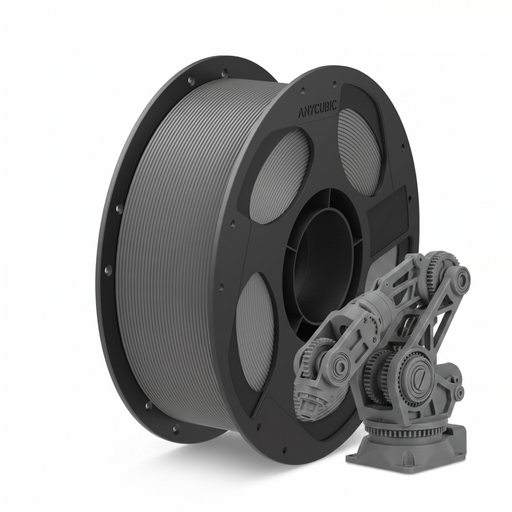
Why it suits this type of user: A 1 kg spool of 1.75 mm PLA is a straightforward starting point for general models and practice prints.
The product description specifies a diameter of 1.75 mm and a tolerance of ±0.02 mm. Still, make sure you select the correct PLA profile in your slicer.
1 kg per spool, PLA material and a texture grey colour, according to the product listing.
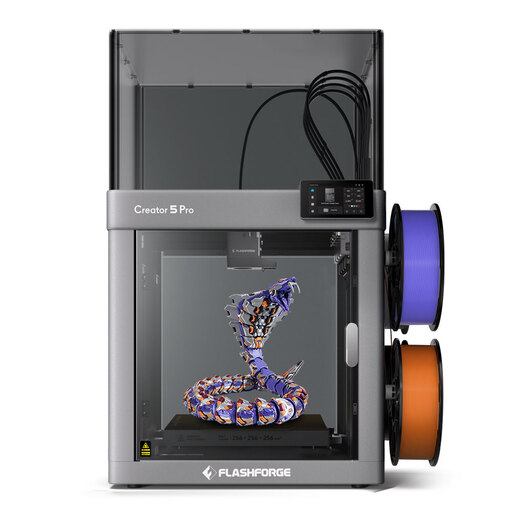
Why it suits this type of user: Designed for users who combine multiple materials and colours, and need an enclosed CoreXY build for more demanding applications.
According to the product description, four independent toolheads reduce colour mixing and allow colour changes without relying solely on spool changes.
The listing specifies 600 mm/s, an extruder temperature of up to 320°C and a heated chamber of up to 65°C.
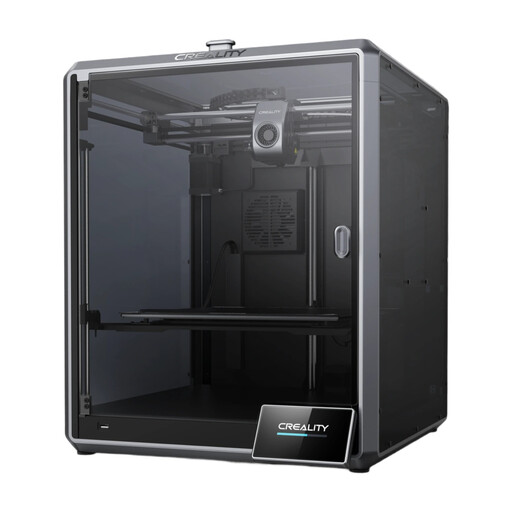
Why it suits this type of user: A good fit for makers and small businesses looking for a large build volume and high throughput.
The product listing mentions automatic levelling, LiDAR and an AI camera. Treat these as helpful features; you’ll still need to check bed adhesion and the material profile.
Build volume of 11,81 × 11,81 × 11,81 inch, direct-drive extruder and a stated maximum speed of 600 mm/s.
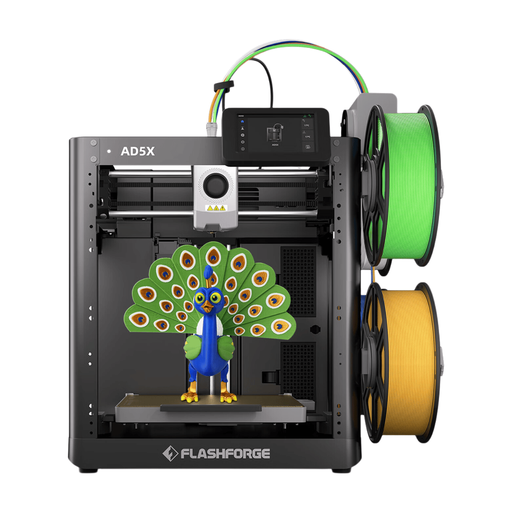
Why it suits this type of user: For users looking for a multicolour 3D printer with automatic features and a compact build volume.
The product information specifies support for up to four colours, automatic filament feeding and a function that resumes printing after a power cut.
Build volume of 220 × 220 × 220 mm, direct-drive extruder up to 300°C and a stated speed of up to 600 mm/s.
We’ve put together a complete, up-to-date list of products that meet these strict selection criteria and current European safety regulations.
Not necessarily. The stated maximum speed tells you little about the settings you’ll use for each model. Beginners often benefit more from automatic bed levelling, a clear display and a readily available PLA profile. Also check that you can set up the printer safely on a stable, heat-resistant surface in a well-ventilated area.
It depends on the model, infill, layer height and number of support structures. A small decorative object uses far less material than a large functional part. If you print frequently, remember to store your filament somewhere dry, as moisture can affect print quality.
As well as the purchase price, you’ll need to pay for filament, electricity, nozzle and build plate maintenance, and sometimes replacement parts. PLA is often a practical choice for everyday use. PETG may be better suited to certain functional applications, but usually calls for more precise temperature and slicer settings. Before buying, check the latest product specifications, warranty terms and compatibility.
