
Vandaag of morgen in huis

Kwaliteit gegarandeerd

Welkomstaanbiedingen ontgrendelen: GRATIS bezorging | Tot 80% korting | Gratis 30 dagen JoyPlus-proefperiode
Download de app
Buying a 3D printer might seem straightforward until you start comparing technical specifications. Manufacturers often highlight high print speeds, AI features or multi-colour support. In reality, it's the build volume, material compatibility and calibration that determine whether a printer suits your projects.
For makers, hobbyists, engineers, designers, schools and small businesses, these are the main pitfalls to watch out for:
The build volume determines how large a part you can make in one go. For standard models and prototypes, around 220 × 220 × 220 mm is often sufficient. If you want to print larger enclosures, moulds or functional parts, you'll need more space.
Also consider the frame type. A CoreXY design has been chosen for several models in the range because of the print head movement and the potential for high speeds. Check that the printer is stable and that the stated speed is paired with features such as vibration compensation and flow calibration.
An FDM 3D printer melts filament through a heated extruder. The maximum nozzle temperature partly determines which materials you can use. PLA and PETG are less demanding than ABS, nylon, polycarbonate or carbon-fibre-reinforced filaments.
So check:
A printer for professional use should also suit your ventilation and workspace. Materials such as ABS and carbon-fibre filament can release fumes and particles. Always follow the manual and any safety data sheets for the filament.
A properly levelled print bed is crucial for first-layer adhesion. Automatic bed leveling saves time, but also check whether the printer sets the Z-offset automatically and whether the bed is easy to clean.
For technical materials, a 3D printer with a heated chamber can be worthwhile. According to the product specifications of certain models, a consistent chamber temperature helps reduce warping. This makes such a printer more suitable for ABS, PC and some nylon composites than an open-frame model.
A 3D printer with an AI camera can, according to the product description, detect visible issues such as spaghetti formation and pause a print. Treat this as a helpful tool, not a guarantee of error-free prints. Also check the privacy settings, camera image storage and remote control options.
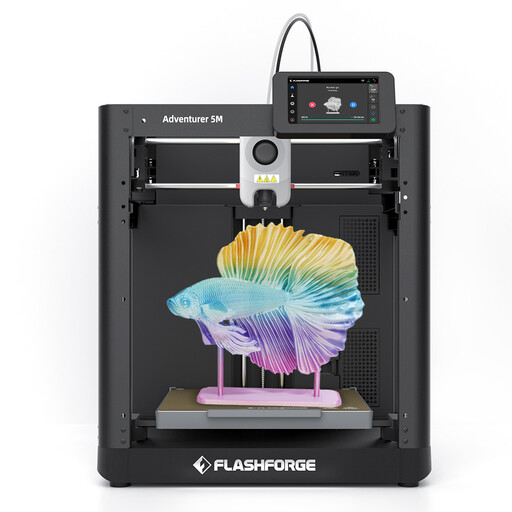
Why it suits this profile: This model is designed for easy start-up with automatic bed leveling, a build volume of 220 × 220 × 220 mm and a direct-drive extruder reaching up to 280 °C. That makes it ideal for hobby projects, school models and first prototypes.
The automatic calibration reduces manual adjustment. However, after transport, do check the bed flatness and the build plate fixings.
According to the product specifications: up to 600 mm/s, automatic bed leveling, quick-swap nozzle and PEI platform.
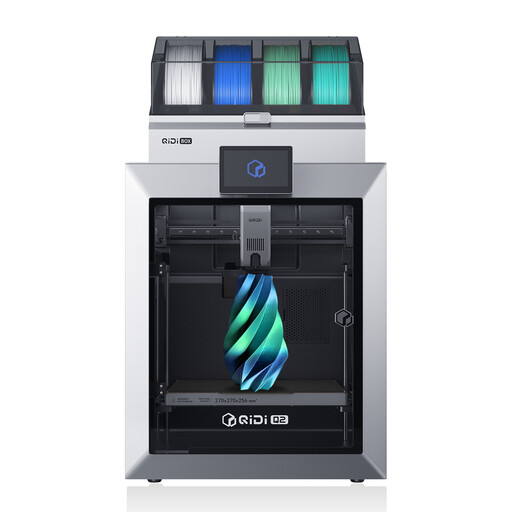
Why it suits this profile: This enclosed FDM printer combines a build volume of 270 × 270 × 256 mm with a heated chamber at 65 °C, a hotend reaching 370 °C and multi-material support via QIDI BOX.
The product specifications list material support, filtration and the enclosed chamber separately. This makes it easier to assess whether the printer suits technical filaments.
Up to 600 mm/s, AI camera, fully automatic leveling, 3-in-1 air filtration and optional 16-colour or multi-material printing.
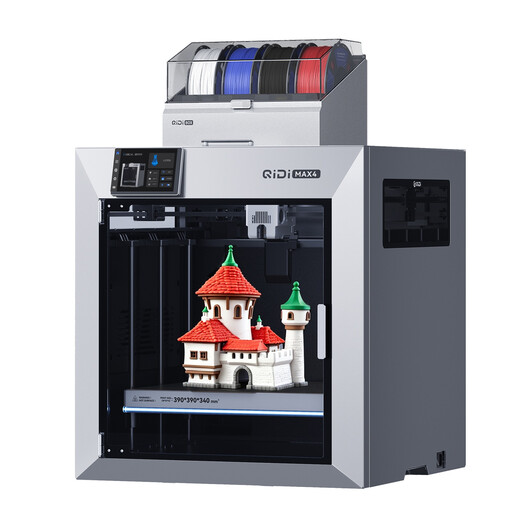
Why it suits this profile: For larger prototypes, moulds and functional parts, this model offers a build volume of 390 × 390 × 340 mm, a heated chamber at 65 °C and support for industrial filaments, according to the product specifications.
The combination of an enclosed design, heated chamber and hardened hotend makes the material choice clearer than with an open entry-level printer.
Large build volume, AI camera with automatic pause function, up to 800 mm/s and expansion to 16 colours or multiple materials.
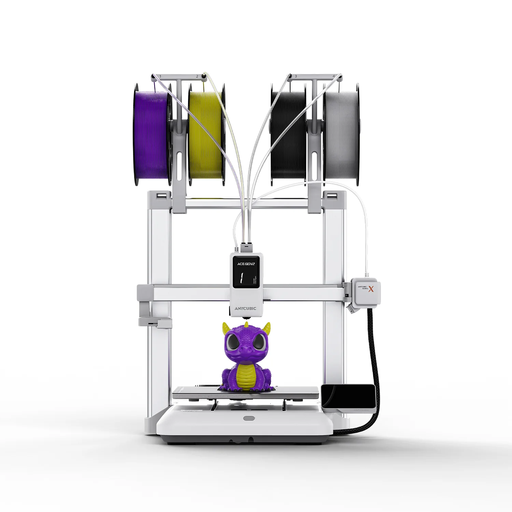
Why it suits this profile: This multi-colour 3D printer is designed for models, prototypes and parts where colour changes matter. The built-in four-colour function can be expanded to 19 colours, according to the product specifications.
The colour capacity, material support and build volume are listed separately. Check in advance which module and filaments are needed for your desired configuration.
Build volume of 260 × 260 × 260 mm, automatic Z-offset, support for PLA, PETG, TPU, PVA and filament problem detection.
We've put together a full, up-to-date list of products that fully meet these strict selection criteria and comply with current European safety regulations.
Beyond the purchase price, you'll need to budget for filament, electricity, maintenance and possibly replacement nozzles or build plates. PLA is generally straightforward to work with. Technical materials can be more expensive and may require a heated chamber, enclosed design or hardened nozzle. So don't just compare the printer price; also consider the cost per kilogram of filament and the availability of spare parts.
It can be, but speed isn't the only factor. A model with automatic bed leveling, pre-set profiles and a clear interface typically requires less manual adjustment. Start with PLA and first learn how layer height, temperature and print speed affect results. Only use the maximum speed once the printer is properly calibrated.
For small prototypes, a printer with a build volume around 220 mm and support for PLA or PETG is often sufficient. For functional parts, larger models or demanding materials, a printer with an enclosed chamber, higher hotend temperature and automatic monitoring is more practical. Always check the mechanical properties of the finished part; a printed prototype doesn't automatically have the same properties as an industrially manufactured product.
