
Vandaag of morgen in huis

Kwaliteit gegarandeerd

Welkomstaanbiedingen ontgrendelen: GRATIS bezorging | Tot 80% korting | Gratis 30 dagen JoyPlus-proefperiode
Download de app
Buying a 3D printer may seem straightforward until you start comparing specifications. Print speeds of 500 or 800 mm/s, automated features, and multicolour systems sound appealing, but they are not automatically suited to your workspace, materials, or level of experience. For home users, makers, schools, and small businesses, the key is choosing a printer that matches what you actually need.
The most common pitfalls are:
Build volume determines how large your models can be printed in a single piece. A compact FDM 3D printer with a build volume of 220 × 220 × 220 mm is suitable for parts, figures, and prototypes. For larger enclosures, moulds, or models, a large 3D printer with dimensions such as 300 × 300 × 330 mm or 390 × 390 × 340 mm is more practical.
A CoreXY 3D printer moves the print head using a relatively rigid motion system. This can be beneficial at high speeds, but print quality still depends on calibration, the frame, the belts, and the selected print speed.
Before buying, measure not only the printer itself, but also the space required for ventilation, cables, and filament spools. An enclosed 3D printer also needs additional clearance around the unit for maintenance.
Maximum nozzle temperature indicates which filaments the printer may support. PLA and PETG require less heat than ABS, ASA, nylon, or fibre-reinforced materials. Consider the following specifications together:
A 3D printer with a heated chamber can maintain a more stable ambient temperature during printing. The Flashforge Creator 5 Pro, for example, lists an actively heated chamber of up to 65 °C and an extruder temperature of up to 320 °C. According to the product description, it is designed to handle materials including ABS, PC, and PA. Always check the latest manual and material guidelines before printing with engineering filaments.
A heated chamber does not automatically make a printer suitable for every material. Fibre-reinforced filaments, for example, require an appropriate nozzle as well as proper ventilation.
A 3D printer with automatic levelling measures the distance between the nozzle and print bed at multiple points. This helps produce a more even first layer, but a clean print surface and correctly installed bed are still essential.
A 3D printer with an AI camera can, according to the product description, detect visible issues such as spaghetti-like filament tangles. The QIDI Q2 and Anycubic Kobra S1 ACE 2 Pro Combo include camera-monitoring features. Treat these systems as helpful support rather than a guarantee that every failed print will be detected.
Also look for:
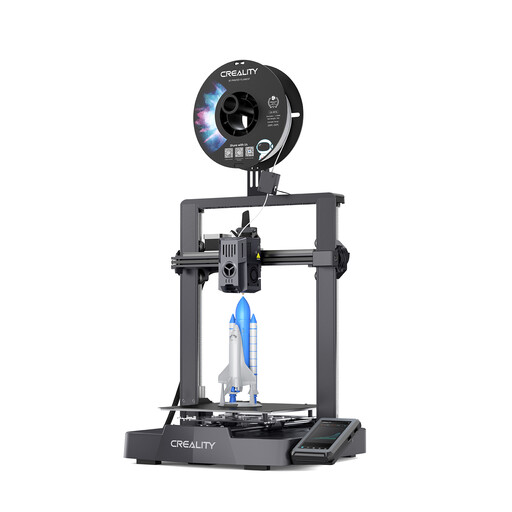
Why it fits: A practical choice for home users, educators, and makers who want to get started with PLA, PETG, or TPU without immediately installing a large enclosure.
Automatic levelling, filament detection, and power-loss recovery reduce the number of manual steps. The printer is not entirely maintenance-free.
Up to 500 mm/s according to the product specification, nozzle temperature of up to 300 °C, a build volume of approximately 220 × 220 × 240 mm, and Wi-Fi transfer.
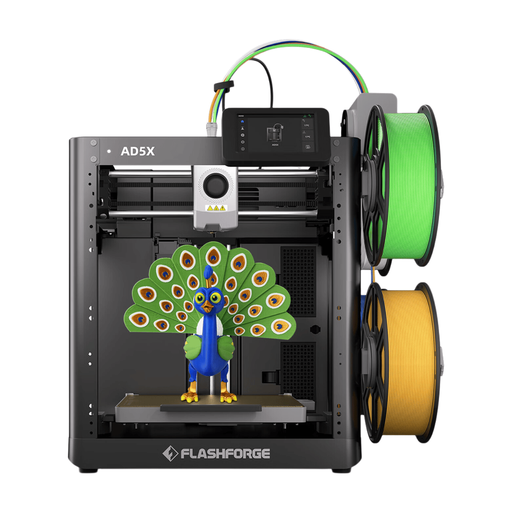
Why it fits: For multicolour models, rapid iterations, and a streamlined workflow in a hobby room or small studio.
According to the product specification, the system supports up to four colours and automatic filament feeding. However, factor in the cost of multiple spools and colour changes.
CoreXY architecture, speeds of up to 600 mm/s, a 300 °C direct-drive extruder, and one-click automatic levelling.
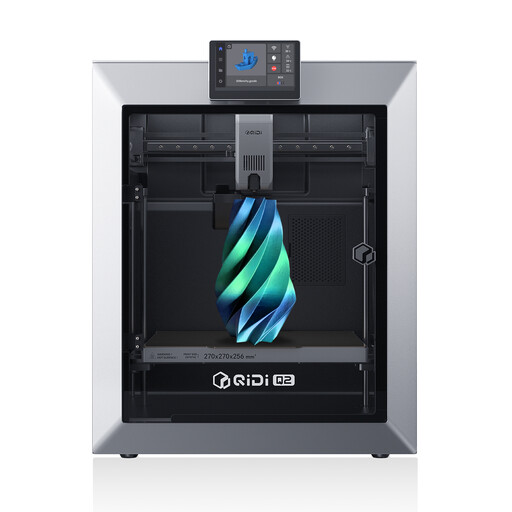
Why it fits: For prototyping and engineering parts where an enclosed build chamber, material versatility, and camera monitoring are important.
The enclosed design and heated chamber of up to 65 °C are intended for materials that are more prone to warping. Ventilation and material-specific instructions are still essential.
According to the product information: 370 °C all-metal hotend, 270 × 270 × 256 mm build volume, automatic levelling, and an AI camera.
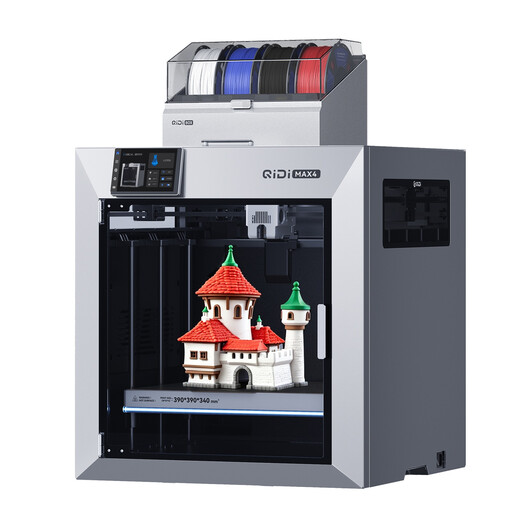
Why it fits: For small businesses, designers, and users who need to produce large prototypes or functional parts with engineering filaments.
The larger build volume reduces the need to split models into multiple parts. Claimed material compatibility should be verified for each filament and nozzle.
390 × 390 × 340 mm build volume, an actively heated chamber of up to 65 °C, speeds of up to 800 mm/s, and support for QIDI BOX with up to 16 colours.
Browse a current selection of automatic 3D printers and compare features such as automatic levelling, speed, build volume, and material compatibility.
It can be, provided the printer offers automatic levelling, intuitive software, and clear error messages. Do not focus solely on maximum speed. In practice, a recommended speed of around 300 mm/s may be more relevant than a theoretical peak of 600 mm/s. Start with PLA and first learn the fundamentals of slicer settings and bed adhesion.
Service life depends on operating hours, maintenance, and material choice. Clean the print bed and nozzle regularly, keep filament dry, and inspect the belts, fans, and moving parts. With intensive use, the nozzle, PTFE components, or build plate may need to be replaced sooner.
In addition to the purchase price, you will pay for filament, electricity, nozzles, build plates, and potentially colour modules or drying systems. Multicolour printing can use more material because of filament changes and purge processes. So do not compare printers by purchase price alone—consider the cost per model and the materials you genuinely plan to use.
