
Vandaag of morgen in huis

Kwaliteit gegarandeerd

Welkomstaanbiedingen ontgrendelen: GRATIS bezorging | Tot 80% korting | Gratis 30 dagen JoyPlus-proefperiode
Download de app
Buying a 3D printer seems straightforward until you start comparing speed, build volume, materials, colour options and maintenance. Manufacturers often quote impressive figures, but they don’t always show how a printer will perform in your workspace. A high maximum speed, for example, doesn’t mean every model can print at that speed with the same level of detail.
For home users, makers, schools, designers and small businesses, there are three common pitfalls to watch out for.
A fast 3D printer might reach 600 mm/s according to its product specifications, but its recommended speed is often lower. The final print quality also depends on layer height, material, temperature, model shape and vibration compensation. So compare both the maximum and recommended print speeds.
A multi-colour 3D printer uses several filaments, but not every filament can be fed through the colour system. With some models, for example, TPU has to be loaded directly into the printer. Also check whether the printer supports PLA, PETG, ABS, ASA, nylon or fibre-reinforced filaments.
A 3D printer with automatic levelling, an AI camera or spaghetti detection can make printing easier. However, these features don’t eliminate every risk. The wrong material profile, damp filament, a dirty print bed or a poorly sliced file can still lead to a failed print.
Build volume determines how large an object can be printed in one go. A compact FDM 3D printer with a build volume of around 220 × 220 × 220 mm is suitable for parts, prototypes and decorative models. If you want to print larger objects or several parts at once, look for a build volume of 300 × 300 × 330 mm or more.
Measure the available space beforehand. Consider not just the machine’s dimensions, but also the room needed for ventilation, filament spools, cables and opening a door or top cover. A large 3D printer can be practical, but it often weighs considerably more too.
A standard heated print bed is usually sufficient for PLA and PETG. For ABS, ASA, PC and some types of nylon, an enclosed frame, a higher nozzle temperature and a stable environment can be helpful. A 3D printer with a heated chamber can actively regulate the temperature around the model, but always check which materials the manufacturer specifically lists.
Check these values:
A higher temperature doesn’t automatically mean that every high-temperature filament is suitable. Follow the material profile and usage instructions.
A 3D printer with automatic levelling measures the distance between the nozzle and print bed, so you need to make manual adjustments less often. Filament detection, automatic resuming after a power cut and flow calibration can make the printing process even easier.
A 3D printer with filament drying is worth considering if you use PETG, TPU, nylon or other moisture-sensitive materials. Some systems can dry filament while printing. Check the maximum drying temperature and whether your chosen filament fits in the drying compartment.
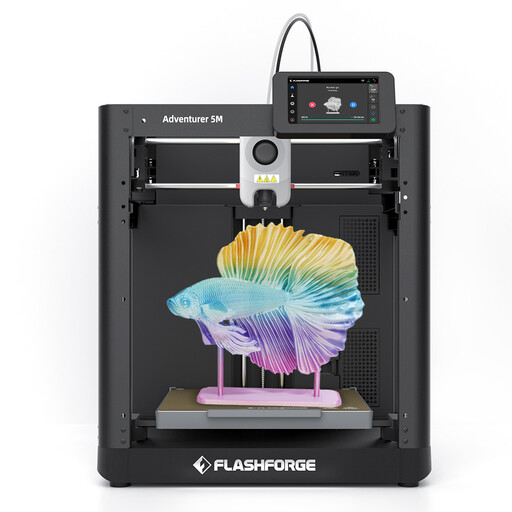
Why it suits this user: Automatic levelling, a 220 × 220 × 220 mm build volume and a direct-drive extruder make this an accessible choice for home use, hobby projects and small prototypes.
The specifications include automatic levelling and a direct-drive extruder, reducing the need for manual adjustments and supporting materials including TPU.
Up to 600 mm/s according to the product specifications, a 280°C direct-drive extruder, interchangeable nozzles and a double-sided PEI build plate.
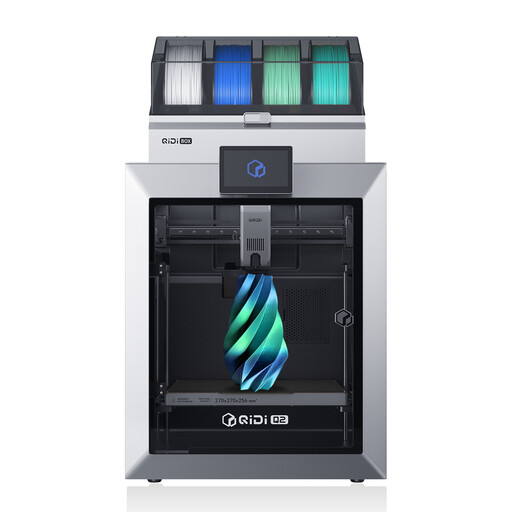
Why it suits this user: This enclosed FDM model is for makers, designers and users who need technical materials as well as PLA, and want automated monitoring.
The heated chamber, automatic levelling and AI camera help manage temperature, first layers and visible print faults. The camera doesn’t replace checks by the user.
65°C heated chamber, 370°C all-metal hot end, automatic levelling and integrated air filtration according to the product description.
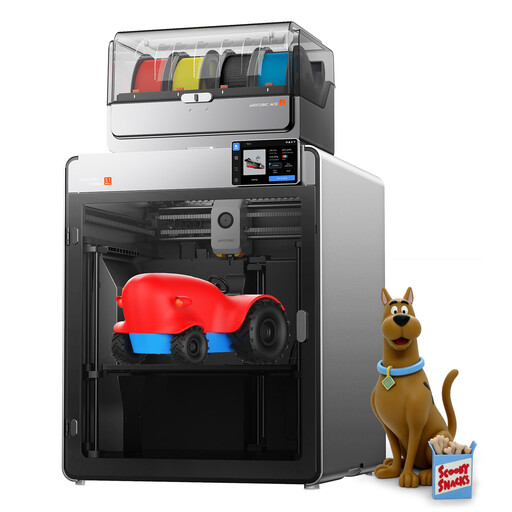
Why it suits this user: For small production runs, large models and technical prototypes, this large 3D printer offers a build volume of 350 × 350 × 350 mm.
The model combines an enclosed CoreXY design with active chamber heating. This makes it better suited to larger prints and materials that need more temperature control.
Maximum nozzle temperature of 350°C, 65°C heated chamber, hardened nozzle and support for several technical filaments.
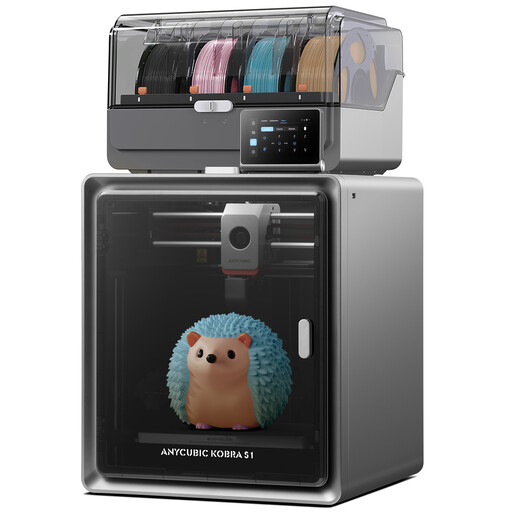
Why it suits this user: Ideal for creative models, colour-coded prototypes and users who want to combine filament management and monitoring in one system.
The ACE 2 Pro supports four colours as standard and can be expanded to sixteen colours according to the specifications. TPU 95A must be fed directly into the printer.
Active filament drying up to 65°C, 250 × 250 × 250 mm build volume, automatic levelling and AI spaghetti detection.
We’ve put together a complete, up-to-date list of products that meet these strict selection criteria and the applicable European safety regulations.
Yes. Models with automatic levelling, pre-configured material profiles and a direct-drive extruder are particularly beginner-friendly. It’s best to start with PLA and first get to know the print bed, nozzle temperature and slicer settings.
Its lifespan depends on how many hours it’s used, how well it’s maintained and the condition of parts such as the nozzle, PTFE tubes, belts and print surface. Clean the bed regularly, keep filament dry and replace worn parts according to the manufacturer’s instructions.
As well as the purchase price, you’ll need to pay for filament, electricity and possibly spare parts. The cost of each model depends on its weight, print time, support material and the number of failed prints. A multi-colour 3D printer may also use more filament and involve extra filament changes.
