
Vandaag of morgen in huis

Kwaliteit gegarandeerd

Welkomstaanbiedingen ontgrendelen: GRATIS bezorging | Tot 80% korting | Gratis 30 dagen JoyPlus-proefperiode
Download de app
A 360mm AIO liquid cooler is a good fit for powerful gaming PCs, streaming PCs and systems with modern Intel or AMD processors. The radiator usually uses three 120mm fans, so it takes up more space than an air cooler or a 240mm AIO. However, a larger size doesn’t automatically mean that every PC liquid cooler will fit your system.
Pay particular attention to three things: case compatibility, socket support and the practical value of extra features such as ARGB lighting or a display.
A 360mm radiator is typically around 360mm long, not including the extra space needed for connections, tubes and mounting. In some cases, a 360mm radiator will only fit at the front, as the motherboard or memory may prevent top mounting.
Before buying, check:
So, a product title that includes “360” doesn’t mean that every 360mm AIO will fit in every ATX, micro-ATX or panoramic PC case.
A CPU cooler with a display can show temperatures, animations or system information. This can be handy for a striking build, but the screen itself doesn’t cool the processor. Cooling performance depends on factors including the radiator surface area, pump, fans, installation and processor settings.
For a model with a display, you should also check:
According to the product descriptions, some of the models below have a customisable screen or multiple displays. This is a product specification, not a guarantee of a particular cooling temperature.
An Intel LGA 1851 cooler, Intel LGA 1700 cooler, AMD AM5 cooler or AMD AM4 cooler needs to match more than just the socket name. Check that the mounting bracket for your processor platform is included and that the installation instructions are suitable for your motherboard.
Check the full compatibility list. Some models also support LGA 1200 and LGA 115X, while others are designed for LGA 1851, LGA 1700, AM5 and AM4.
A 360mm AIO usually uses three 120mm fans. Don’t just look at the number of fans; check the stated specifications too:
Figures such as 81,8 CFM and 3,2 mmAq for the LE100 models are stated product specifications. Only compare these values if they’ve been given using the same measurement method.
The pump moves liquid between the CPU block and the radiator. Check that there’s enough clearance around the processor for the pump housing and that the tubes can be positioned without sharp bends.
Correct installation matters more than a high speed alone. Use the supplied mounting parts, remove any protective film from the contact surface and tighten the fasteners evenly, following the instructions.
An ARGB CPU cooler typically uses a 5V 3-pin ARGB connection. This is not the same as a 12V 4-pin RGB connection. Connecting it incorrectly can cause damage, so check your motherboard manual before connecting the lighting.
If you’re looking for quiet PC cooling, check whether you can adjust fan and pump speeds using PWM profiles. A product page that doesn’t state a noise level shouldn’t be promoted as offering quiet operation. Your experience will also depend on the case, fan curve and processor workload.
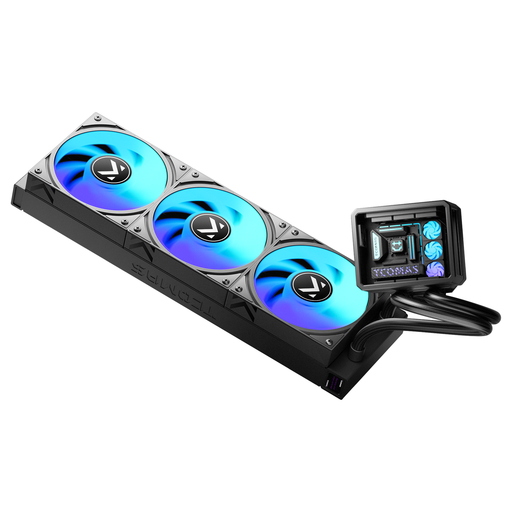
Why it suits this user: The black version has a distinctive 360mm design, ARGB fans and support for Intel LGA 1851/1700 and AMD AM5/AM4. That makes it a good choice for a first build where compatibility and appearance both matter.
Socket support is clearly stated in the product name. You should also check your case’s radiator mounting options before ordering.
360mm size, ARGB fans and support for recent Intel and AMD platforms.
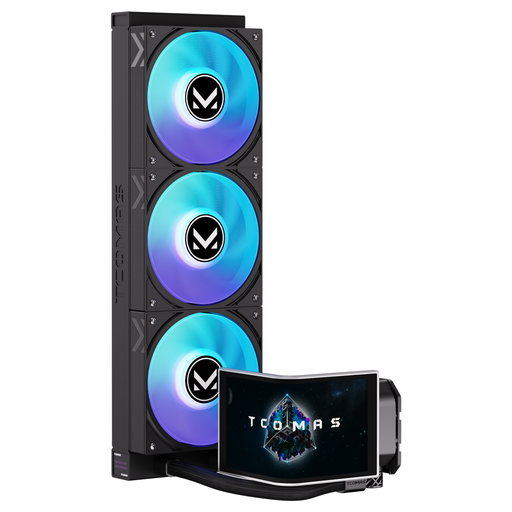
Why it suits this user: This model combines a 6,67-inch curved AMOLED display with customisable content and 3D visual effects. It’s a good fit for a striking gaming or showcase PC where monitoring and design are priorities.
The display feature is clearly described. Before you buy, check which connection and software are needed for the screen content you want.
6,67-inch curved AMOLED display and support for LGA 1851, LGA 1700, AM5 and AM4.
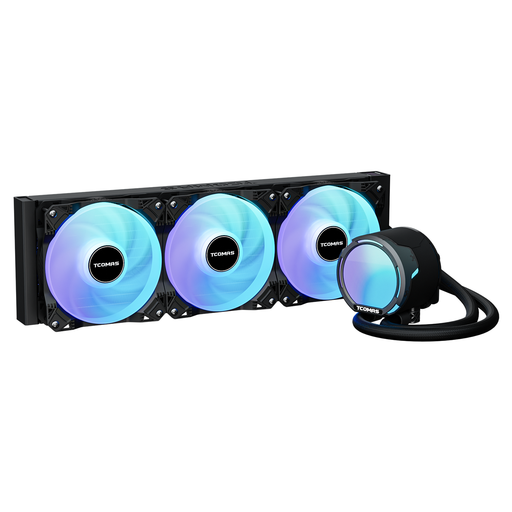
Why it suits this user: The stated specifications include an FOC 3-phase pump, PWM fans up to 2500 RPM, 81,8 CFM airflow and 3,2 mmAq pressure. This gives power users more technical information to compare models.
The stated measurements make it easier to compare models than a general claim about powerful cooling alone. Check the measurement method and noise level separately.
2500 RPM PWM fans, 81,8 CFM airflow and broad support for Intel and AMD sockets.
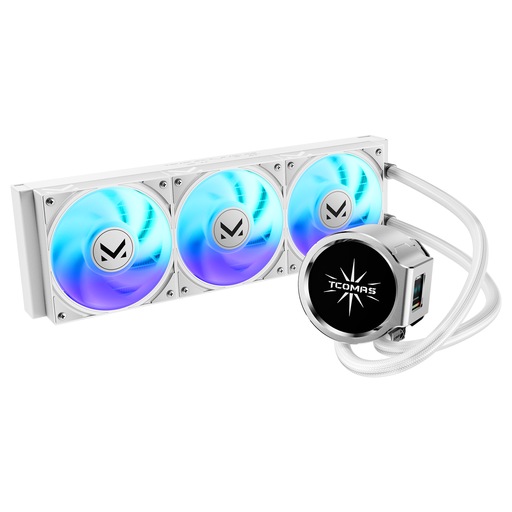
Why it suits this user: The white version has ARGB fans and a pump with a round main screen and square secondary screen. It’s a good match for white builds and systems with visible components.
The two screens are included in the product description. Check the software and cable requirements in advance to make sure the display feature will work with your system.
White finish, dual screen on the pump and support for LGA 1851/1700, AM5 and AM4.
We’ve put together a complete, up-to-date list of products that meet these strict selection criteria and comply with current European safety regulations.
No. Check the case specifications for radiator length, mounting location and clearance around the motherboard. For example, a case may support a 360mm radiator at the front but not at the top.
Its lifespan depends on the pump, fans, how long it’s used and how well the PC is maintained. Check the warranty terms, keep your proof of purchase and watch out for new noises, leaks or rising temperatures. Removing dust from the radiator and fans helps maintain airflow.
Most of its power consumption comes from the pump, fans and ARGB lighting. PWM control can lower fan speed when the processor isn’t under much load. A display and multiple lighting elements may need extra connections and use a small amount of additional power. Check the stated electrical specifications if your PC’s energy consumption is important to you.
