
Vandaag of morgen in huis

Kwaliteit gegarandeerd

Welkomstaanbiedingen ontgrendelen: GRATIS bezorging | Tot 80% korting | Gratis 30 dagen JoyPlus-proefperiode
Download de app
A 360mm AIO liquid cooler can effectively cool a powerful processor, but its size will not fit every PC case. Many buyers focus mainly on RGB lighting, the number of fans or a high RPM rating. As a result, important factors such as socket compatibility, radiator clearance and noise control are often overlooked.
The three most common buying mistakes:
A CPU liquid cooler must fit your motherboard mechanically. For current systems, these sockets are particularly relevant:
Also check whether the correct mounting bracket and fixings are included. Product pages may list several sockets, but the supplied components and installation manual are ultimately what matter.
A 360mm CPU cooler generally uses three 120mm fans. In addition to the radiator dimensions, you need to consider:
A front-mounted radiator can affect airflow to the graphics card. Top mounting is often practical, but only if the case provides sufficient clearance above the motherboard.
A pump with a high maximum speed is not automatically quieter or more suitable for every PC. When choosing liquid cooling for your processor, also consider:
According to the product information, the MSI MAG Coreliquid A13 360, for example, has a pump speed of up to 3,800 rpm, three 120mm fans and a stated maximum pump noise level of 20 dB(A). These are the manufacturer’s product specifications; the audible experience also depends on the fan curve, case and surroundings.
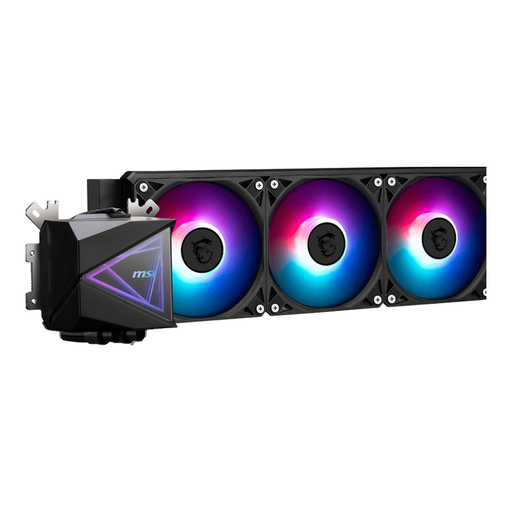
Why it suits this profile: This model combines a 360mm radiator with three fans and support for multiple Intel and AMD sockets. That makes it a practical starting point for a new gaming PC, provided the case has enough room.
The stated support for LGA 1700, LGA 1851, AM4 and AM5 makes it easier to check compatibility in advance. PWM support helps match fan speed to the workload.
Three 120mm fans, an aluminium radiator, stated airflow of 120,119 m³/h and LED lighting.
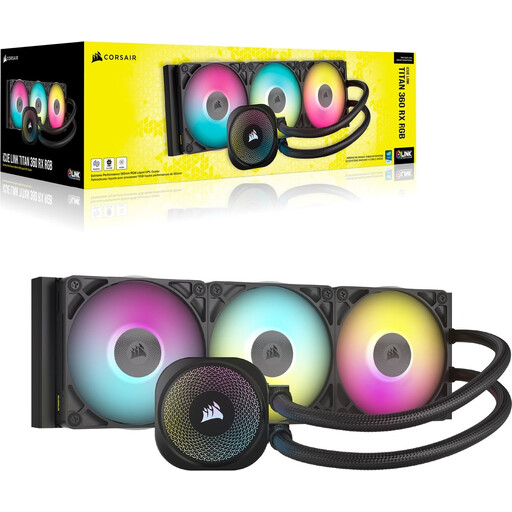
Why it suits this profile: Designed for PC builders who value cable management, software control and RGB customisation. The model is available with three 120mm fans and supports modern Intel and AMD platforms.
The product information specifies a three-phase pump, Zero RPM mode and PWM control. However, check that your motherboard and preferred software are compatible with the iCUE LINK system.
Three fans, RGB via iCUE, support for LGA 1700, LGA 1851, AM4 and AM5 and, according to the product information, a six-year pump warranty.
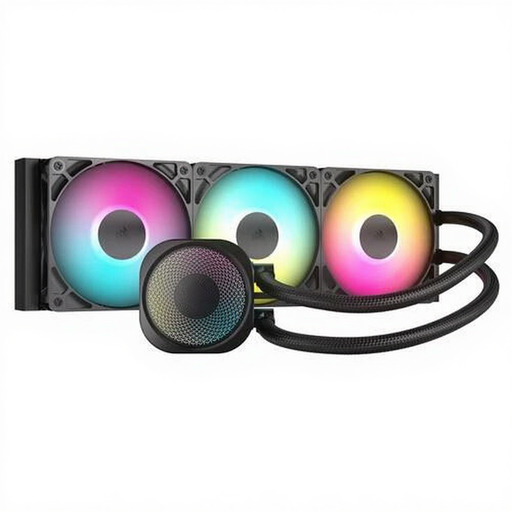
Why it suits this profile: A logical choice for intensive gaming and workloads where three fans, PWM control and ARGB lighting are desirable.
The specifications list a 360mm radiator, three fans and an integrated fan controller. The stated figures make it easier to compare airflow and control with your case and motherboard.
ARGB lighting, an aluminium radiator, PWM support and compatibility with LGA 1700, LGA 1851, AM4 and AM5 according to the product information.
We have put together a complete, up-to-date list of products that fully meet these strict selection criteria and the applicable European safety regulations.
Install the radiator according to the manual and avoid sharp bends in the tubes. Connect the pump to the designated header, such as AIO_PUMP or CPU_FAN, depending on the motherboard. Fans generally use PWM or 3-pin connectors, so check this before forcing any cables into place.
The correct header is important for RGB or ARGB. Use only the supplied cables and fixings. After installation, check that the pump starts and the fans spin before running a demanding game or stress test. Switch off the PC immediately if you notice a leak, unusual noises or a loose component.
An AIO is generally a sealed system. Topping it up or dismantling it yourself is therefore not part of the usual maintenance routine. Keep the radiator and fans free from dust and set a quiet fan curve via the BIOS or motherboard software. This helps limit noise during light use.
No. Check explicitly whether the case supports a 360mm radiator and measure the available length, width and thickness. Also allow for clearance around the motherboard, memory modules and graphics card.
Its lifespan depends on the pump, fans, usage and dust levels. Check that it is working properly on a regular basis and look out for rattling pump noises, rising temperatures or leaks. The statutory guarantee for these products in the EU is at least two years; additional manufacturer terms may vary by brand and model.
The pump and fans use a limited amount of power continuously, but the exact consumption varies by model and speed. PWM control and a tailored fan curve can limit the speed under low loads. Check the connections and product specifications if energy consumption is important to you.
