
Vandaag of morgen in huis

Kwaliteit gegarandeerd

Welkomstaanbiedingen ontgrendelen: GRATIS bezorging | Tot 80% korting | Gratis 30 dagen JoyPlus-proefperiode
Download de app
A 360mm AIO CPU cooler offers a large cooling surface, making it a good choice for powerful gaming PCs, workstations and video-editing systems. However, a larger radiator isn’t automatically the right choice. The wrong socket kit, insufficient space in your case or pump and fan controls that don’t suit how you use your PC can make your purchase unnecessarily expensive.
The main pitfalls are:
Intel processors with LGA 1700 require a compatible mounting kit. This applies to motherboards such as the MSI PRO H610M-G DDR4 and MSI PRO B760M-P. Both use socket 1700, but their available connectors and layouts differ.
For AMD systems, check that the cooler supports AM5. Many modern models in this selection list support for both Intel LGA 1851/1700 and AMD AM5/AM4. Always check the product information and the included manual to make sure.
A 360mm liquid cooler typically uses three 120mm fans. Make sure you measure:
Front mounting can affect airflow to the graphics card. Top mounting can cause issues with memory modules or motherboard heatsinks. The best position depends on the layout of your PC case.
An all-in-one CPU cooler comes pre-filled and sealed, so you don’t need a separate reservoir or to fill it yourself. Do check the connectors, though: some models use a 4-pin connector for PWM control, while ARGB lighting may require a separate connector on the motherboard.
A motherboard such as the MSI B760M Project Zero lists several fan and ARGB connectors. A more basic H610 board has fewer connectors. Check that you have enough for the pump, three radiator fans and any lighting.
A CPU cooler with a display can show temperature information or customised images, depending on the software and model. Think of the screen as an extra feature: it doesn’t indicate cooling capacity in itself.
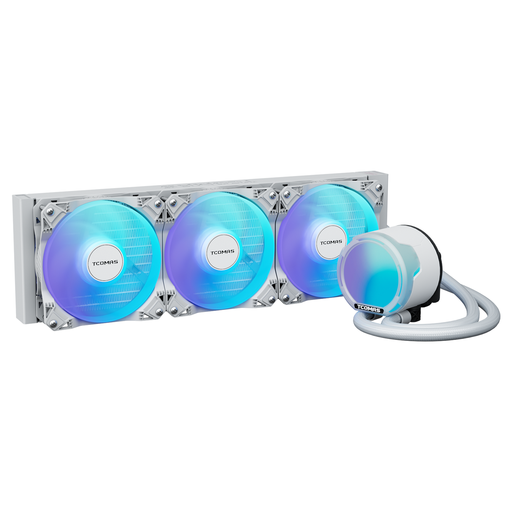
Why it suits this profile: With a 360mm radiator, ARGB lighting and broad socket support, this model offers a straightforward starting point for your first liquid-cooled PC build.
The product listing states support for Intel LGA 1851/1700/1200/115X and AMD AM5/AM4. Be sure to check the mounting hardware included and the space inside your case.
360mm format; full-cover ARGB lighting; listed 2500RPM PWM fans, 81,8 CFM airflow and 3,2 mmAq pressure.
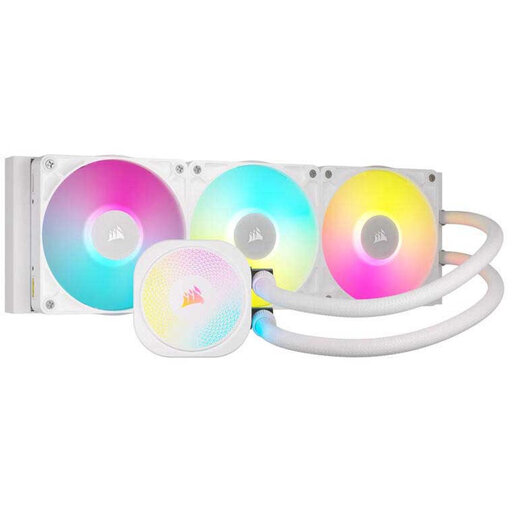
Why it suits this profile: This model is aimed at users who value cable management, software control and adjustable fan settings as well as cooling performance.
PWM control and a Zero RPM mode let you set your own balance between temperature and fan noise. Performance depends on the settings you choose.
Three 120mm fans; support for LGA 1700, LGA 1851, AM4 and AM5; iCUE software and XTM70 thermal paste included, according to the product information.
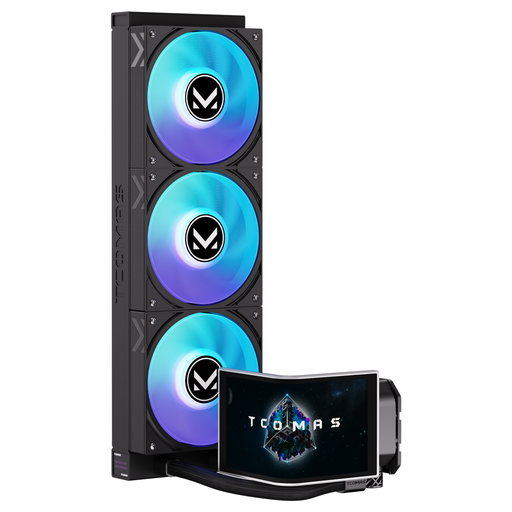
Why it suits this profile: For a striking showcase PC, this model combines ARGB lighting with a large curved AMOLED display that you can customise.
The display is clearly listed as a product feature, rather than an unspecified software promise. Check the required connectors and software, and make sure the screen will be visible in your case.
6,67-inch curved AMOLED display; customisable screen; support for Intel LGA 1851/1700 and AMD AM5/AM4, according to the product listing.
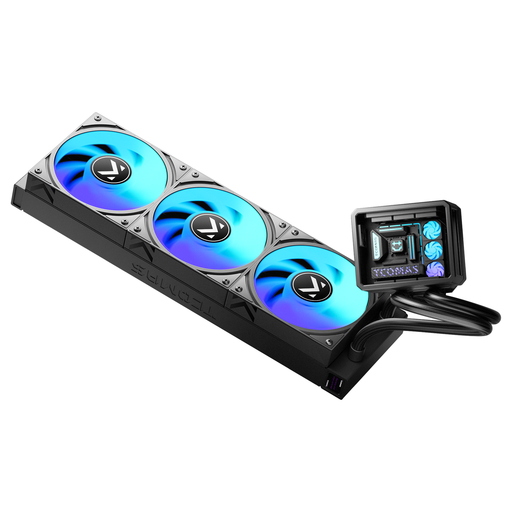
Why it suits this profile: With a thicker radiator, ARGB fans and broad processor support, this cooler suits a gaming PC with a visible interior.
The product name specifies both the 360 format and the supported sockets. Also measure your case, as a thicker radiator design may leave less room for installation.
Micro-landscape pump design; thicker radiator; ARGB fans; compatibility with Intel LGA 1851/1700 and AMD AM5/AM4, according to the product listing.
We’ve put together a complete, up-to-date list of products that meet these strict selection criteria and the applicable European safety regulations.
No. Check explicitly whether your case supports a 360mm radiator. Also consider the combined radiator and fan thickness, the available clearance and the position of your RAM, motherboard heatsinks and graphics card.
Lifespan depends on the pump, fans, hours of use and ambient temperature. A sealed AIO system normally doesn’t need refilling, but the fans may become noisy or run less smoothly over time. Check the warranty terms and keep dust out of the radiator.
Not necessarily. Three fans can run quietly at low speeds, but may also make more noise when the processor is under heavy load. Set an appropriate PWM curve in the BIOS or accompanying software. Also check the pump settings and the airflow throughout your case.
