
Vandaag of morgen in huis

Kwaliteit gegarandeerd

Welkomstaanbiedingen ontgrendelen: GRATIS bezorging | Tot 80% korting | Gratis 30 dagen JoyPlus-proefperiode
Download de app
A 360mm AIO CPU cooler is a good fit for powerful gaming PCs, workstations and systems that put the processor under sustained load. The combination of a large radiator and three 120mm fans can provide ample heat dissipation, while an all-in-one liquid cooler takes up less space around the processor than some large air coolers.
However, radiator size isn’t everything. A striking display, ARGB lighting or a high maximum fan speed doesn’t automatically make an AIO liquid cooler suitable for your case or processor. Check the technical details first.
A 360mm radiator usually needs room for three 120mm fans. The overall length, thickness and hose position can vary between models. Check your PC case manual to see:
A 360mm radiator that fits on paper might still clash with the motherboard, memory modules or graphics card in practice.
Many modern models list support for Intel LGA 1851, Intel LGA 1700, AMD AM5 and AMD AM4. This means the required mounting hardware may be included, but always check the supplied bracket and installation instructions.
Also check the position of the pump above the processor. Incorrect mounting, insufficient contact pressure or poorly applied thermal paste can affect heat transfer. If you’re upgrading an existing PC, it’s a good idea to check in advance that all the mounting hardware is included.
A CPU cooler with ARGB, RGB fans or an IPS or AMOLED display can give your PC a distinctive look. However, these features don’t directly determine how quietly the cooler runs. The overall noise level depends on factors such as:
So don’t choose a quiet CPU cooler based on its product name alone. Check the available controls and set a suitable fan profile in the BIOS or software.
A 360mm radiator has more surface area than a 240mm or 280mm model, but it also needs more mounting space. Three fans can move more air under heavier loads, but a higher maximum speed can also mean more noise. Specifications such as maximum rpm, airflow and static pressure are more useful than general claims like “powerful cooling”.
For modern Intel processors, support for LGA 1851 or LGA 1700 is relevant. For AMD systems, check for AM5 or AM4. A model that supports multiple sockets is useful if you plan to switch platforms later. Make sure your motherboard and processor generation are covered by the stated compatibility, too.
If you’re building or upgrading an AM4 system, you can also browse the available AM4 CPU options before ordering a cooler.
Check how many connections are needed for the pump, fans, ARGB lighting and, where applicable, the display. A display may need additional software, an internal USB connection or a separate power cable. Exact requirements vary by model.
Also check the warranty terms and your statutory consumer rights. In the European Union, the statutory guarantee of conformity is generally a minimum of two years. An additional manufacturer’s warranty may be available, but it doesn’t replace these rights.
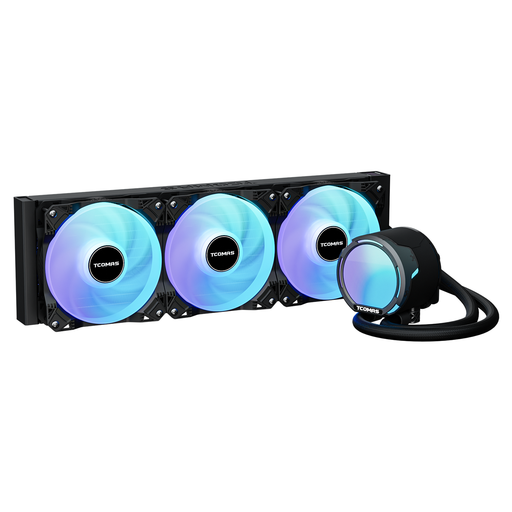
Why it suits this profile: The product listing states support for LGA 1851, LGA 1700, LGA 1200, LGA 115X, AM5 and AM4. That makes this model a good option if you want broad platform compatibility.
The listed 2500rpm PWM fans and adjustable connection offer more control than a fixed fan setting. Check in advance that your case supports a 360mm radiator.
360mm format, ARGB lighting, stated airflow of 81,8 CFM and broad socket support.
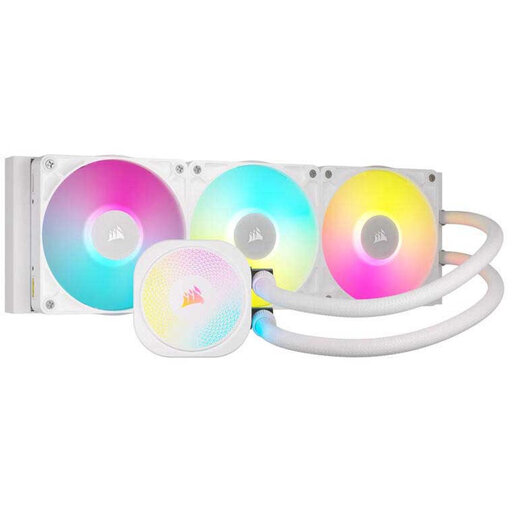
Why it suits this profile: A good fit for PC builders who value PWM control, ARGB lighting and iCUE software control. The product information states support for LGA 1851, LGA 1700, AM5 and AM4.
The listed Zero RPM mode and PWM control let you adjust cooling and fan noise through software. Check the exact radiator version before buying.
Three-phase pump, iCUE LINK connectivity, XTM70 thermal paste according to the product listing, and a stated six-year manufacturer’s warranty.
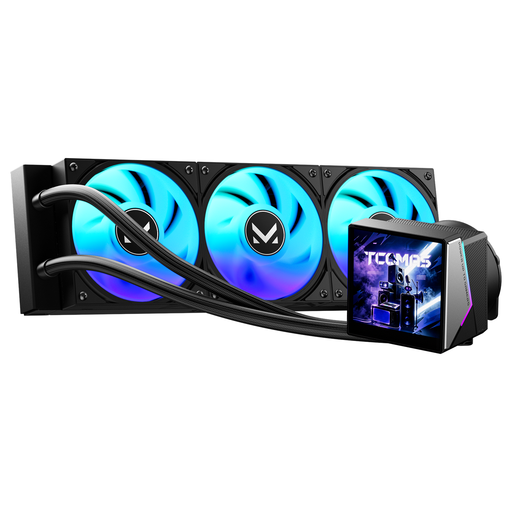
Why it suits this profile: This model combines a 360mm setup with a 3,95-inch IPS display and dynamic ARGB lighting. It’s well suited to streamers, content creators and PC builders who want system information on show.
The product specification lists both the radiator size and socket support. This lets you check the two key compatibility requirements against your case and processor in advance.
3,95-inch IPS pump display, dynamic ARGB lighting and support for LGA 1851, LGA 1700, AM5 and AM4.
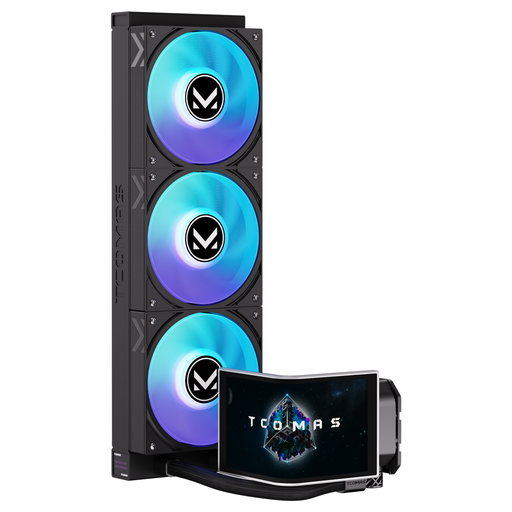
Why it suits this profile: The large, curved 6,67-inch AMOLED display and customisable screen are designed for users who want to personalise the look of their gaming PC.
The product listing gives specific details about the display, including its size and customisation options. Before installation, check the cables and software required, as well as the clearance around the pump.
6,67-inch curved AMOLED display, customisable screen, 3D visual effects and ARGB positioning.
We’ve put together a complete, up-to-date list of products that meet these strict selection criteria and the applicable European safety regulations.
No. Your case needs room for a radiator with three 120mm fans. Also check the radiator thickness, RAM position and hose clearance. The available mounting space at the top or front can vary from case to case.
Lifespan depends on the pump, fans, hours of use, dust and ambient temperature. Watch out for unusual pump noises, rising temperatures and fans that no longer run steadily. Don’t open a sealed system yourself; follow the manufacturer’s maintenance and safety instructions.
An AIO uses power for the pump and fans. Its consumption is generally lower than that of major PC components such as a graphics card, but the exact figure varies by model and fan setting. PWM control and a suitable profile can help prevent unnecessarily high fan speeds.
