
Vandaag of morgen in huis

Kwaliteit gegarandeerd

Welkomstaanbiedingen ontgrendelen: GRATIS bezorging | Tot 80% korting | Gratis 30 dagen JoyPlus-proefperiode
Download de app
A 360mm AIO CPU cooler is a popular choice for gamers, PC builders and creators who put their processor under sustained heavy load. Its large radiator, three fans and often ARGB lighting make it a good fit for modern gaming PCs. However, a larger cooler won’t automatically suit every case or processor.
Most buying mistakes come down to three assumptions:
A 360mm CPU cooler typically uses three 120mm fans. Check your PC case manual to see:
For example, the Corsair Nautilus 360 RS ARGB has three fans with a stated maximum speed of 1700 rpm, maximum airflow of 94,87 cfm and a noise level of 33,2 dB at high speed, according to its product specifications. These are useful points of comparison, but actual noise levels also depend on your fan curve and case.
For a new PC, these are the main sockets to consider:
Check the technical specifications and the included mounting hardware, not just the product title. The MSI MAG CORELIQUID I360 lists support for LGA 1851, LGA 1700, AM5 and AM4, among others. The manufacturer’s specifications also list a 360mm radiator, three fans and PWM support.
If you already have a PC, it’s worth noting down the exact motherboard model first. This helps you avoid buying an all-in-one liquid CPU cooler that physically fits but doesn’t come with the right bracket.
A quiet CPU cooler doesn’t always run at full speed. Look out for:
ARGB usually uses a 5V 3-pin connector. Don’t confuse it with a 12V RGB header: connecting it incorrectly can damage the lighting or hardware. If you’re considering an RGB water cooler, it’s also worth checking in advance that your motherboard supports the synchronisation software you want to use.
An ARGB CPU cooler can enhance the look of your PC, but lighting doesn’t directly help dissipate heat. A CPU cooler with a display can show temperature information, images or animations, for example. This could be a good choice for a showcase PC, but check the following first:
According to its product description, the NEOX 360 ARGB AIO CPU Cooler has a 6,67-inch curved AMOLED display with customisable content and 3D visual effects. The description lists support for Intel LGA 1851/1700 and AMD AM5/AM4. The display is mainly a design feature, so before you buy, compare the radiator dimensions, connections and installation instructions too.
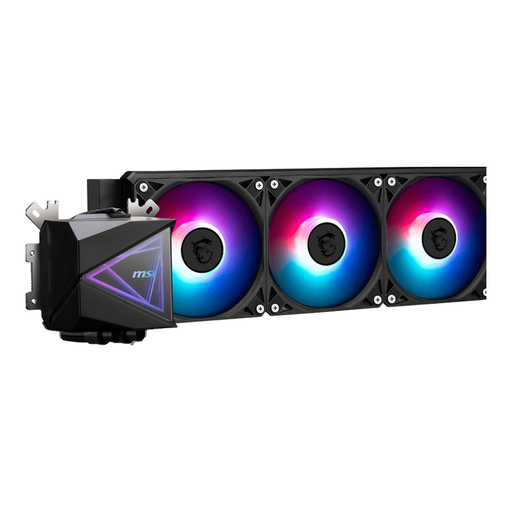
Why it suits this profile: This 360mm AIO offers a straightforward starting point for a first liquid cooling setup, with three fans, PWM control and LED lighting.
The stated socket support and 360mm radiator make it easier to check compatibility in advance. The PWM connection helps you avoid unnecessarily high fan speeds.
Support for LGA 1851, LGA 1700, AM5 and AM4; three fans and a stated maximum airflow of 70,7 m³/u.
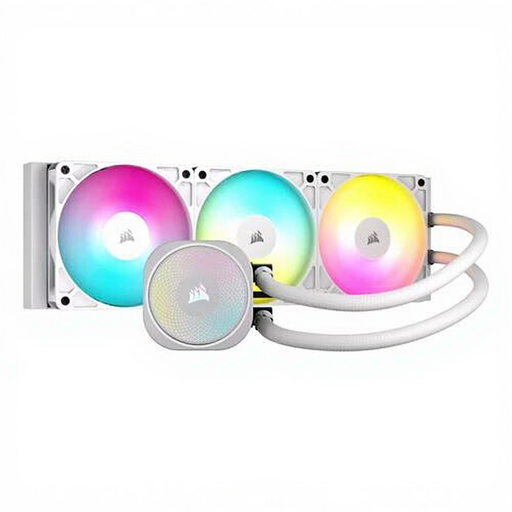
Why it suits this profile: Ideal for users who want to combine clear technical specifications, ARGB lighting and PWM control in a white PC build.
The stated airflow, static pressure and noise level give you more to go on than a marketing term such as “high performance” alone.
Up to 1700 rpm, maximum airflow of 94,87 cfm, static pressure of 3,91 mmH2O and compatibility with LGA 1700, AM4 and AM5, according to the product information.
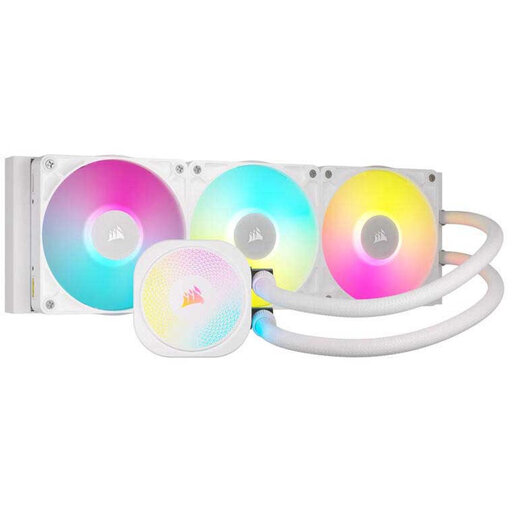
Why it suits this profile: An option for intensive gaming, rendering or other sustained workloads where control, software integration and expandability matter.
PWM control and Zero RPM mode, according to the product description, let you tailor cooling and noise levels to the workload.
Three fans, support for LGA 1851/1700 and AM5/AM4, plus iCUE LINK, ARGB lighting and a stated six-year pump warranty.
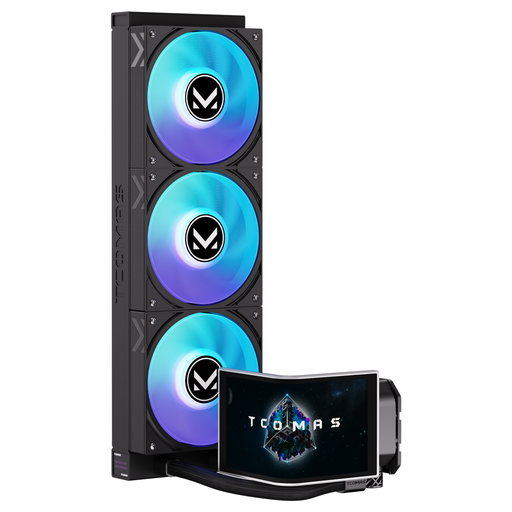
Why it suits this profile: Designed for PC builders who want a visible screen and customisable visual effects alongside PC liquid cooling.
The product information specifies the screen size, customisable content and supported sockets. Also check the required software and internal connections in advance.
6,67-inch curved AMOLED display with 3D visual effects; support for Intel LGA 1851/1700 and AMD AM5/AM4, according to the product listing.
We’ve put together a complete, up-to-date list of products that meet these strict selection criteria and the applicable European safety requirements.
Fit the radiator in a position that supports good airflow, then connect the pump, PWM fans and lighting to the correct headers. Don’t run the pump without a proper power connection. Avoid sharp bends in the tubes, and check after installation that the processor maintains stable temperatures.
Dust on the radiator increases airflow resistance. Clean the fans and radiator regularly with the PC switched off. An AIO is a sealed system, but if you notice unusual noises or signs of moisture, check the connections straight away. Most products in this selection come with a minimum two-year statutory guarantee under EU consumer rules; additional terms may vary by manufacturer.
It depends on your case. Check that it supports a 360mm radiator, and measure the available clearance as well. Pay particular attention to the top mounting position, RAM height and space around the motherboard.
Lifespan varies by model, usage and environment. The pump, fans and tubes can wear out over time. Keep the radiator free of dust, and look out for rattling pump noises, leaks or a sudden rise in temperature.
The pump and fans generally use relatively little power compared with the processor and graphics card. Power consumption increases if the fans run at high speed for long periods. PWM control and a suitable fan curve can help keep noise and power use down.
