
Vandaag of morgen in huis

Kwaliteit gegarandeerd

Welkomstaanbiedingen ontgrendelen: GRATIS bezorging | Tot 80% korting | Gratis 30 dagen JoyPlus-proefperiode
Download de app
A 360mm AIO CPU cooler is popular with gamers, PC builders and creators who want to keep a powerful processor cool for long periods. The radiator has room for three 120mm fans, making it a good fit for high-performance systems. However, a larger radiator isn’t automatically the right choice. Your case, socket, connections and noise settings all help determine whether a 360mm PC water cooler is practical.
A 360mm radiator is considerably longer and thicker than a 240mm or 280mm model. Before buying, check:
The term “360mm” usually refers to the radiator’s length class. Exact dimensions and thickness can vary between models.
ARGB lighting and a pump display stand out straight away, but they aren’t the only factors that determine whether a cooler will suit your system. An ARGB CPU cooler may need extra cables, a compatible 5V ARGB header and, sometimes, its own software. A display may also require a USB connection and software.
So, check that your motherboard has enough connections. Without the right header, the cooler may still work, but you might not be able to use all the lighting or display controls.
A cooler that fits several sockets isn’t automatically suitable for every processor configuration. Check the mounting bracket supplied and confirm the exact socket:
For example, the Intel Core Ultra 7 265F in the range uses LGA1851 and needs a separate graphics card to display an image. Whenever you upgrade, check both the processor and the motherboard.
A 360mm radiator typically uses three 120mm fans. This can help dissipate heat across a larger surface area, but overall performance also depends on fan speed, pump control, case airflow and processor load.
Consider the position:
A quiet CPU cooler doesn’t depend solely on the number of fans. PWM control lets you adjust fan speed according to temperature. Some models also offer a Zero RPM mode or similar control.
According to the Corsair iCUE LINK Titan RX RGB product information, it features PWM control and a Zero RPM mode. Corsair says the RX RGB fans are designed for airflow and quiet operation; this is a brand claim, not a universal guarantee for every system. Case resonance, fan profiles and ambient temperature can all have an effect.
A CPU cooler with a display can show temperatures, images or other information, depending on the software and model. Check the following in advance:
An AIO liquid cooler is usually a sealed system. Opening, tilting or dismantling it can cause leaks. Follow the installation instructions, and avoid putting unnecessary strain or mechanical stress on the radiator and pump.
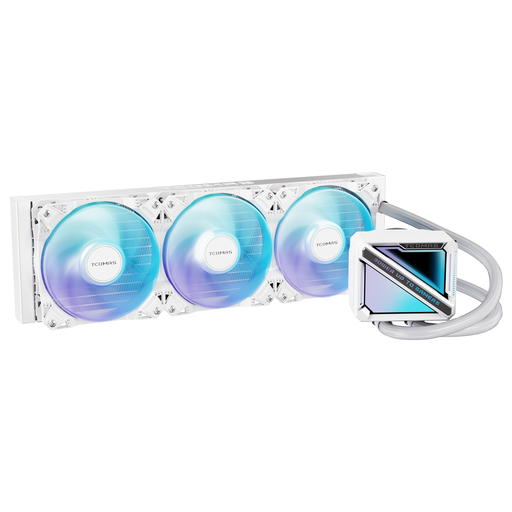
Why it suits this user: The product information lists a square ARGB pump and support for Intel LGA 1851/1700 and AMD AM5/AM4. That makes this model a straightforward option for a first PC build with modern sockets.
Socket support is clearly listed. Still, check that your case supports a 360mm radiator and has a 5V ARGB connection.
360mm format, square ARGB pump and support for four widely used Intel and AMD sockets.
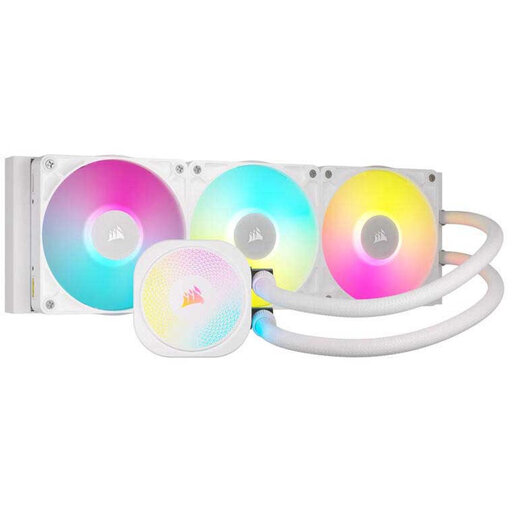
Why it suits this user: This model is aimed at users who want to manage their cooling, lighting and cabling through the Corsair iCUE LINK system.
The product information lists PWM control, Zero RPM mode, three fans and support for LGA 1851, LGA 1700, AM5 and AM4.
Three-phase pump, pre-applied XTM70 thermal paste and a six-year pump warranty period, according to Corsair.
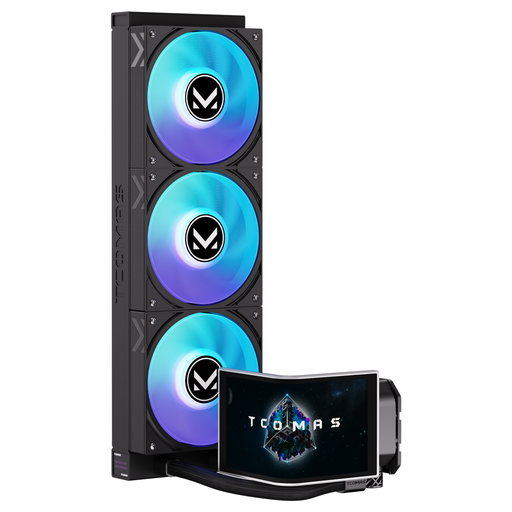
Why it suits this user: The 6.67-inch curved AMOLED pump display is designed for a striking gaming PC or workstation where visual customisation matters.
The display function is clearly described. Before installation, check the required USB, pump and ARGB connections, as well as the available space around the socket.
6.67-inch curved AMOLED display, customisable screen and support for Intel LGA 1851/1700 and AMD AM5/AM4.
We’ve put together a complete, up-to-date list of products that meet these strict selection criteria and comply with current European safety regulations.
No. Check that your PC case is compatible, along with the mounting position, radiator length and total thickness including the fans. Also check the clearance for RAM, motherboard heatsinks and cables.
Lifespan varies depending on the pump, fans, usage and environment. A sealed system normally doesn’t need refilling, but the pump and fans can still wear out. The legal consumer guarantee in the EU is at least two years; additional manufacturer terms vary by brand and model.
Most of the power goes to the pump, three fans, ARGB lighting and, if present, the display. With PWM control, fans can run more slowly when the system is under light load. Display and lighting effects can use extra power, but the exact amount depends on the model and selected profiles.
