
Vandaag of morgen in huis

Kwaliteit gegarandeerd

Welkomstaanbiedingen ontgrendelen: GRATIS bezorging | Tot 80% korting | Gratis 30 dagen JoyPlus-proefperiode
Download de app
A 360mm AIO CPU cooler is a good fit for powerful gaming PCs and systems with a processor that handles heavy workloads for long periods. However, a large radiator isn’t automatically the right choice. Your case needs to have enough room, the pump and fans must connect to your motherboard, and features such as RGB or a display shouldn’t distract from the essentials.
In this buying guide, you’ll find out what to look for in a 360mm CPU cooler, which common pitfalls can lead to the wrong purchase, and which type of all-in-one liquid cooling suits the way you use your PC.
A 360mm radiator usually uses three 120mm fans. So, check in advance whether your PC case supports a 360mm radiator at the top or front. Also check:
A product may be technically suitable for your processor but still not fit in your case.
Many models in this selection are listed as compatible with Intel LGA 1851, Intel LGA 1700, AMD AM5 and AMD AM4. That doesn’t mean installation is identical on every motherboard. Check the included mounting brackets, the manual and the space around the socket.
Older Intel systems may also be supported. For example, the LE100 360 also lists LGA 1200 and LGA 115X. Always check the product page for the exact version, as the black and white variants may share the same technical specifications but come with different accessories or packaging.
An ARGB CPU cooler, RGB liquid cooler or CPU liquid cooler with a display can enhance the look of your PC. But these features alone don’t tell you how well it cools or how much noise it makes.
A high maximum fan speed doesn’t guarantee a quiet CPU cooler either. Check whether information is available about:
The Corsair iCUE Link Titan RX RGB product information mentions PWM control and a Zero RPM mode, among other features. Corsair’s own information says the RX RGB fans are designed to deliver airflow while keeping noise levels low. Treat this as a product specification and brand claim, not a universal guarantee for every system.
A 360mm AIO typically uses three 120mm fans. Don’t just check the number of fans; check their total thickness too. A thicker radiator can take up more space around the motherboard.
Top mounting can be beneficial for internal airflow, but it isn’t possible in every case. If you’re mounting the radiator at the front, check whether it will limit the length of your graphics card.
For modern systems, Intel LGA 1851 cooler, Intel LGA 1700 cooler and AMD AM5 cooler are useful search terms. If you have an older AMD system, you can look for an AMD AM4 cooler. Also check that the cooler is suitable for your processor’s thermal output. A 360mm model has more radiator surface area than a 120mm or 240mm system, but its performance also depends on the processor, fan curve, case and installation.
Check that your motherboard has enough connections for the pump, fans and lighting. ARGB doesn’t always use the same connection as standard RGB. Never force a plug into place.
An AIO is a sealed system, but that doesn’t mean installation and use require no care. Keep the tubes clear of sharp edges and follow the installation instructions. The Corsair iCUE Link Titan RX RGB product information lists a three-phase pump, pre-applied XTM70 thermal paste and a six-year manufacturer’s warranty for the pump. Your statutory consumer guarantee rights in the EU also apply; additional rights may be available under Dutch law.
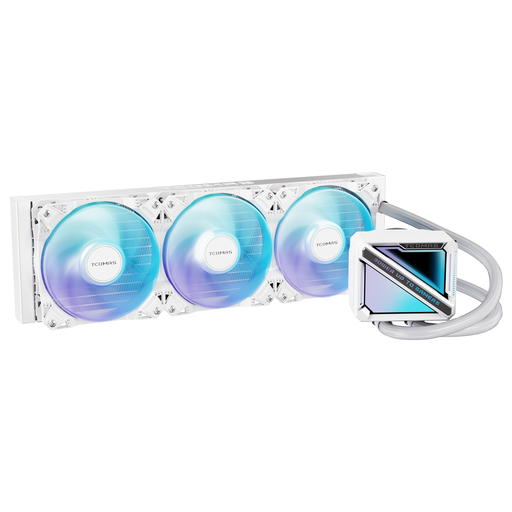
Why it suits this profile: This white 360mm liquid CPU cooler is aimed at PC builders looking for a straightforward combination of size and lighting, without needing a display. The product listing states support for Intel LGA 1851/1700 and AMD AM5/AM4.
The listed socket support makes it easier to check compatibility in advance. You also won’t be paying for a display feature you may not use.
360mm radiator; four listed modern sockets; square ARGB pump housing according to the product name.
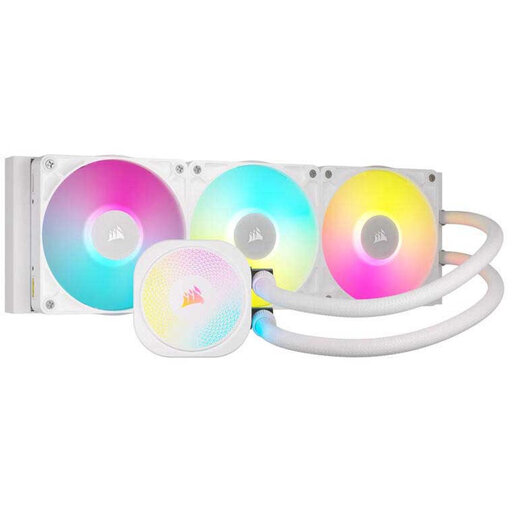
Why it suits this profile: This white Corsair iCUE Link Titan RX RGB is designed for users who want to combine control, lighting and cable management within the iCUE Link system.
The product information lists PWM and Zero RPM control, so you can adjust fan behaviour. Be sure to check the software and connection requirements you’ll need beforehand.
Three included 12cm fans; support for LGA 1851, LGA 1700, AM5 and AM4; six-year pump warranty according to the product information.
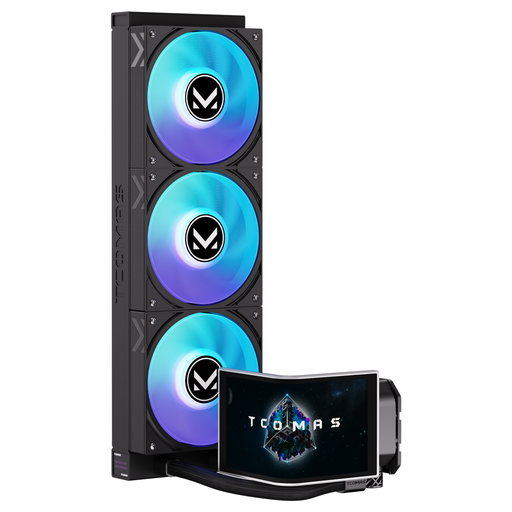
Why it suits this profile: This model is for PC builders who want a 360mm cooler with a striking visual feature on the pump housing. The product name lists a 6.67-inch curved AMOLED display with customisable content.
The display feature is clearly stated in the product listing. This lets you decide in advance whether the extra software, cabling and space in your case will suit your build.
6.67-inch curved AMOLED display according to the product name; ARGB lighting; support for Intel LGA 1851/1700 and AMD AM5/AM4.
Other versions offer similar options. The EXIT D3 360 has three screens with glasses-free 3D visuals, according to its product name. The EDGE 360 combines a circular main display with an additional square display. If you prefer a simpler design, you could consider the LE200 360 Black, CUBE 360 Black or LE100 360. Check the radiator clearance, connections and socket list for each model.
We’ve put together a complete, up-to-date list of products that meet these strict selection criteria and the applicable European safety requirements.
No. Your case must have enough space for a 360mm radiator with three 120mm fans. Also check the thickness, mounting position and any potential clashes with your RAM, motherboard and graphics card.
Lifespan depends on the pump, fans, usage and installation. Check the warranty terms for the specific model. Regularly check the cooler for unusual pump or fan noise, dust build-up and visible damage to the tubes or connections.
Not necessarily. A 360mm system has several fans and a pump, which can all contribute to noise. PWM control, a low minimum fan speed, a suitable fan curve and good case ventilation matter more than radiator size alone.
