
Vandaag of morgen in huis

Kwaliteit gegarandeerd

Welkomstaanbiedingen ontgrendelen: GRATIS bezorging | Tot 80% korting | Gratis 30 dagen JoyPlus-proefperiode
Download de app
A 360mm AIO CPU liquid cooler is a good choice for powerful gaming PCs, workstations and video-editing systems. However, a large radiator doesn’t guarantee that every CPU liquid cooler will fit in your PC or run quietly. Your case, socket, mounting options and fan control are just as important.
If you focus only on ARGB lighting or an eye-catching pump display, you could run into practical problems. The radiator might not fit in your case, the pump might not have compatible software, or the fans could become noticeably loud under load. Use the following checks to compare 360mm CPU coolers based on verifiable product specifications.
A 360mm radiator typically uses three 120mm fans. Check your PC case manual to find out:
A case may list support for a 360mm radiator on paper, while thick heatsinks or memory modules limit the available space.
Check the exact socket before you order. Current models include support for sockets such as:
A product name that mentions “Intel” or “AMD” doesn’t always tell you which mounting brackets are included. Check the product page and packaging for your specific socket. If you’re building an AMD system, you can also browse the range of AM5 CPUs.
An ARGB CPU cooler can enhance the look of your build, but lighting tells you nothing about cooling performance or noise levels. If you’re considering a CPU liquid cooler with a display, also check:
Pay attention to what noise claims actually mean. Whether a cooler is “quiet” depends on fan speed, case layout, ambient temperature and CPU load. Treat this as a user experience, not a universal guarantee.
A 360mm radiator offers more surface area than a 240mm or 280mm model, but dimensions and thickness vary between designs. Check the number of fans, fan diameter, speed and PWM connector. PWM control lets your motherboard adjust fan speed according to temperature.
For example, the LE100 360 models list 2500 rpm, 81,8 CFM airflow and 3,2 mmAq static pressure in their product specifications. These are useful points of comparison, but they can’t directly predict temperatures in your PC. Your case, installation and processor will still make a difference.
An all-in-one liquid cooler is factory-filled and consists of a pump, cold plate, tubes and radiator. Check that the pump connector is compatible with your motherboard, and follow the installation steps in the manual. Remove the protective film from the cold plate before fitting the cooler to your processor.
Use the mounting hardware supplied for your socket. Incorrect installation can prevent the processor and cold plate from making even contact, causing temperatures to rise or putting unnecessary strain on the pump.
Quiet CPU cooling depends on:
An AIO doesn’t need topping up periodically like a custom loop, but it’s still sensible to remove dust and check the cables. If you’re choosing a model with a display, also check that the required software is compatible with your operating system.
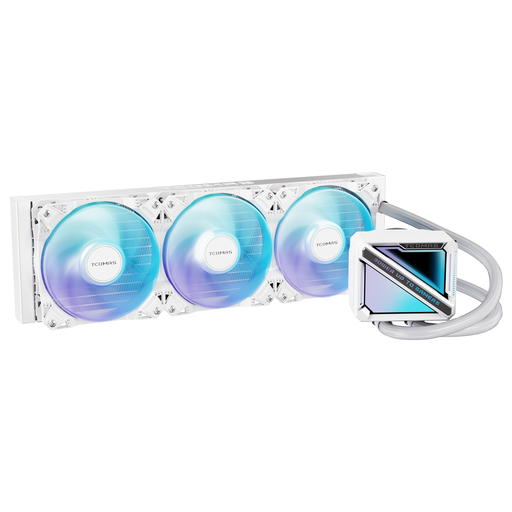
Why it suits this profile: This model combines a 360mm radiator with a square ARGB pump and support for Intel LGA1851/LGA1700 and AMD AM5/AM4. It’s a good fit for first-time PC builders who check their socket and case dimensions, and don’t need a display.
Socket support is clearly listed, so you don’t have to rely on colour or lighting alone. Also check that your case has room for a 360mm radiator.
360mm format, ARGB pump design and support for four widely used sockets.
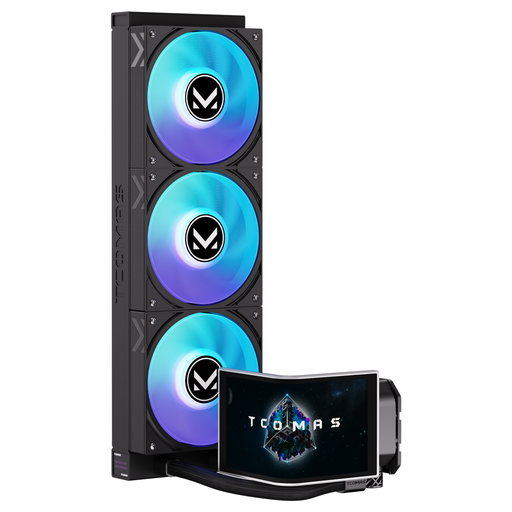
Why it suits this profile: The NEOX is aimed at PC builders who want more than gaming PC cooling and value a prominent, customisable system display. Its product specifications list a 6,67-inch curved AMOLED display and 3D visuals.
The display is a clearly specified feature, rather than a vague claim about lighting. Be sure to check the connections and software you’ll need before buying.
6,67-inch curved AMOLED display, customisable screen and ARGB lighting.
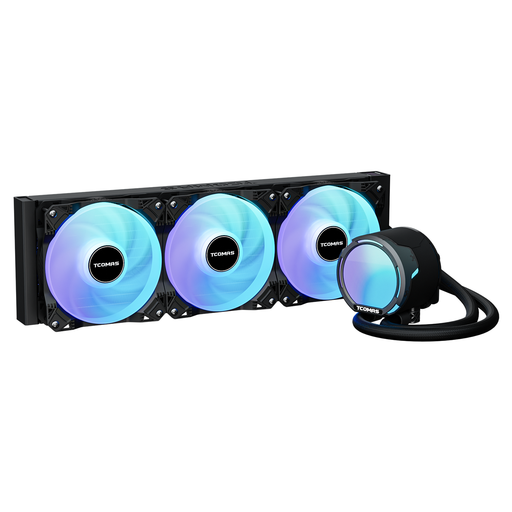
Why it suits this profile: For sustained workloads such as rendering, streaming or intensive gaming, the listed PWM fans, 360mm format and specific airflow figures are useful points to consider.
The product specifications list fan speed, airflow and static pressure. This gives you more to compare than a simple claim that it runs quietly.
2500 rpm PWM fans, 81,8 CFM airflow and support for LGA1851, LGA1700, AM5 and AM4.
We’ve put together a complete, up-to-date list of products that meet these strict selection criteria and current European safety regulations.
No. Check your case specifications for support for a 360mm radiator, the maximum radiator length and the available space around the motherboard and memory. If in doubt, measure the internal space.
Lifespan depends on the pump, fans, hours of use, dust and installation. A sealed system shouldn’t normally need topping up. Look out for unusual pump noises, rising temperatures or fans that have stopped spinning. If you see a leak, shut down the system and follow the manufacturer’s safety instructions.
The pump and three fans typically use less power than the processor or graphics card, but the exact amount varies by model and speed. ARGB lighting and a display that’s always on will add to power consumption. PWM control and a suitable fan curve can limit fan speed during light use.
