
Vandaag of morgen in huis

Kwaliteit gegarandeerd

Welkomstaanbiedingen ontgrendelen: GRATIS bezorging | Tot 80% korting | Gratis 30 dagen JoyPlus-proefperiode
Download de app
A 360mm AIO liquid cooler is a good fit for a powerful gaming PC, workstation or system with a processor that is under heavy load for long periods. However, a large radiator on its own doesn’t guarantee a quiet setup or one that’s right for your PC. The case, CPU socket, fans and connections all play a part in whether an AIO CPU cooler is a good fit.
Look out for these three common pitfalls:
A 360mm liquid cooler usually uses three 120mm fans. The radiator itself is longer than 360mm because of its fittings and end tanks. For example, the MSI MAG CORELIQUID I360 is listed with a radiator length of 394mm. So check your PC case’s manual before you order.
Check the following:
Top mounting can help exhaust warm air from the case. Front mounting can draw more air directly through the radiator, but may affect the temperature of other components.
For a new Intel PC, Intel LGA 1700 and Intel LGA 1851 are relevant sockets. For AMD systems, you’ll mainly come across AMD AM4 and AMD AM5. Always check the product specifications and the mounting bracket included.
A suitable CPU cooler clearly lists the sockets the manufacturer supplies mounting hardware for. This saves you from having to find a separate bracket after you’ve bought it. The Corsair Nautilus 360 RS ARGB lists support for LGA 1851, LGA 1700, AM5 and AM4. The MSI MAG CORELIQUID I360 lists support for LGA 1851, LGA 1700, AM5 and AM4, as well as older Intel sockets.
A fan with a high maximum speed can move a lot of air, but that doesn’t automatically mean your system will stay quiet during everyday use. So check:
The Corsair Nautilus 360 RS ARGB is listed with a maximum speed of 1700 rpm, airflow of 94,87 cfm, static pressure of 3,91 mmH₂O and noise of 33,2 dB at high speed. These are product specifications under stated conditions, not a guarantee of the same noise level in every PC.
If you’re choosing an RGB CPU cooler, also check whether your motherboard has a 5V 3-pin ARGB connection. ARGB isn’t the same as 12V RGB. Using the wrong connection can cause damage.
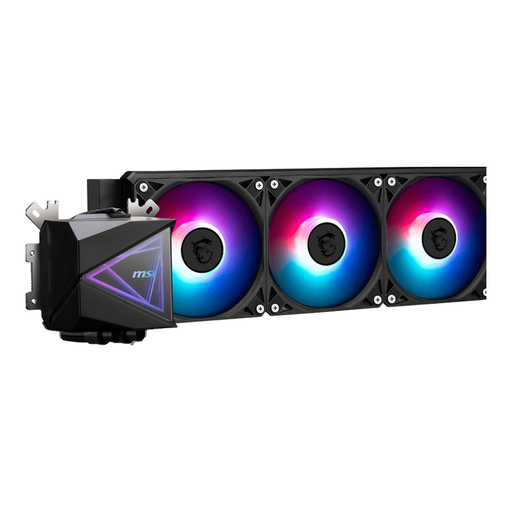
Why it suits this user: This 360mm AIO CPU cooler offers a straightforward starting point for a first liquid-cooled PC. It comes with three fans, PWM support and compatibility with sockets including LGA 1700, LGA 1851, AM4 and AM5.
The listed socket support and 360mm radiator make it easy to check the key compatibility points before you order.
Three 120mm fans, PWM control, LED lighting and a stated radiator size of 360mm.
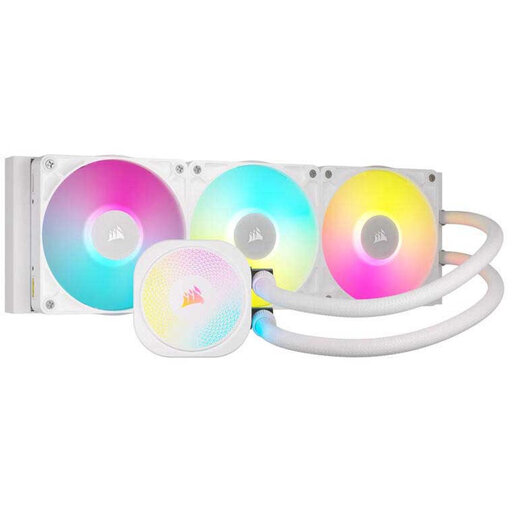
Why it suits this user: Aimed at PC builders who value cable management, software control and extensive lighting options, alongside compatibility with modern Intel and AMD platforms.
The product information lists PWM, Zero RPM mode and iCUE LINK connectivity, so you can assess control and lighting on more than just appearance.
Three included fans, support for LGA 1700, LGA 1851, AM4 and AM5, plus a six-year pump warranty listed by Corsair.
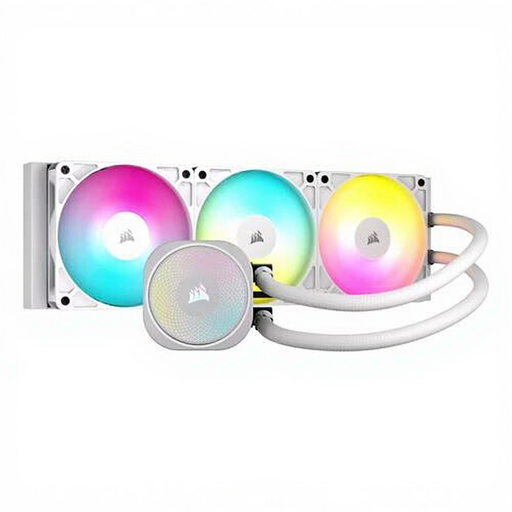
Why it suits this user: A practical option for gamers and other users looking to pair a 360mm radiator, ARGB lighting and adjustable fan control with a white case.
The product information gives specific figures for speed, airflow, static pressure and noise, so you can look beyond the ARGB design alone.
Maximum speed of 1700 rpm, stated airflow of 94,87 cfm, PWM support and a built-in fan controller.
Install the radiator in a position supported by the case manufacturer, and use only the correct bracket for your socket. Connect the pump to CPU_FAN or AIO_PUMP, depending on the installation manual. Fans usually use PWM connections, while ARGB lighting typically uses a 5V 3-pin header.
Regularly clear dust from the radiator. Also check that the tubes aren’t sharply bent, and watch out for unusual noises or visible leaks. If you spot any liquid, switch off the PC immediately. A sealed all-in-one liquid cooler isn’t designed to be opened or refilled.
We’ve put together a full, up-to-date list of products that meet these strict selection criteria and the applicable European safety regulations.
No. Your case must explicitly support a 360mm radiator. Also check the radiator length and overall thickness, as well as the clearance around the motherboard, memory and graphics card.
Lifespan depends on the pump, fans, operating conditions and dust levels. Follow the manufacturer’s warranty terms and regularly check the cooler for leaks, unusual pump noises and rising temperatures.
The pump and three fans use more power than a basic air cooler. PWM control lets you adjust fan speeds to match the workload. Actual power consumption varies by model and fan curve settings.
