
Vandaag of morgen in huis

Kwaliteit gegarandeerd

Welkomstaanbiedingen ontgrendelen: GRATIS bezorging | Tot 80% korting | Gratis 30 dagen JoyPlus-proefperiode
Download de app
A 360mm AIO CPU cooler usually consists of a water block with a pump, tubes, a radiator measuring around 360 mm and three 120 mm fans. This type of 360mm liquid cooling is particularly suited to powerful gaming PCs, workstations and systems with limited space around the processor. However, a large radiator isn’t automatically the right choice.
Many buyers focus mainly on RGB lighting or the look of the pump block. That can leave three practical pitfalls overlooked:
Start with the processor and motherboard. For recent Intel systems, LGA 1851 and LGA 1700 coolers are relevant. For AMD, you’ll usually be looking at AM5 or AM4 liquid coolers. A model that supports multiple sockets offers more flexibility for a future upgrade, but always check the installation instructions.
Correct installation requires:
Use the included mounting hardware and follow the instructions. A water block that isn’t fitted correctly can cause high temperatures or damage to components.
A three-fan radiator typically uses three 120mm fans. Check the following beforehand:
According to the product specifications, the MSI MAG CORELIQUID I360 has a 360 mm radiator measuring 394 mm long, 120 mm wide and 27 mm thick. The included fans measure 120 mm. These dimensions show why the label “360mm compatible” doesn’t always tell you everything you need to know.
For quiet CPU cooling, you’ll need more information than just the maximum fan speed. PWM control lets you adjust fan speed according to the load. Some models also offer a Zero RPM mode or adjustable pump control.
Also consider the difference between:
Display features are mainly a matter of appearance. They don’t automatically make a cooler quieter or more suitable for your processor. Also check whether your motherboard has a compatible ARGB header and whether the required software works with your system.
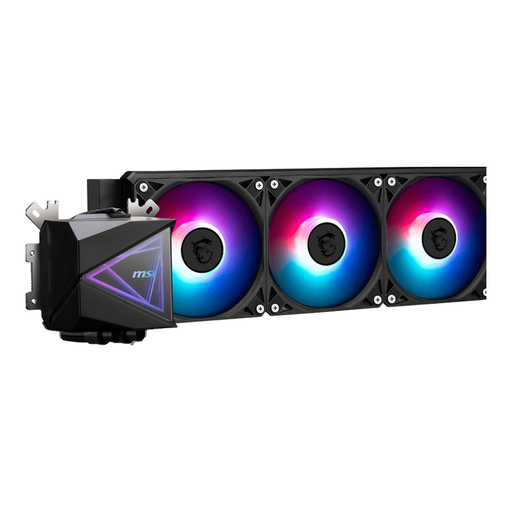
Why it suits this user: This model combines a 360mm radiator with three fans, PWM support and LED lighting. It gives first-time PC builders a straightforward starting point without needing a display.
The product information lists support for LGA 1851, LGA 1700, AM4 and AM5. Even so, check that the required bracket is included and that your case has enough room for the radiator.
360mm radiator, three 120mm fans, PWM connector and support for multiple sockets.
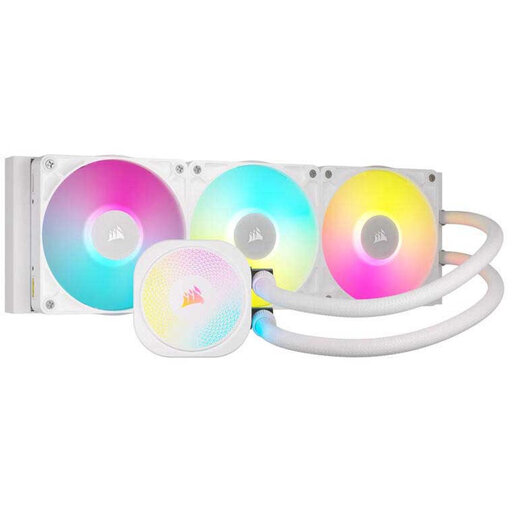
Why it suits this user: A good choice if cable management, control options and RGB integration matter to you. The model supports LGA 1851, LGA 1700, AM5 and AM4.
PWM control and a Zero RPM mode, as stated by Corsair, give you more control over the balance between fan speed and noise. Actual performance depends on your settings and system configuration.
Three-phase pump according to the product specifications, pre-applied XTM70 thermal paste, three RX RGB fans and iCUE LINK connectivity.
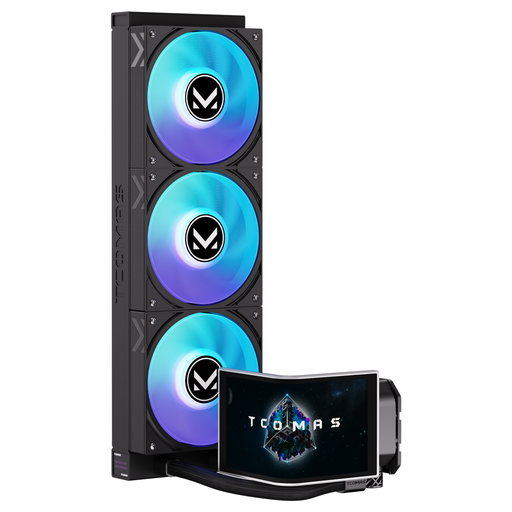
Why it suits this user: For PC builders who want a striking system display as well as cooling. The product name mentions a 6.67-inch curved AMOLED display, a customisable screen and support for Intel LGA 1851/1700 and AMD AM5/AM4.
The display feature is clearly stated in the product description. Before buying, check the software requirements, cables and available space around the pump block.
6.67-inch curved AMOLED display, ARGB lighting and broad socket support according to the product listing.
We’ve put together a complete, up-to-date list of products that meet these strict selection criteria and the applicable European safety requirements.
Mount the radiator where there’s plenty of airflow. The top of the case is often chosen to exhaust warm air, though front mounting can also work, depending on the case layout. Don’t bend the tubes sharply, and make sure the pump isn’t running without power.
For reliable performance:
An AIO is a closed system, but that doesn’t mean you should open the case or water block. Warranty terms may vary between manufacturers. MSI and Corsair product information also states a minimum two-year legal guarantee under EU consumer law; additional rights may apply under the relevant national regulations.
No. Check the maximum radiator length, thickness and mounting position. Also allow for RAM, motherboard heatsinks, cables and the graphics card. The case needs to support not just three 120mm fans, but the entire radiator assembly.
Lifespan depends on pump use, temperature, dust and product quality. There’s no set lifespan that applies to every model. Check the warranty period, follow the installation instructions and regularly look out for unusual noises or leaks.
The pump and three fans draw extra power through the motherboard. Power consumption generally depends on fan speed, pump settings and lighting. With PWM control, you can run the fans more slowly under light loads. ARGB lighting and displays add a small amount of extra power consumption.
