
Vandaag of morgen in huis

Kwaliteit gegarandeerd

Welkomstaanbiedingen ontgrendelen: GRATIS bezorging | Tot 80% korting | Gratis 30 dagen JoyPlus-proefperiode
Download de app
A 360-degree projector can make a film night in your living room, bedroom or garden much more flexible. You simply rotate the projector towards a wall, ceiling or table without having to use a fixed mount every time. However, a clever interface or a big number on the box doesn't tell you everything about the viewing experience.
Pay particular attention to three common pitfalls:
For films, series and games, native Full HD 1080p is a practical choice. Text, subtitles and game interfaces generally look clearer than on a native 720p model. A 4K projector can be interesting if the projector actually uses a native 4K panel. If it only says “4K decoding” or “4K support”, this usually means the device can process a 4K source and convert it to its own resolution.
For a PS5 or Nintendo Switch, the HDMI connection is also important. Check whether the projector offers a suitable refresh rate and low latency. Manufacturers don’t always provide a full input lag measurement, so be cautious with claims about gaming performance.
A projector works best in a darkened room or outdoors after sunset. Look at ANSI lumens and not just a large, unspecified lumen figure. A light-coloured wall can make the image visible, but a projection screen with a neutral surface often gives a more even result.
The recommended image size is at least as relevant. A 120-inch image requires more light than a 60-inch image. A stated maximum of 200 inches is therefore no guarantee that the image will remain bright at that size.
A projector for ceiling use needs to offer more than just a rotatable casing. Automatic focus helps with sharpening the image, while keystone correction digitally straightens a skewed picture. Note the difference between vertical correction and full 4-point or 6-point correction.
For flexible use, these connections and features are useful:
For outdoor use, protection against rain and moisture is essential. Most compact models are not waterproof. Therefore, only use them in a dry spot, for example under a canopy or in a tent that is well sheltered.
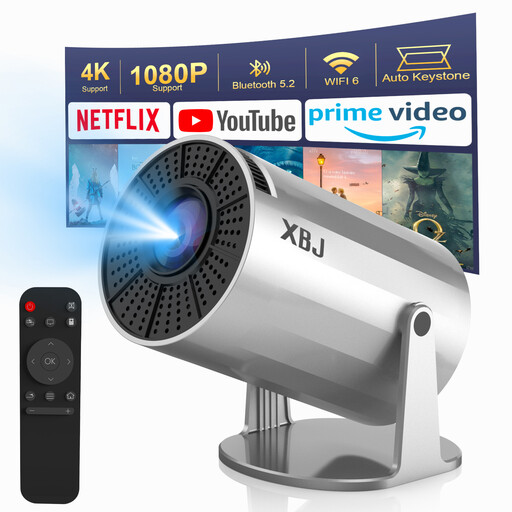
Why this fits the profile: This compact model is designed for simple film nights in the bedroom, living room or outdoors. The 220° rotating foot offers flexibility without a fixed installation.
The product specification states native 720p, making it clear that “1080p/4K decoding” does not mean native Full HD or 4K. It also notes that manual focus is required.
WiFi 6, Bluetooth 5.2, HDMI, USB and vertical automatic keystone correction. The projector runs on mains power and has no built-in battery.
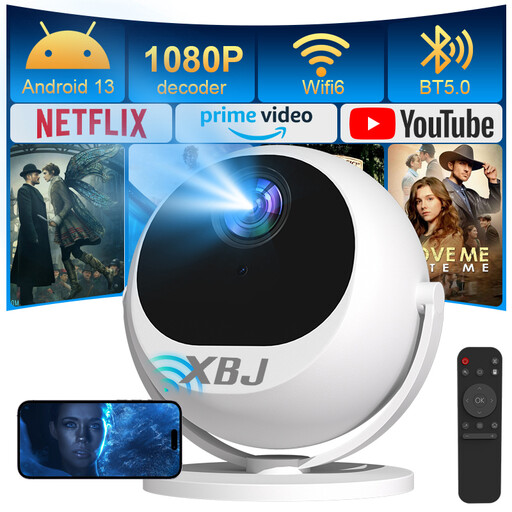
Why this fits the profile: If you want one device for ceiling, wall and table projection, this native Full HD 1080p model offers extensive connectivity for home cinema and gaming.
The native resolution is listed separately from 4K decoding. Before purchasing, also check the current brightness specification, as product information may show different lumen values.
Native 1080p, 360° rotation, automatic focus, ±30° automatic keystone correction and additional 6D correction. WiFi 6, Bluetooth 5.2 and HDMI support streaming and consoles.
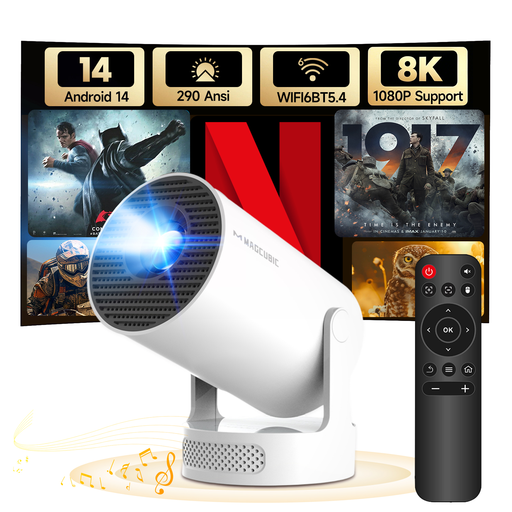
Why this fits the profile: Thanks to its lightweight design and rotating stand, this model suits mobile film nights, bedrooms and occasional outdoor use in a dry spot.
The specifications list native 720p, 290 ANSI lumens and manual focus. This makes it clear when this model is less suitable: large images in a bright room require more light output.
Android 14, dual-band WiFi 6, Bluetooth 5.4, automatic vertical correction and manual 4-point keystone. The integrated 5W SoundBase speaker system reduces the need for extra equipment.
We have compiled a full, up-to-date list of products that fully meet these strict selection criteria and comply with current European safety regulations.
Place the projector on a flat, stable surface and keep the ventilation openings clear. For ceiling projection, the rotating foot must be sturdy so the device cannot fall. First set the desired angle, then use autofocus or manual focus. Keystone correction makes the image straighter, but too much digital correction can reduce the usable image area.
For an outdoor projector, bear the following in mind:
It can be, provided the model has an HDMI input and lists the PS5 as a compatible device. Also check the refresh rate and any input lag. For casual gaming, a portable projector may suffice; for competitive gaming, a television or gaming monitor is often more predictable.
Yes, if the foot or casing is designed for it. A rotating projector can direct the image upwards, while automatic or manual keystone correction adjusts the shape. Always place the device securely and leave enough space around the ventilation openings.
Consumption varies per model, light source and usage time. Check the wattage on the label or in the technical specifications. A lower wattage does not automatically mean a brighter image. With prolonged use, built-in speakers and a high brightness setting can increase consumption.
