
Vandaag of morgen in huis

Kwaliteit gegarandeerd

Welkomstaanbiedingen ontgrendelen: GRATIS bezorging | Tot 80% korting | Gratis 30 dagen JoyPlus-proefperiode
Download de app
Written by Joybuy Product Recommendation Officer, July 14, 2026
Do you constantly work with multiple windows open? Or do you want to be fully immersed in your favourite game? A standard monitor can quickly feel too small. A 34-inch ultrawide monitor offers the extra screen real estate you need, without the need for a second display. The additional width, often in a 21:9 aspect ratio, is ideal for multitasking and creates an immersive viewing experience.
However, the market is filled with options, each with different specifications. This article will help you understand the key features and presents a selection of popular models for various users, from professionals to gamers.
Before we dive into the models, here are a few key points to help you make an informed choice.
The panel type largely determines the image quality.
For a 34-inch ultrawide monitor, a resolution of 3440x1440 pixels, also known as Wide Quad HD (WQHD), is the standard. This provides a sharp and detailed image.
The refresh rate (expressed in Hertz, Hz) indicates how many times the image is updated per second.
Modern monitors are more than just displays; they are docking stations. A business monitor with USB-C or Thunderbolt 4 is especially practical. With a single cable, you can charge your laptop, transmit video, and transfer data using the monitor's built-in USB ports. This creates a clutter-free desk and maximises convenience.
Based on specifications and use cases, we have highlighted some compelling models for you.
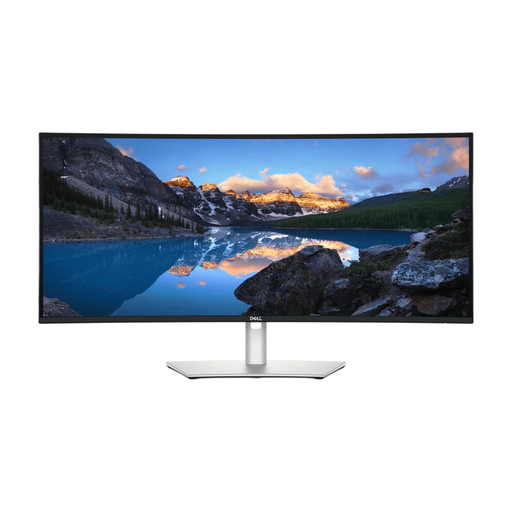
Why This Model Stands Out The Dell UltraSharp U3425WE is designed to be the command centre for the modern professional. Its focus is on connectivity and comfort. With Thunderbolt 4, this monitor provides a powerful single-cable solution that delivers up to 90W of power, ideal for high-performance laptops. The built-in KVM switch makes it easy to toggle between two connected computers with a single mouse and keyboard.
Advantages
Who Is This Monitor For? This is an excellent choice for professionals, developers, and multitaskers seeking a reliable and versatile business monitor with USB-C. The combination of high resolution, a smooth refresh rate, and extensive docking capabilities makes it a productivity powerhouse.
View the DELL UltraSharp U3425WE
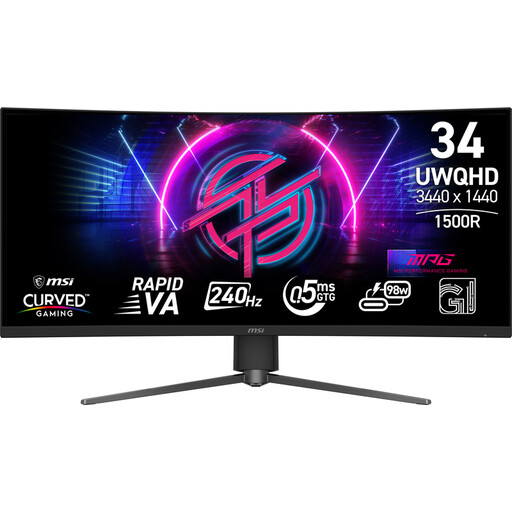
Why This Model Stands Out For gamers where every millisecond counts, the MSI MPG 346CQRF X24 is a compelling option. This monitor is entirely focused on performance, with an extremely high refresh rate and a fast response time. According to MSI, its "AI Vision" technology helps to make details in dark scenes more visible, which can be an advantage in competitive games.
Advantages
Who Is This Monitor For? This WQHD gaming monitor is aimed at the serious and competitive gamer. If you primarily play fast-paced shooters, racing games, or e-sports titles and want to leverage the highest possible frame rates, this monitor is worth considering.
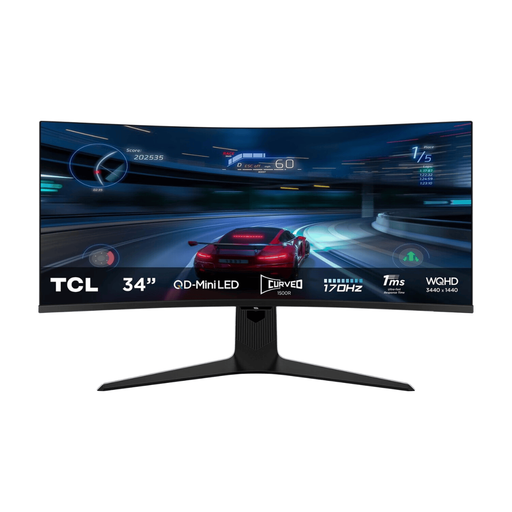
Why This Model Stands Out The TCL 34R83Q stands out with its impressive display technology. The Mini-LED backlight with 1,152 individual dimming zones delivers exceptional contrast and high brightness, resulting in a VESA DisplayHDR 1400 certification. This makes it an excellent HDR monitor for multitasking, content creation, and immersive entertainment.
Advantages
Who Is This Monitor For? This monitor is ideal for the all-rounder who wants the best of both worlds: high performance for gaming and outstanding image quality for movies, photo editing, and productivity. If you place a high value on HDR content and deep blacks, this model's Mini-LED technology is a major advantage.
A 34-inch ultrawide is a popular but specific choice. Are you looking for a different size, a higher resolution like 4K, or a model with other specifications? Countless options are available.
Check out our full range of TFT monitors for more sizes and specifications.
1. Is a 34-inch ultrawide monitor good for work? Yes, for many professions, it's a significant upgrade. The extra horizontal space allows you to open documents, spreadsheets, or applications side-by-side without constantly switching windows. This can boost productivity, especially for programmers, analysts, and content creators.
2. What is the difference between a WQHD (3440x1440) and a 4K ultrawide monitor? A WQHD ultrawide has 3440x1440 pixels. A 4K ultrawide (also called 5K2K or WUHD) has a resolution of 5120x2160 pixels. 4K offers an even sharper image but requires a significantly more powerful computer (and graphics card) to drive it, especially for gaming. For most users, WQHD provides a great balance of sharpness, performance, and price.
