
Vandaag of morgen in huis

Kwaliteit gegarandeerd

Welkomstaanbiedingen ontgrendelen: GRATIS bezorging | Tot 80% korting | Gratis 30 dagen JoyPlus-proefperiode
Download de app
A 34-inch ultrawide monitor can help you keep your desk organised, but not every model is right for every situation. Gamers often focus on refresh rate and synchronisation, while home workers are more likely to need USB-C, an adjustable stand and a sharp picture for working across multiple windows.
The biggest buying mistakes usually aren’t about the screen size itself, but about three common pitfalls:
An ultrawide 3440 x 1440 monitor, also known as a UWQHD monitor, combines a 21:9 aspect ratio with 3440 horizontal and 1440 vertical pixels. That gives you noticeably more workspace than 2560 x 1080. For example, you can have a browser, document and chat window open side by side without constantly switching between them.
Keep an eye on the graphics demands. UWQHD puts more strain on your graphics card than Full HD. Almost any modern laptop is suitable for office work, but for an ultrawide gaming monitor, you’ll need to match your graphics card to the refresh rate you want.
A standard office monitor often runs at 60Hz. A 180Hz gaming monitor refreshes the picture more often and can show movement more smoothly, provided your computer can supply enough frames. Models running at 100Hz or 120Hz are a practical middle ground for work, films and casual gaming.
The stated response time, such as 0.3ms, 1ms or 4ms, can vary depending on the measurement method. So check whether the manufacturer uses GtG, MPRT or another measurement. Also look for FreeSync, Adaptive Sync or G-SYNC compatibility. These features synchronise the refresh rate with your graphics card. According to the manufacturer’s product information, “G-SYNC Compatible” doesn’t always mean that NVIDIA has officially certified the model in question.
According to the stated specifications, a VA monitor generally offers high static contrast, which can be useful for dark games and films. An IPS monitor is often chosen for its wide viewing angles and colour reproduction. Neither panel type is automatically right for everyone, so check the full product specification sheet.
A monitor with USB-C is handy for laptop use, particularly when the port also carries video, data and power. For example, the Dell P3425WE lists USB-C with up to 90W Power Delivery, a USB hub, RJ45 networking and a KVM function. Check that your laptop supports USB-C video output and the charging power you need.
Also consider the size of your desk. A 34-inch screen is around 80 to 82 centimetres wide, depending on the model. A 34-inch curved monitor with 1500R or 1800R curvature also needs to be viewed from a distance that lets you see the whole screen comfortably.
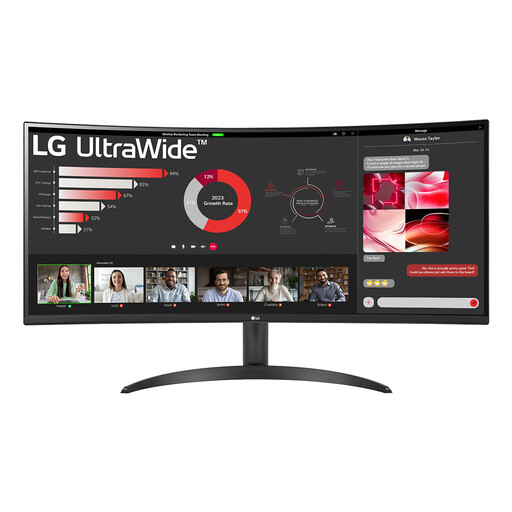
Why it suits this type of user: This model combines 3440 x 1440 resolution, a VA panel and 100Hz for work, entertainment and light gaming, without jumping straight to the highest refresh rate.
The resolution and refresh rate are clearly specified. PBP and FreeSync support flexible use, but check your computer’s performance beforehand.
3440 x 1440, 100Hz, HDR10 according to the product information, PBP and VESA 100 x 100mm.
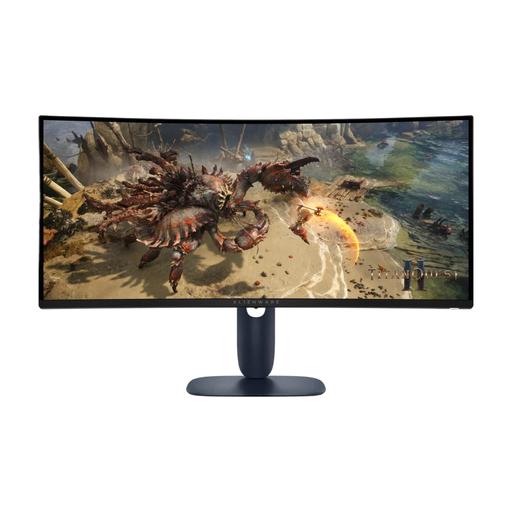
Why it suits this type of user: A good fit for gamers looking for UWQHD resolution, a high refresh rate and a curved screen in one setup.
The product listing distinguishes 180Hz from the response times, and lists DisplayPort 1.4, HDMI 2.1 and FreeSync. It’s worth checking the HDR details: the specifications list DisplayHDR400, while the description also mentions HDR600.
3440 x 1440, VA panel, 180Hz, 1500R curvature and height-adjustable stand.
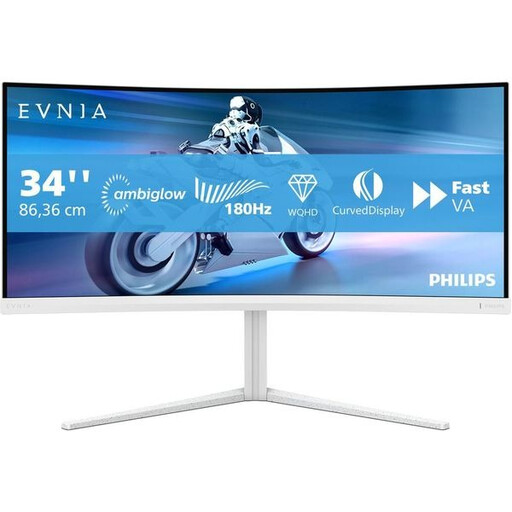
Why it suits this type of user: Designed for gamers who value 180Hz, Adaptive Sync and a 1500R curve for fast-paced, immersive games.
The key specifications—3440 x 1440, 180Hz and VA—are clearly listed. Before buying, check which USB-C features and HDR specifications are available on your version.
180Hz, 1500R, Adaptive Sync, height adjustment, and a swivel and tilt stand, according to the product information.
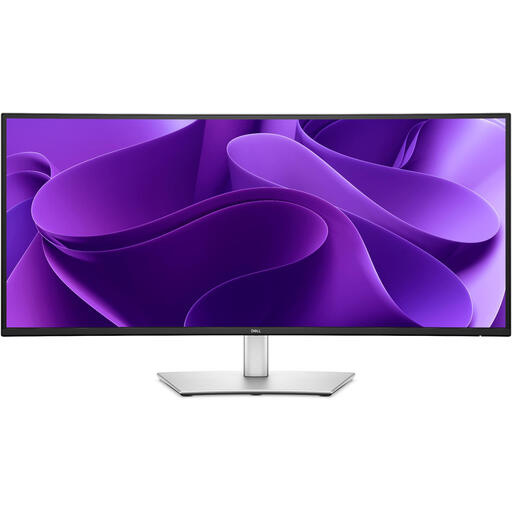
Why it suits this type of user: A practical choice for laptop use, spreadsheets, video calls and connecting multiple devices at one workstation.
Its connections are described in more detail than those of many gaming models. The 100Hz refresh rate is well suited to productivity, but less geared towards competitive gaming.
IPS panel, 3440 x 1440, USB-C with up to 90W Power Delivery, KVM, RJ45 and height adjustment.
We’ve put together a complete, up-to-date list of products that meet these strict selection criteria and comply with current European safety regulations.
Yes, this resolution gives you room to have several windows open side by side. Check that your laptop or desktop can output this resolution via HDMI, DisplayPort or USB-C. You may need to adjust the scaling settings in Windows or macOS for text-based work.
Lifespan depends on usage, heat, power supply and panel type. An LCD monitor can last for several years with normal use, but performance and warranty are not the same thing. Keep your proof of purchase and check the statutory warranty and any additional manufacturer’s terms. Place the screen on a stable surface, keep the ventilation openings clear and use a soft, dry cloth.
It varies by model and picture mode. Product specifications often give typical power consumption, with separate figures for SDR and HDR. Higher brightness, HDR mode and a high refresh rate can all increase power consumption. Enable energy-saving mode and switch the screen off when you won’t be using it for a while.
