
Vandaag of morgen in huis

Kwaliteit gegarandeerd

Welkomstaanbiedingen ontgrendelen: GRATIS bezorging | Tot 80% korting | Gratis 30 dagen JoyPlus-proefperiode
Download de app
Switching between countless tabs and applications on a standard screen can feel restrictive. For professionals who multitask heavily and gamers seeking an immersive experience, a wider screen is the solution. A 34-inch ultrawide monitor often replaces a dual-monitor setup, giving you a seamless, organized desktop.
However, the market for ultrawide monitors is vast, and the specifications can be overwhelming. This guide is designed to help you make an informed decision. We highlight several popular models and explain what to look for, without unnecessary marketing jargon.
Before we dive into the products, it's helpful to understand a few key specifications. These largely determine how the monitor will perform for your specific use case.
Nearly every 34-inch ultrawide monitor features a WQHD monitor resolution of 3440x1440 pixels. This is the ideal sweet spot: sharp enough for detailed work and gaming, without requiring an extremely powerful computer. The 21:9 monitor aspect ratio gives you about 30% more horizontal screen space than a standard 16:9 WQHD display. This is perfect for opening documents, spreadsheets, or a video editing timeline side-by-side.
The refresh rate, measured in Hertz (Hz), indicates how many times the image is updated per second. For general office work and as a work-from-home monitor, 100Hz is already a noticeable improvement over the standard 60Hz; on-screen motion feels smoother. For an ultrawide gaming monitor, a higher refresh rate of 144Hz or 165Hz is desirable for smooth and responsive gameplay. Most ultrawide screens in this segment use a VA panel, known for its excellent contrast ratios and deep blacks.
A monitor with USB-C is a game-changer for anyone who values a clutter-free desk. A single USB-C cable can connect a compatible laptop, simultaneously transmitting video, transferring data, and charging the device. This eliminates the need for a separate charger and video cable, which is ideal for a flexible home office setup.
Below is a selection of models that cater to different needs and budgets. The recommendations are based on their specifications and features.
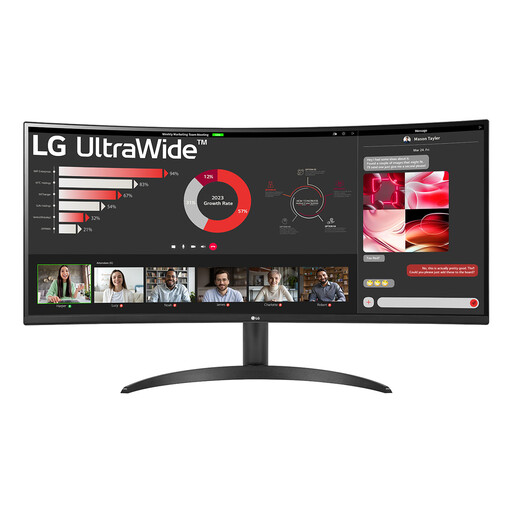
Why it stands out: The LG 34WR50QK-B is a solid entry-level model in the world of ultrawide monitors. It combines the sought-after 3440x1440 resolution with a smooth 100Hz refresh rate. The slight curve of the screen, a so-called curved monitor, contributes to a more encompassing viewing experience.
Pros:
Who is it for? This model is a great choice for professionals and students who want to boost their productivity with more screen real estate for multitasking, without paying a premium price.
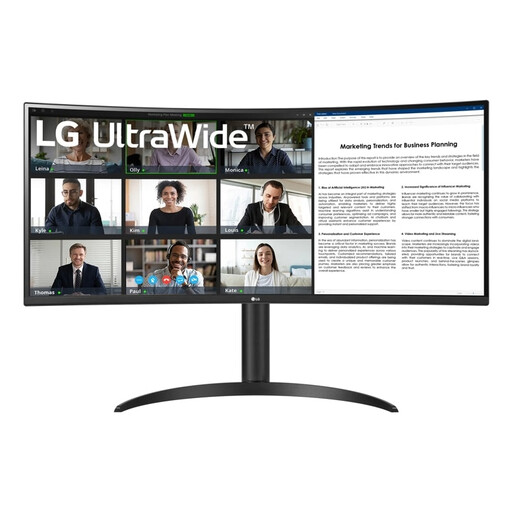
Why it stands out: The LG 34WR55QK-B builds on the foundation of the previous model but adds two crucial features for the modern remote worker: a monitor with USB-C connectivity and a height-adjustable stand. The USB-C port delivers up to 65W of power, enough to charge most laptops.
Pros:
Who is it for? Ideal for laptop users and remote workers who want to create a clean and ergonomic workspace. The USB-C functionality makes connecting and packing up your laptop extremely simple.
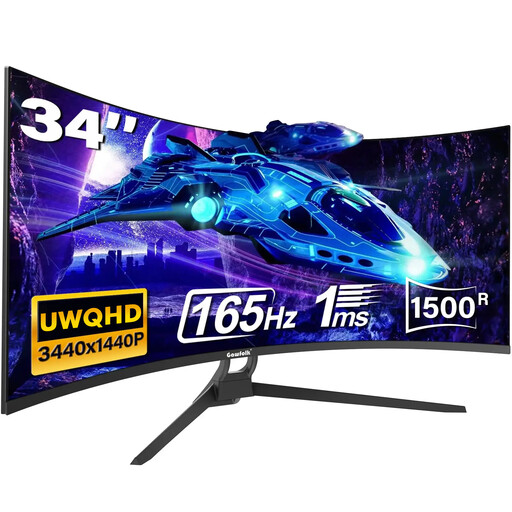
Why it stands out: This model from Gawfolk specifically targets gamers. Its key advantage is the high 165Hz refresh rate, which ensures extremely smooth visuals in fast-paced games. The deeper 1500R curve enhances immersion, making you feel more 'in the game'.
Pros:
Who is it for? This ultrawide gaming monitor is primarily aimed at PC gamers looking for an immersive and responsive experience in a 21:9 format.
A 34-inch ultrawide is a popular choice, but perhaps you're looking for a different size or specific features for productivity. For a wider range of displays suitable for an efficient workspace, you can browse our general selection.
Check out our Work From Home Monitor collection for more options.
For most desks, a 34-inch ultrawide monitor is not too big. It effectively replaces a dual 24-inch monitor setup, but without the distracting bezel in the middle. It provides an excellent overview for multitasking, such as working in spreadsheets, writing code, or having multiple documents open simultaneously.
A curved monitor has a slight curvature designed to match the natural curve of the human eye. On a wide screen like a 34-inch ultrawide, this ensures that the distance from your eyes to the edges of the screen is more consistent. This can make the viewing experience more comfortable and enhances the sense of immersion, as the image 'wraps around' you more.
That depends on your use case. For office work, browsing, and watching videos, a modern integrated graphics chip (found in most recent laptops and desktops) is sufficient. However, if you want to game on this WQHD monitor at a high refresh rate, a separate (dedicated) mid-range or high-end graphics card is recommended to ensure stable performance.
