
Vandaag of morgen in huis

Kwaliteit gegarandeerd
Download de app
Buying a new monitor can be a daunting task. Especially when considering a 34-inch ultrawide monitor, you're bombarded with specifications: resolution, refresh rate, panel type. Making the wrong choice is easy and can be a costly mistake. This article helps you find the right monitor for your needs based on facts and specifications, whether you're a professional, gamer, or tech enthusiast.
Before we look at specific models, it's helpful to understand the key specifications. These features determine the performance and user experience of your monitor.
Resolution: 3440x1440 (WQHD) A 3440x1440 monitor, also known as Wide Quad HD or a WQHD monitor, offers significantly more workspace than a standard Full HD screen. This 21:9 aspect ratio is ideal for multitasking: you can effortlessly open two or three windows side-by-side without constantly switching between them. For gamers, this means a wider field of view, which can provide a strategic advantage.
Panel Type: VA vs. OLED Most ultrawide monitors use a VA panel, known for its excellent contrast ratio (deep blacks) and vibrant colours. An OLED monitor takes it a step further. Because each pixel illuminates individually, an OLED screen can display perfect blacks, resulting in a near-infinite contrast. This creates an exceptionally vivid and realistic image, ideal for media consumption and high-end gaming.
Refresh Rate: 100Hz, 144Hz, and Higher The refresh rate, expressed in Hertz (Hz), indicates how many times the image is updated per second. A standard monitor has a 60Hz rate. For smooth motion, especially in gaming, a higher value is desirable. A 144Hz monitor or higher provides a noticeably smoother experience in fast-paced games. For productivity tasks, 100Hz is often a comfortable upgrade.
Curved vs. Flat Most 34-inch ultrawide monitors are curved monitor models. The gentle curvature ensures that the distance from your eyes to every corner of the screen is roughly equal. This can make the viewing experience more immersive and reduce eye strain during prolonged use.
Connectivity: The Role of USB-C A monitor with USB-C offers a major practical advantage. With a single cable, you can connect a laptop for video, audio, data, and power. This means you can charge your laptop via the monitor, resulting in a clean, clutter-free desk with fewer cables.
Below is a selection of three 34-inch ultrawide monitors, each with unique features catering to different users.
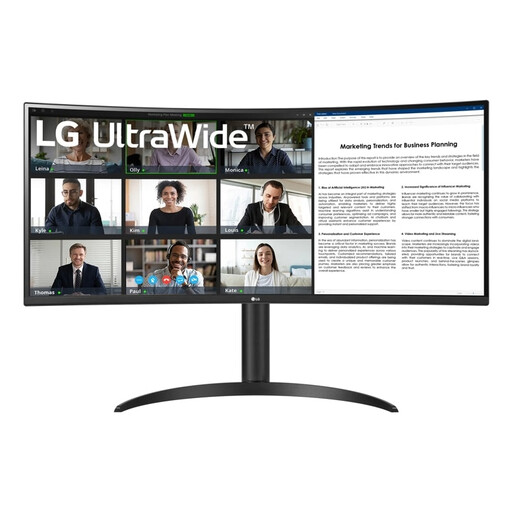
Why this product? The LG 34WR55QK-B is a versatile monitor that excels at productivity. The combination of a WQHD resolution and a USB-C port with 65W Power Delivery makes this an excellent choice for professionals who want a streamlined workspace.
Pros:
Who is this for? This model is ideal for professionals, creatives, and multitaskers seeking an efficient and tidy workspace. The specifications are also more than sufficient for those who enjoy occasional gaming.
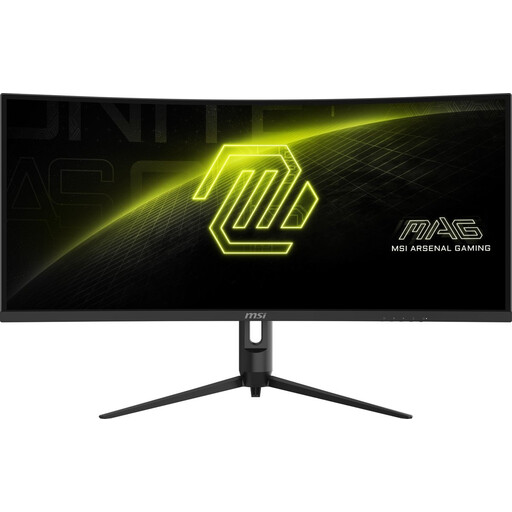
Why this product? The MSI MAG 342CQR E2 is a purebred ultrawide gaming monitor, designed for speed and responsiveness. With a high refresh rate and fast response time, this screen is built for gamers who refuse to compromise on performance.
Pros:
Who is this for? This monitor is aimed at the serious gamer. From fast-paced first-person shooters to immersive open-world adventures, the high performance of this screen gives you a competitive edge.
Check out the MSI MAG 342CQR E2
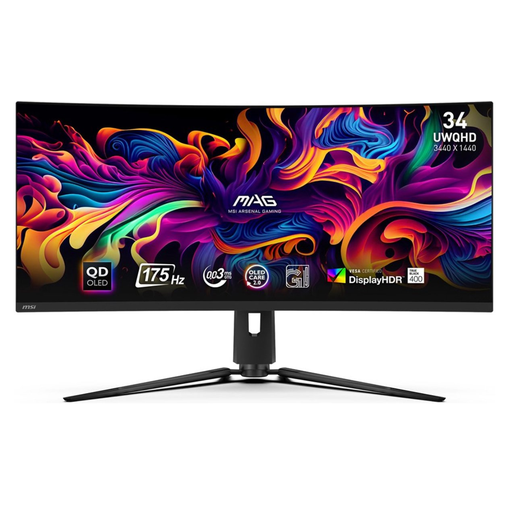
Why this product? The MSI MAG 341CQP combines the benefits of Quantum Dot technology with an OLED monitor. This results in unparalleled image quality: perfect blacks, an extremely high contrast, and vibrant colours, combined with a lightning-fast response time.
Pros:
Who is this for? This is the monitor for the tech enthusiast and the gamer seeking the best possible image quality and performance. It's ideal for those who work with graphically intensive applications and enjoy the latest games in the highest quality.
Check out the MSI MAG 341CQP QD-OLED
Is a 34-inch ultrawide monitor not quite what you're looking for, or do you want to explore other options for your computer setup? A wide range of monitors and computer components is available that might better suit your specific needs.
View our full range in the black computer category.
1. Is a curved 34-inch monitor better for work? A curved monitor can be more comfortable for work because the curvature follows the natural field of view. This can reduce eye strain, especially if you spend long hours in front of the screen. The wide format is also excellent for working with spreadsheets, timelines, or multiple documents simultaneously.
2. What is the difference between a VA and an OLED ultrawide monitor? A VA panel offers an excellent contrast ratio, resulting in deep blacks. An OLED monitor goes further: each pixel produces its own light and can be turned off completely. This leads to perfect blacks, infinite contrast, and an even faster response time. OLED is typically more expensive but offers superior image quality.
3. Do I need a powerful graphics card for a 3440x1440 monitor? For productivity tasks and media consumption, a modern, integrated or mid-range graphics card is sufficient. For gaming at a 3440x1440 resolution, especially combined with a high refresh rate (like 144Hz or higher), a powerful, recent graphics card is recommended to achieve stable and high frame rates.
