
Vandaag of morgen in huis

Kwaliteit gegarandeerd

Welkomstaanbiedingen ontgrendelen: GRATIS bezorging | Tot 80% korting | Gratis 30 dagen JoyPlus-proefperiode
Download de app
Upgrading to 32GB DDR5 RAM seems simple: choose a 2 x 16GB kit, check the speed and install the modules in the motherboard. However, purchases can easily go wrong if you choose the wrong memory generation, unsupported profiles or a speed that’s only achieved with specific settings.
For gamers, PC builders and DIY enthusiasts in the Netherlands, these are the three main pitfalls to watch out for:
For a desktop, you need DDR5 DIMM memory. DIMM refers to the desktop format; laptops usually use SO-DIMM modules. Check the following before you buy:
A DDR5 kit won’t work with an older DDR4 motherboard. You may therefore need to replace the motherboard as part of a larger PC RAM upgrade.
For a gaming PC, DDR5 RAM 2x16GB is a practical configuration. The two modules provide 32GB in total and are designed to be installed in the recommended dual-channel slots. Check the manual for the right slots; these are often the second and fourth slots from the processor.
DDR5 6000 MT/s is a common specification in this category. MT/s stands for megatransfers per second. Check the timings, too, for example CL30 RAM or CL36. A lower CAS latency doesn’t automatically mean every system will be faster, as performance depends on the speed, timings, processor and motherboard working together.
If you have an AMD system, look for AMD EXPO RAM. EXPO is a preset memory profile that you can select in the BIOS/UEFI. Availability and stability depend on the combination of CPU, motherboard, BIOS version and memory kit.
A kit with EXPO support won’t automatically run at its advertised speed on every system. After installation, start up using the default settings first. Then activate the right profile and check that the PC starts up normally. If you run into problems, you can disable the profile or set a lower speed.
Check the height of the heat spreaders, too. A module that’s around 35 mm tall will usually fit more easily under a CPU cooler than a 44 mm model with RGB lighting.

Why it suits this user: This kit is a good match for a new or existing AMD gaming PC that needs 32GB DDR5 and a straightforward installation.
The product specifications list DDR5, 2 x 16GB, 6000 MT/s and AMD EXPO. This makes the key details easy to check, but you’ll still need to confirm compatibility with your motherboard.
32GB total capacity, CL30, 1,35V, 288-pin DIMM and a heat spreader without backlighting.
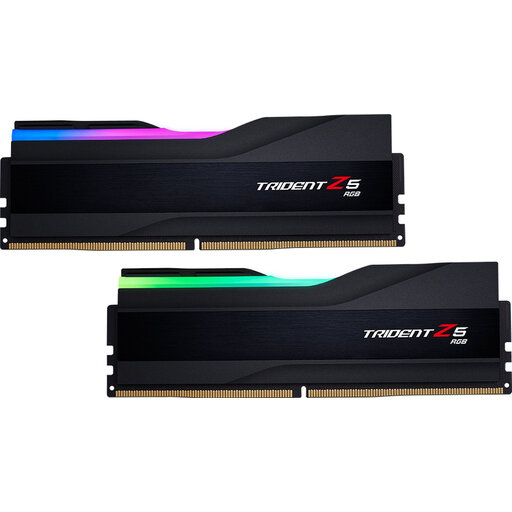
Why it suits this user: A good choice for an Intel-based gaming PC where DDR5 6000 and customisable RGB lighting are part of the build.
The kit explicitly lists Intel XMP and a 2 x 16GB configuration. Check that your motherboard supports the profile; the product specifications don’t mention AMD EXPO.
32GB, 6000 MT/s, CL30, PMIC and RGB lighting; the modules are 44 mm tall.
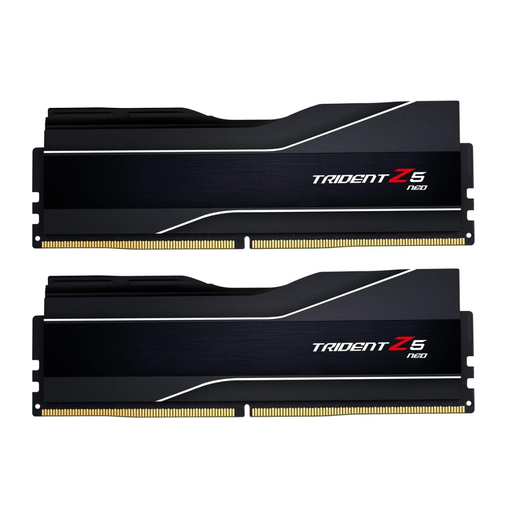
Why it suits this user: For users who need more than 32GB straight away for demanding multitasking, video editing or virtual machines as well as gaming.
This is clearly a 2 x 32GB DDR5 kit with AMD EXPO. Check in advance that your motherboard supports 64GB and that the 44 mm-tall modules will fit.
64GB capacity, 6000 MT/s, CL30, 1,40V and AMD EXPO support.
We’ve put together a complete, up-to-date list of products that meet these strict selection criteria and current European safety regulations.
Switch off your PC, unplug the power cable and touch an earthed metal part of the case before handling the modules. Install the sticks in the slots recommended by the motherboard. The notch shows which way round the module goes; don’t force it.
Then start the computer and open the BIOS/UEFI. First, check that the full capacity is recognised. Next, activate the right EXPO or XMP profile if you want to use the stated speed. If the PC becomes unstable, reset the profile to its default setting and check for a BIOS update.
Where possible, avoid mixing individual kits with different timings, voltages or memory chips. Two identical modules from one pack give you a more reliable starting point than four randomly combined sticks.
For many modern games, 32GB is a practical amount, especially if you also use voice chat, a browser or streaming software. How much you need depends on the game, background programmes and future upgrades. Check that your graphics card has enough dedicated video memory, too; RAM can’t replace it.
Not necessarily. Actual performance depends on the processor, timings, BIOS settings and motherboard. A 6000 MT/s kit may need an EXPO or XMP profile. A stable kit running at a supported speed is more practical than a higher setting that causes error messages or startup problems.
RAM doesn’t have a set replacement date. With normal use, a module can remain useful for years, as long as its capacity and speed suit your PC. Keep your purchase details, check the statutory guarantee and only replace the memory if your computer needs more capacity or diagnostics point to a fault.
