Joybuy TVs for a compact setup
These Joybuy products are 32-inch TVs for anyone looking for a compact size. Before choosing, check the dimensions of the TV and stand, and see which subtitle settings are available on the device and streaming service you plan to use.
 No image available
KOORUI K32Q1FFQ-T8 32-inch Full HD QLED Smart TV
A 32-inch model to consider if you’re looking for a compact TV.
The product name lists Full HD, QLED and Tizen OS.
View at Joybuy
 No image available
CHiQ L32QM10E 32-inch QLED Smart Google TV
A 32-inch model to include in your comparison if shelf space is important.
The product name lists QLED and Google TV.
View at Joybuy
 No image available
METZ Lifestyle Portable TV 32MQE7100Z 32-inch HD QLED+ Smart TV
A portable 32-inch TV to consider if you’d like flexibility when deciding where to put it.
The product name lists HD, QLED+, Chromecast and USB-C power, compatible with a power bank.
View at Joybuy
 No image available
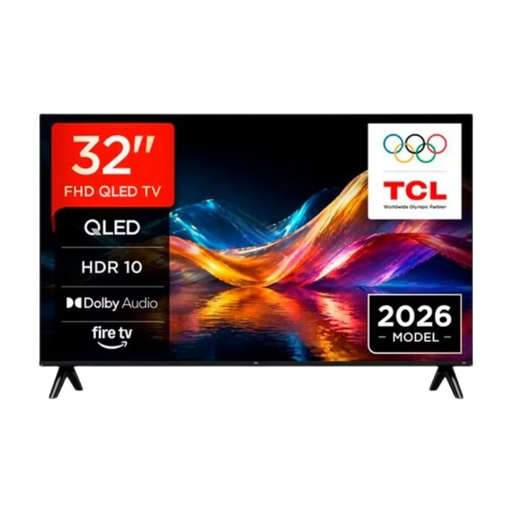
TCL 32V5D 32-inch QLED Smart TV, HD-FHD
A 32-inch model to compare if you’re looking for a compact size.
The product name lists QLED and HD-FHD.
View at Joybuy
 No image available
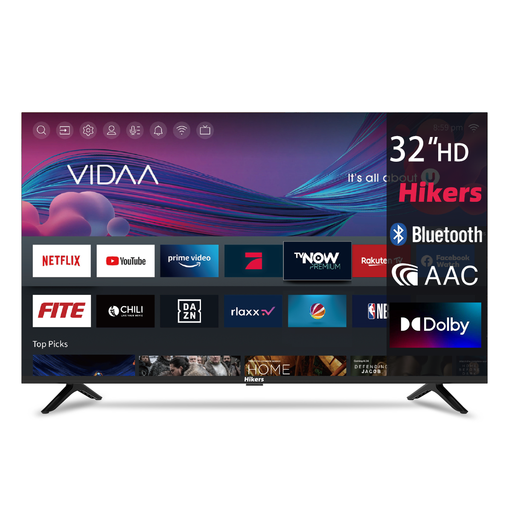
Hikers HD 32-inch Smart TV VIDAA
A compact size to compare if shelf space is limited.
The product name lists HD, VIDAA, DVB-T2/S2, CI, 3 HDMI ports, 2 USB ports, Wi-Fi and Bluetooth.
View at Joybuy
Frequently asked questions
Do I need 4K to read subtitles?
No, you don’t need 4K to read subtitles. First choose a screen size that fits on your shelf and is comfortable to read from your seat. According to the Dutch Consumers' Association, the difference between 4K and Full HD isn’t easy to see in every situation. Resolution alone doesn’t determine which text settings your streaming service offers on the TV.
Can I make the subtitles bigger on my TV?
That depends on the streaming service, the device and sometimes the language. Netflix explains how to adjust the size and style, but notes that not all options are available on connected TVs and that settings can’t be changed for some languages. Check the options in your own Dutch account and TV app.
What should I consider when putting a TV on a shelf?
Compare the dimensions of the exact model, including its stand, with the shelf’s available width and depth. Also check that the connections will remain accessible, and follow the instructions for placing and cleaning the TV in the manual for your chosen model.
How do I compare the energy consumption of two TVs?
Compare the EU energy labels and stated energy consumption of the exact models on a like-for-like basis. The European Commission gives electronic displays an energy label rating from A to G, with separate information on HDR energy consumption. To estimate your own costs, you’ll also need to know how long you use the TV and your electricity tariff.
What are my rights in the Netherlands when buying online or if a product is faulty?
According to ACM ConsuWijzer, a standard online purchase generally comes with a statutory 14-day cooling-off period after delivery, subject to applicable exceptions. If a product is faulty, the retailer is responsible under the statutory guarantee; this isn’t automatically limited to any manufacturer’s warranty period. The precise rules depend on the circumstances and the product.


