
Creator with limited desk space
Wants to check texture seams without the screen and stand taking over the workspace, so compares screen size with the space needed for the setup.


Start by measuring the desk space you have available, then decide how much room you need beside your 3D view. A 29-inch ultrawide is the more compact screen size; the 34-inch models considered here offer more screen space at 3440 × 1440 pixels, but take up more room. Stated colour coverage alone doesn’t prove how your files will look: check the colour profiles in your application too.
Wants to check texture seams without the screen and stand taking over the workspace, so compares screen size with the space needed for the setup.
Wants to see both work views at once and weighs the extra pixels of a 34-inch ultrawide against the space it takes up.
When assessing colour differences, considers both the monitor specifications and the colour profiles used by the application.
Choose this option if: you want a wider workspace and desk space is your main concern. LG specifies a 21:9 IPS screen for the 29U511A-B.
Trade-off: the model considered has 1080 vertical pixels, compared with 1440 for the 34-inch models mentioned.
Choose this option if: the screen fits on your desk and you want more room for a 3D view alongside the UV editor.
Trade-off: LG lists the 34WQ75C-B as 816,7 mm wide and 260,0 mm deep with the stand; BenQ lists the PD3420Q as 825,8 mm wide and 244,3 mm deep. Compare these measurements with your own workspace.
Choose this option if: you also want to consider a curved screen and the connectivity options of a model such as the Philips 346E2CUAE/00.
Trade-off: panel type alone doesn’t tell you how suitable a screen is for assessing subtle colour differences in texture seams.
| What to consider | What should you check? | Who is this important for? |
|---|---|---|
| Desk space | Measure the available width and depth, then compare them with the dimensions of the exact model, including its stand. Check VESA mounting and the suitability of the arm and desk separately. | If my desk is small, I want to know whether the screen and stand will fit without crowding my workspace. Around 31% of consumers put desk fit first. |
| Pixels and work windows | Compare the native resolution of the exact model and check that your computer and connection support it. | If I want to view the UV editor and 3D view side by side, I weigh extra pixels against the space required. Around 31% of consumers give visible detail and room for work windows top priority. |
| Colour assessment | Compare the stated colour gamut of the exact model with your workflow, and check the monitor and document profiles in your application. | When colour differences at seams matter, I want to know which profiles my application uses and what the stated colour gamut means. Around 25% of consumers put colour assessment first. |
| Connections and power | Check your computer’s video output, the cable and the required charging power against the specifications of the exact monitor model. | If I want to use my laptop with a single connection, I check that video and power work with my computer. Around 13% of consumers prioritise connectivity and laptop charging. |
The stand takes up space too. According to the manufacturers, the stated depth with stand is 260,0 mm for the LG 34WQ75C-B and 244,3 mm for the BenQ PD3420Q.
Before ordering, measure the available width and depth and compare them with the dimensions including the stand. Assess a monitor arm and the suitability of the desk separately.
You may need a different setup or a separate mount.
A stated sRGB or P3 coverage figure is no substitute for a suitable colour profile for the monitor and work file.
As well as checking the model specifications, check the colour management settings in the application you use to assess the texture.
The stated USB-C power delivery varies between the models considered: BenQ lists 65 W, while LG and Dell list up to 90 W. A connection on the monitor doesn’t automatically confirm compatibility with a particular computer.
Compare your computer’s video support, the cable you plan to use and the required charging power with the specifications of the exact model.
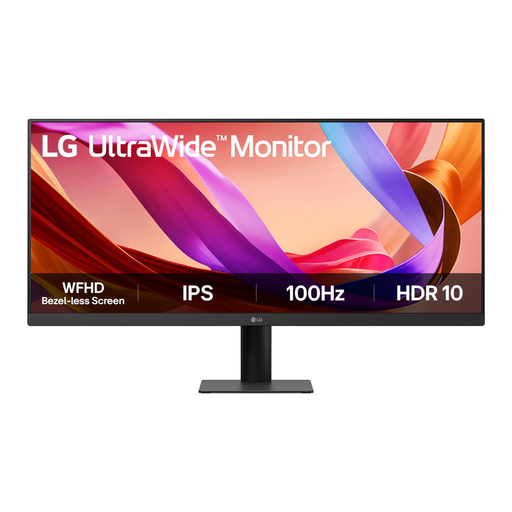
The models mentioned from LG include both a 29-inch ultrawide and 34-inch options, letting you weigh screen space against desk size.
The PD3420Q is a 34-inch design monitor with 3440 × 1440 pixels.
The P3425WE is a 34,1-inch curved IPS hub monitor worth comparing if both screen space and laptop connectivity matter.
The 346E2CUAE/00 is a 34-inch curved VA alternative with 3440 × 1440 pixels and USB-C.
These ultrawide monitors are worth comparing for texture and UV work on a desk with limited space.
 No image available
An option to compare if screen size is a particular consideration when choosing an ultrawide.
The product name lists a 29-inch IPS monitor with Full HD and 100 Hz.
 No image available
An option to compare if you’re considering a larger ultrawide with an integrated hub.
The product name lists a webcam, 100 Hz and 90 W Power Delivery.
 No image available
An option to consider for your setup if you’re comparing a 34-inch ultrawide with a more compact screen size.
 No image available
An option to include when comparing a 34-inch ultrawide with a more compact monitor.
The product name lists 3440 × 1440 pixels.
 No image available
An option to consider if you also want to compare connectivity when looking at a larger ultrawide.
The product name lists LAN, a KVM switch and a 15 cm height-adjustable stand.
No, a monitor doesn’t change the UV layout or texture. The Blender manual describes seams as breaks in the UV map; checking and editing them remain part of the workflow.
Compare the available space you’ve measured with the width and depth of the exact model, including its stand. LG lists the 34WQ75C-B as 260,0 mm deep with the stand, while BenQ gives the PD3420Q a total depth of 244,3 mm. A VESA specification doesn’t automatically mean that a separate monitor arm or your desk is suitable.
No, a stated percentage describes a model’s colour gamut coverage, not how your files will look. Adobe explains that colour profiles are important for reliable colour management, so check the profiles and settings in the application you use.
Report the fault to the retailer. The Dutch government states that the retailer cannot simply pass the problem on to the manufacturer; if a product is faulty, you may be entitled to a free repair or replacement.