What should you look for when choosing?
Start by checking the physical fit, then decide how much screen space and connectivity you need.
Compact 29-inch ultrawide
Choose this if: desk space is your priority and 2560 × 1080 pixels is enough for the way you arrange your windows.
Bear in mind: it has fewer pixels than the 34-inch WQHD models discussed here; check the stand’s dimensions too.
34-inch ultrawide with 3440 × 1440 pixels
Choose this if: the full monitor and stand will fit, and you want to view your checkout alongside code or documentation more often.
Bear in mind: screen size and resolution won’t tell you whether the stand will fit on your desk; check the exact model dimensions.
| What to consider |
What should you check? |
Who is this important to? |
| Fit on your desk |
Measure the available width and depth, then compare them with the exact model’s dimensions, including the stand. |
If I have limited desk space, I want to know in advance whether the monitor and stand will fit. Around 36% of consumers prioritise physical fit. |
| Side-by-side windows |
Compare the native resolution with your preferred layout and try that layout out. |
I want to see the checkout alongside DevTools, code or documentation. Around 29% of consumers give simultaneous workspace their highest priority. |
| Laptop connectivity |
Check video output through the intended connection, the power delivery required and the connections available on the exact monitor model. |
If I connect my laptop regularly, I want to know whether video and power will work through the monitor. Around 21% of consumers prioritise laptop connectivity. |
| Screen position |
Compare the listed tilt and height adjustments, and consider the placement of your screen, keyboard and mouse. |
I want to be able to position my screen to suit my workspace during regular testing sessions. Around 14% of consumers prioritise adjustability. |
The percentages are scenario estimates, not results from a measured survey. As well as testing your wide desktop layout, check the checkout in separately configured narrow browser viewports. Chrome DevTools can simulate responsive dimensions for this purpose.
Monitors on Joybuy
This Joybuy selection includes compact 29-inch ultrawides and 34-inch models, including screens with a USB-C hub. Before choosing, compare the desk dimensions, resolution and connections with your workspace and laptop.
 No image available
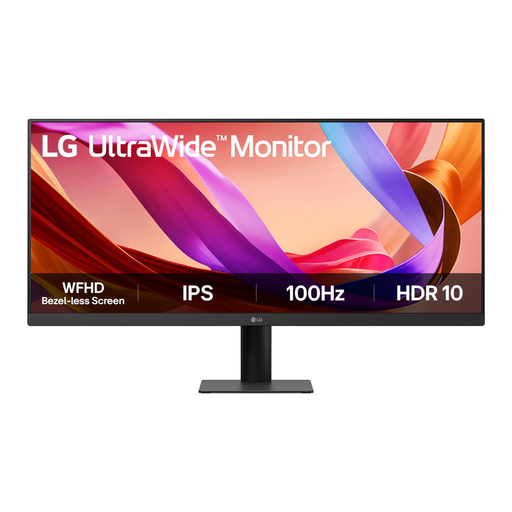
LG UltraWide 29U511A-B 29-inch Full HD monitor
A compact 29-inch screen may be worth considering if you want to check your desk space first.
21:9 format; 2560 × 1080 pixels; HDMI and DisplayPort.
Joybuy
 No image available
Dell Pro P3426WEV 34.1-inch curved WQHD USB-C hub monitor
This model may suit a setup where you want to view the checkout alongside other windows, provided it fits on your desk.
3440 × 1440 pixels; USB-C with DisplayPort Alt Mode; power delivery up to 90 W.
Check that your laptop supports DisplayPort Alt Mode and USB Power Delivery.
Joybuy
 No image available
Dell Pro P3426WEB 34-inch USB-C hub monitor
An option to consider if you want to combine an ultrawide workspace with connections for your laptop and peripherals.
3440 × 1440 pixels; USB-C hub; RJ45 and KVM.
Check which connections you need and how much desk space you have before deciding.
Joybuy
 No image available
Philips Evnia 3000 34M2C3500L 34-inch WQHD monitor
The 34-inch size and WQHD resolution are worth considering if you want to view more windows side by side and have enough space.
3440 × 1440 pixels; HDMI and DisplayPort; tilt adjustment.
Joybuy
 No image available
Philips 6000 series 34B2U6603CH/00 34-inch WQHD monitor
This model may be worth considering if you’re looking for a 34-inch screen with laptop and hub features, provided it fits on your desk.
3440 × 1440 pixels; Thunderbolt 4; USB hub; height adjustment; USB power delivery up to 100 W.
Joybuy
Frequently asked questions
Can I use an ultrawide to test the mobile checkout too?
Yes, but test the mobile view in a separately configured narrow viewport. Chrome DevTools lets you set responsive dimensions; where relevant, you can also test on a real mobile device. The physical width of your monitor isn’t a mobile test in itself.
Does USB-C on my laptop need to support a particular feature?
Check whether the USB-C connection on your laptop can output video and how much power the laptop needs. Dell lists a maximum power delivery of 90 W for the P3425WE; that figure alone doesn’t confirm that the monitor is compatible with your laptop.
How do I check whether an ultrawide will fit on my desk?
Measure the available width and depth, then compare them with the exact model’s dimensions, including the stand. Also allow space for your keyboard, mouse and working posture.
What are my rights in the Netherlands if I buy online and the product is faulty?
For an online consumer purchase, you generally have a 14-day cooling-off period after delivery. ACM ConsuWijzer explains this cooling-off period; your statutory guarantee is separate from any manufacturer’s warranty. If a product breaks during normal use sooner than you could reasonably expect, the seller is responsible for providing an appropriate solution. Consider any business purchase separately.
How can I make my setup comfortable for extended screen work?
Arrange your screen, keyboard and mouse to suit your workspace, and consider adjustability when choosing a monitor. Arboportaal explains the risks of screen work and employers’ obligations; this doesn’t mean there is one mandatory monitor size for every individual buyer.


