What should you look for when choosing?
Adjustable 27-inch QHD monitor
A good fit if: you mainly write and occasionally open an outline or source alongside your text, without wanting a wide screen on your desk. Dell and BenQ specify a resolution of 2560 × 1440 pixels and height adjustment for the models discussed here.
Bear in mind: you’ll have less horizontal space than with an ultrawide. Also check the connections on the exact model code.
34-inch ultrawide
A good fit if: you often want to view your manuscript, chapter outline and sources in separate windows side by side. Philips lists a 21:9 aspect ratio and 3440 × 1440 pixels for the 346E2CUAE/00.
Bear in mind: the screen needs more desk width, and may not be necessary if you usually view just one document.
Higher resolution for text and image editing
A good fit if: you also review illustrations or scans alongside your text and need the additional display specifications for this. ASUS specifies the PA32QCV as a 31.5-inch 6K monitor.
Bear in mind: extra display features don’t automatically make a screen suitable for a cramped desk or necessary for text-only work. RTINGS.com includes the ASUS PA32QCV in a general office monitor test, not as a specific recommendation for writing.
First, think about which windows you want to see at the same time and how much room you have on your desk. Then check that the screen’s adjustability, connections and size suit your workspace.
| What to consider |
What to look for |
Especially relevant for |
| Text and overview side by side |
Compare the screen aspect ratio and resolution, measure the space taken up by the screen and stand, and check whether your preferred window layout will fit. |
If I want to keep my manuscript, chapter outline and sources visible side by side while writing, the available screen space for windows is my priority; around 36% of consumers put this need first. |
| Readability and adjustability |
Look at height adjustment, text size, reflections, contrast and the screen’s position in relation to light sources. Arboportaal lists small text, low contrast and reflections as possible barriers to readability. |
For long writing sessions, I want text to be comfortable to read and the screen to be easy to adjust; around 29% of consumers prioritise readability over long periods and adjustability. |
| Laptop and peripherals |
Check whether your laptop supports video through the chosen port, which cable you need and whether the stated power delivery is sufficient. Dell lists up to 90 W Power Delivery for the P2725DE, while BenQ lists up to 65 W for the GW2790QT. |
If I want to use my laptop with as few separate connections as possible, I check video, data and power for each model; around 21% of consumers prioritise the laptop connection. |
| Size and necessary features |
Measure your desk and viewing space, compare the dimensions including the stand, and decide which features you’ll actually use for writing. |
I don’t want to choose a screen that’s bigger or more feature-packed than my workspace and tasks require; around 14% of consumers prioritise a suitable size and avoiding unnecessary features. |
Monitors at Joybuy
This selection includes 27-inch monitors with different resolutions and adjustment options, as well as ultrawide models for anyone who wants to view several documents side by side. Measure the space available on your desk and check your computer’s connection before choosing.
 No image available
Dell Pro Plus P2725DE, 27-inch QHD monitor
An option to compare if you write, occasionally open a source alongside your text and want to adjust the viewing position.
2560 × 1440 pixels; height, tilt and swivel adjustment; USB-C for video and data with up to 90 W Power Delivery.
View at Joybuy
 No image available
Dell Plus S2725QC, 27-inch 4K monitor
A 27-inch alternative to consider if you’re looking for the stated 4K resolution and an adjustable viewing position.
3840 × 2160 pixels; height adjustable and tiltable; USB-C with up to 65 W Power Delivery.
View at Joybuy
 No image available
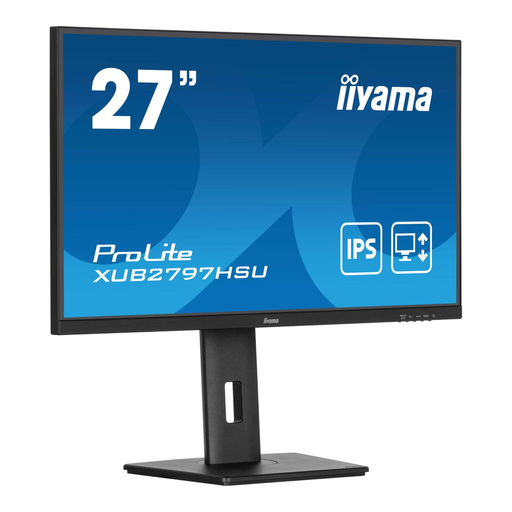
iiyama ProLite 27-inch IPS monitor
An option to compare if an adjustable stand and a matt anti-reflective coating are important to you.
Full HD, 1920 × 1080 pixels; 150 mm height adjustment; 100 Hz; USB hub.
View at Joybuy
 No image available
Philips 6000 series 34B2U6603CH/00, 34-inch ultrawide monitor
An option to compare if you want to view several documents side by side and have enough desk space.
3440 × 1440 pixels; 21:9; Thunderbolt 4 with up to 100 W USB Power Delivery. The stated width is 807 mm, so make sure you have enough space.
View at Joybuy
 No image available
Dell UltraSharp U4924DW, 49-inch monitor
An option to compare if you want to view lots of documents at once and have enough room on your desk.
5120 × 1440 pixels; built-in KVM feature; USB-C with 90 W Power Delivery. The stated width is 121,49 cm, so check that the screen will fit on your desk.
View at Joybuy
Frequently asked questions
How should I set up a monitor for long writing sessions?
Set the text size to a level you find comfortable to read, and watch out for reflections and low contrast. Adjust the screen position to suit your workspace; Arboportaal highlights readability and reflections as factors to consider when working with screens.
Can any USB-C monitor connect to and charge my laptop with a single cable?
No. Check your laptop’s video support and power delivery against the specifications for the exact model. Dell lists USB-C with DisplayPort Alt Mode and up to 90 W for the P2725DE; BenQ lists video, data and up to 65 W for the GW2790QT.
Does a two-year manufacturer’s warranty cover the full guarantee in the Netherlands?
No. According to ACM ConsuWijzer, the legal guarantee has no fixed two-year period; what you could reasonably expect from the product under normal use also matters. If a product is faulty, the seller is responsible for providing an appropriate solution.
Can I try out a monitor bought online and return it?
For a distance sale to a consumer, ACM ConsuWijzer says you’re generally entitled to a statutory 14-day cooling-off period after delivery, with some exceptions. Check the returns policy before buying and handle the monitor with care.
Do Dutch workplace health and safety rules apply to my personal writing project?
The requirements described by Arboportaal apply to employers and employees; they aren’t automatically general purchasing requirements for every personal writing project. If you’re writing as part of your job, discuss your screen-based workspace with your employer.


