
Vandaag of morgen in huis

Kwaliteit gegarandeerd

Welkomstaanbiedingen ontgrendelen: GRATIS bezorging | Tot 80% korting | Gratis 30 dagen JoyPlus-proefperiode
Download de app
Written by: Joybuy Product Recommendation Officer Date: July 10, 2026
Looking to upgrade your gaming setup? Chances are, you're considering a 27-inch QHD gaming monitor. The market is flooded with technical jargon, marketing promises, and hundreds of models, which can make choosing the right one a challenge.
This guide is here to help. We'll explain what to look for when buying and highlight several compelling models based on their specifications. This will empower you to make an informed decision that fits your playstyle and budget.
Before we dive into specific products, it's essential to understand the key specifications. For serious gamers, these are the factors that distinguish a good gaming experience from a great one.
The combination of a 27-inch screen and a Quad HD (QHD) resolution of 2560x1440 pixels is widely regarded as the sweet spot. You get a noticeably sharper image than with Full HD, without needing the extremely powerful (and expensive) graphics card required for 4K gaming.
Additionally, the refresh rate is crucial. A 180Hz gaming monitor or higher delivers extremely smooth visuals. This not only results in a less strenuous viewing experience but can also give you a competitive edge in fast-paced games where every millisecond counts.
The panel technology determines the image quality. The three most common types in this segment are:
Screen tearing (when the image appears to split in two) can disrupt a smooth gaming experience. Technologies like NVIDIA G-Sync and AMD FreeSync synchronize your monitor's refresh rate with your graphics card's output. A G-Sync compatible monitor has been validated by NVIDIA to provide a smooth, tear-free experience with their graphics cards.
Based on the criteria above, we have selected a few models that stand out for their specifications.
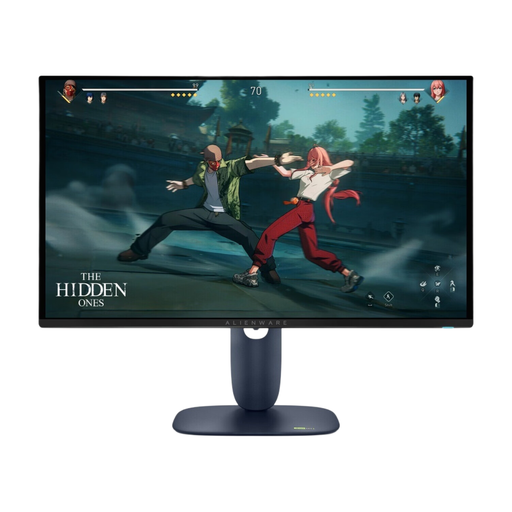
Why It Stands Out This Alienware monitor combines a QD-OLED panel with a very high refresh rate. The QD-OLED technology delivers deep blacks and vibrant colors, giving games a cinematic quality. According to the manufacturer, a special algorithm helps prevent screen burn-in.
Key Specifications:
Who Is This Monitor For? For the competitive gamer seeking the ultimate image quality and responsiveness. The combination of an extremely fast response time and a high refresh rate is ideal for esports athletes.
View the Alienware AW2725D on Joybuy.nl
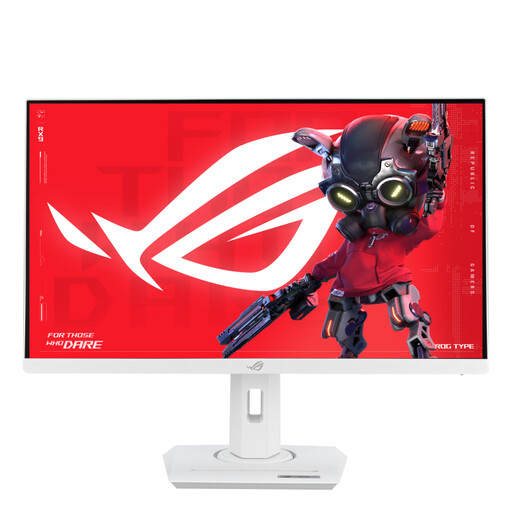
Why It Stands Out The ASUS ROG monitor is a strong all-rounder that combines performance with a sleek, white design. Its fast IPS panel provides a great balance between speed and color accuracy, while the 180Hz refresh rate ensures a smooth gaming experience across most genres.
Key Specifications:
Who Is This Monitor For? For the gamer looking for a reliable and stylish monitor from a well-known brand. This model is an excellent choice for both competitive and single-player games and fits well in a light-colored setup.
View the ASUS ROG Strix XG27ACS-W on Joybuy.nl
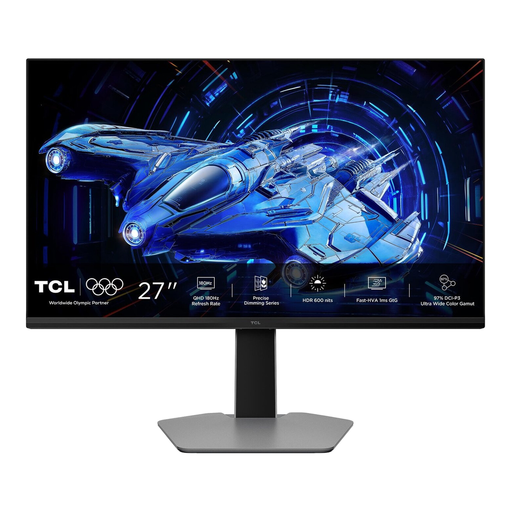
Why It Stands Out This model from TCL uses QD-Mini LED technology with 180 local dimming zones. This provides high contrast and an impressive HDR display with a peak brightness of 600cd/m? (DisplayHDR 600). It's a compelling option for those who want the benefits of high contrast without making the leap to OLED.
Key Specifications:
Who Is This Monitor For? For the gamer who highly values an immersive visual experience, especially in games with many dark scenes and bright effects. The Mini-LED technology makes this a powerful HDR gaming monitor.
View the TCL 27G64 on Joybuy.nl
These three models are just a selection from a wide and diverse range. Every gamer has different needs, a different budget, and different tastes. Perhaps you're looking for another brand, a curved screen, or specific connectivity options.
If these recommendations aren't exactly what you're looking for, don't worry. Many more options are available.
Explore our full range of QHD gaming monitors
Yes, for many PC gamers, this is the ideal combination. It offers a noticeably sharper image than 1080p and is less demanding on your graphics card than 4K. This allows you to enjoy high frame rates and visual detail simultaneously.
Although the terms are often used interchangeably, there is a slight technical difference. QHD (Quad HD) has a resolution of 2560x1440 pixels. The official cinema standard for 2K is 2048x1080. However, in the consumer market, a 2K gaming monitor almost always refers to a 1440p monitor.
To take full advantage of a 1440p gaming monitor with a high refresh rate (like 180Hz), you will need a modern graphics card. Consider a model from the NVIDIA GeForce RTX 30 or 40 series, or the AMD Radeon RX 6000 or 7000 series. For less demanding games or if you are content with lower graphics settings, a mid-range card will also suffice.
