
Vandaag of morgen in huis

Kwaliteit gegarandeerd

Welkomstaanbiedingen ontgrendelen: GRATIS bezorging | Tot 80% korting | Gratis 30 dagen JoyPlus-proefperiode
Download de app
A 27-inch monitor offers plenty of screen space for documents, spreadsheets, films and games. However, the size alone doesn't tell the whole story. A budget model might have a low pixel density, while a gaming monitor includes features you'll barely use for office work.
For British homeworkers, students and gamers, three pitfalls are particularly relevant:
A 27-inch Full HD monitor typically uses a resolution of 1920 × 1080 pixels. That's suitable for internet browsing, word processing, streaming and light gaming. At 27 inches, the pixel density is around 82 ppi, which can make text look less fine than at the same resolution on a 24-inch screen.
Quad HD, with 2560 × 1440 pixels, offers more workspace and sharper details. The MSI Pro MP275Q, for example, has a 27-inch IPS panel with Quad HD resolution and 100Hz. That could be interesting if you often use multiple windows side by side or regularly view photos and videos.
Also pay attention to your graphics card. A higher resolution demands more graphical processing power, especially when gaming.
A 100Hz monitor refreshes the image up to 100 times per second. This can make scrolling, window animations and games feel smoother than 60Hz. Do check that your computer actually sets the monitor to 100Hz; Windows doesn't always use the maximum setting automatically.
Response time is often expressed in milliseconds. The measurement method varies by manufacturer, for example GTG or MPRT. So don't compare just the raw numbers. For office work, a stable image is more important than an extremely low stated response time. For a gaming monitor, Adaptive-Sync, FreeSync or a similar feature is also relevant.
An IPS panel is generally known for wide viewing angles and consistent colours. VA panels can offer higher contrast according to the stated specifications, which can be pleasant for films and dark games.
If you're looking for a monitor with 100% sRGB, check that this is actually stated in the technical specifications. The Lepow HC-27Z2 is listed with 100% sRGB, Full HD resolution and 100Hz. According to the product description, this is intended for tasks such as graphic design and video editing. That's a product specification, not a guarantee that the screen is suitable for every professional colour management task. For serious work, you should also check calibration, colour accuracy and support for your own workflow.
For a monitor with HDMI, it's important to see how many HDMI ports are available and which HDMI version is used. A laptop, desktop PC and games console can then be connected more easily. Also check whether an HDMI cable is included.
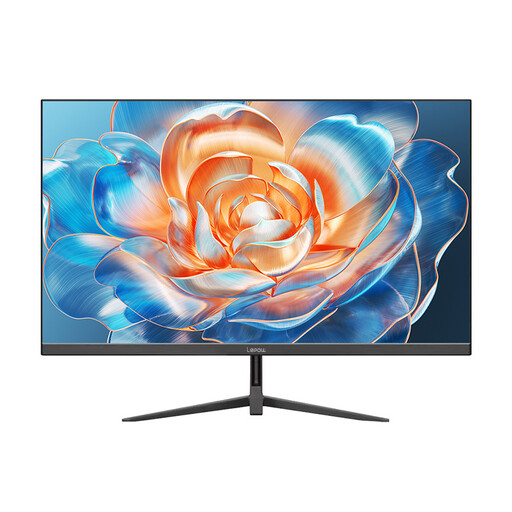
Why this fits the profile: This model combines 27 inches, Full HD, 100Hz and HDMI for daily work, streaming and light gaming.
The relevant display details are clearly stated: 1920 × 1080, 100Hz, 100% sRGB and HDMI. Check beforehand whether your computer supports 100Hz via HDMI.
27-inch size, 100Hz refresh rate, Full HD resolution and a metal stand according to the product information.
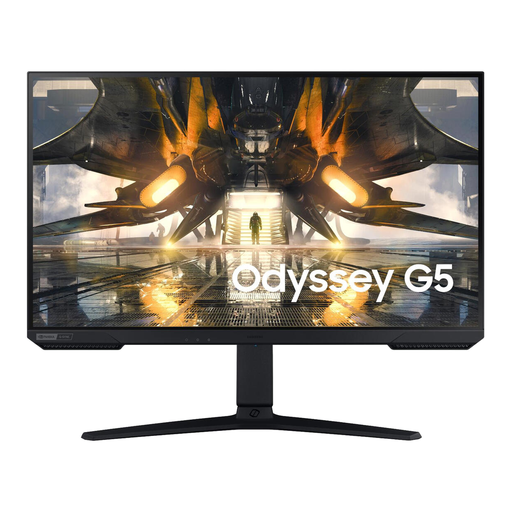
Why this fits the profile: Suitable for users who want more detail and smoother motion for gaming, films and everyday use.
Choosing Quad HD avoids the lower pixel density of 27-inch Full HD. The monitor also has DisplayPort and HDMI.
2560 × 1440 pixels, IPS panel, 165Hz, 1ms stated response time and height-adjustable stand.

Why this fits the profile: For gamers who prefer Full HD over Quad HD and want to take advantage of a higher refresh rate.
The specifications mention 200Hz, 1ms and AMD FreeSync. Check the correct cable and settings, as the maximum speed depends on the connected source.
27-inch IPS panel, 1920 × 1080, 200Hz, two HDMI ports and DisplayPort according to the stated product details.
We've put together a full, up-to-date list of products that fully meet these strict selection criteria and comply with current European safety regulations.
For email, word processing and browsing, Full HD is usable. Because 1920 × 1080 pixels are spread over a larger screen, text can appear less sharp than on a 24-inch monitor. If you work a lot with spreadsheets, small fonts or multiple windows, you might consider Quad HD.
Yes, especially when scrolling and moving windows, 100Hz can feel smoother than 60Hz. The difference depends on your computer, the cable and the selected display mode. For simple office programmes, 100Hz isn't essential, but it can be pleasant for combined work and entertainment.
The lifespan depends on heat, daily use, settings and transport. Place the screen on a stable surface, keep ventilation openings clear and clean it with a soft, dry cloth. Use the supplied power cable and follow the manufacturer's maintenance instructions.
