
Racers sharing a desk
You practise in a bedroom you share with someone else and want to know in advance whether the monitor and stand will fit on the desk.


A single 27-inch QHD monitor is a practical choice if space is limited on your desk in a shared bedroom. A 34-inch ultrawide is worth considering if your desk is spacious enough and your game supports the wider aspect ratio. Measure your viewing distance and check your equipment’s connections: a bigger or faster screen won’t automatically teach you where to turn into the pit lane.
You practise in a bedroom you share with someone else and want to know in advance whether the monitor and stand will fit on the desk.
You want to learn to judge corners and pit lane entries from a fixed seating position, and are happy to adjust the simulation’s field of view to suit your setup.
You want to check which resolution and refresh rate your PC or console can use with a chosen monitor through the available port.
First measure the available desk space and your viewing distance. Then check that your equipment can handle the resolution and refresh rate you want.
| What to consider | What to check before buying | Who is this important for? |
|---|---|---|
| Will the monitor fit on the desk? | Measure the desk’s width and depth, then compare them with the dimensions of the monitor and stand. | If you share the desk with someone, you’ll want the monitor setup to fit within the available space. Around 40% of consumers prioritise physical fit. |
| Can I practise pit lane entries from my seating position? | Measure your viewing distance from your usual racing position and adjust the field of view in your simulation accordingly. | If you want to learn to judge corners and pit lane entries from a fixed racing position, it helps to set the field of view to suit your setup. Around 30% of consumers prioritise their sightlines. |
| Will the resolution and Hz work with my equipment? | Check the port, cable and resolution and refresh rate combination for the input you plan to use. | If you want to keep using your current PC or console, first check which display settings it actually supports. Around 20% of consumers start by checking connections and compatibility. |
| Is the sound suitable for a shared bedroom? | Check whether the exact model has a headphone socket or built-in speakers, and look at its energy label. | If someone else sleeps in the room, you’ll want to consider how you use audio and the power consumption of the model you choose. Around 10% of consumers prioritise these factors. |
A 27-inch screen doesn’t tell you how much desk space the stand takes up or how far away you’ll sit from it.
Measure your desk and compare it with the dimensions of the exact model, including its stand, before you choose.
For the G2725D, Dell lists a maximum of QHD 180 Hz via DisplayPort and QHD 144 Hz via HDMI. So, for this model, the specified refresh rate also depends on the input you choose.
Compare the monitor’s port specifications with your PC or console’s output and the cable you want to use.
Screen features alone won’t teach you where to brake or how to obey a simulation’s pit lane speed limit.
Choose based on space, the aspect ratio you want and compatibility. Then set the field of view from your usual seating position and practise with the rules of your simulation.
The Evnia 34M2C3500L/00 is an example of a curved 34-inch ultrawide.
The MOBIUZ EX2710Q is an example of a 27-inch QHD monitor with built-in speakers and a headphone socket.
The G2725D shows why you should also compare the input when choosing a 27-inch QHD monitor.
The MO27Q2A is a 27-inch QHD QD-OLED model.
The 27GS75Q-B is an example of a flat 27-inch QHD IPS monitor.
These products suit the single 27-inch QHD monitor option for a shared desk. Compare their stated features with your available space and equipment.
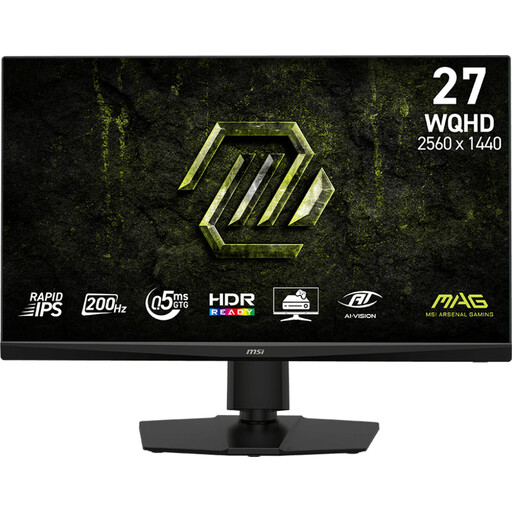 No image available
The 27-inch model suits a compact monitor setup for a shared desk.
The product name lists 2K WQHD, 200 Hz and Rapid IPS.
Check the connection and supported settings for your own equipment.
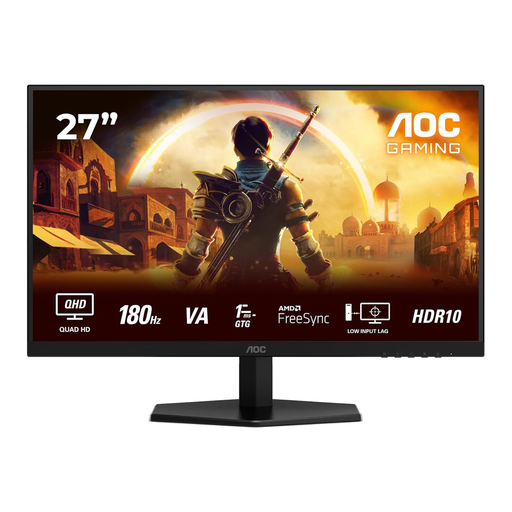 No image available
The 27-inch Quad HD model suits a single-monitor setup for a shared desk.
The product name lists 2560 × 1440, 180 Hz, 1 ms, FreeSync Premium and HDR10.
The stated connections are 2 × HDMI 2.0 and 1 × DisplayPort 1.4; check which input works with your equipment.
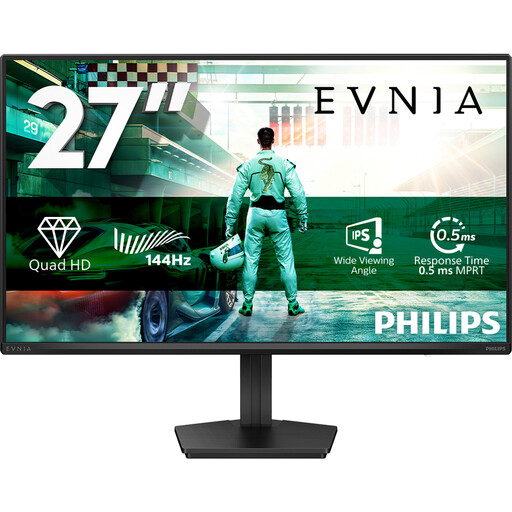 No image available
The 27-inch QHD model suits a compact setup; check in advance that its connections work with your equipment.
The product name lists IPS, 144 Hz, 0.5 ms, Smart MBR, HDR10 and Adaptive Sync.
The stated connections are DisplayPort 1.4 and HDMI 2.0.
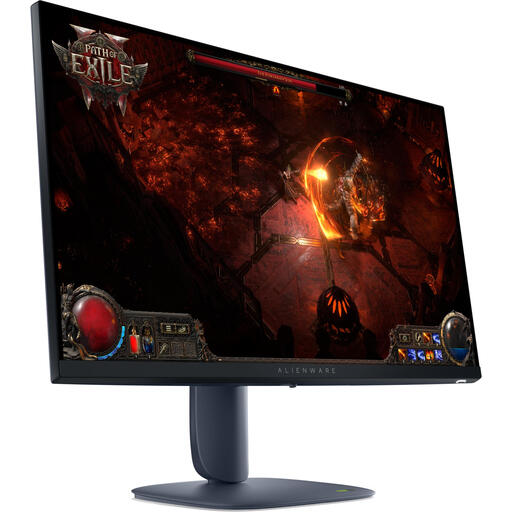 No image available
The 27-inch size suits a single-monitor setup; check the connection and stand adjustment options for your setup.
The product name lists 2560 × 1440, Wide Quad HD, LCD and LED display.
 No image available
This 27-inch model suits a single-monitor setup; compare the stand and connections with your available space and equipment.
The product name lists 2560 × 1440 and Quad HD.
For iRacing, measure the distance from your eyes to the screen in your usual racing position, then follow the simulation’s instructions to adjust your monitor settings. iRacing Support describes this approach for iRacing; menus and settings may differ in other games.
No. A stated refresh rate alone doesn’t prove that it will help you practise pit lane entries. Check the input too: Dell lists different QHD maximums via DisplayPort and HDMI for the G2725D.
Consider a 34-inch ultrawide if your desk has enough space and your simulation and equipment support the aspect ratio and resolution you want. If a compact setup matters more, a single 27-inch QHD monitor is a good fit. Measure your viewing distance before setting the field of view, too.
Compare the monitor’s connections and supported resolution and Hz combinations with your equipment’s video output and the cable you want to use. The stated maximum refresh rate can vary by input.
The European Commission states that computer monitors are covered by energy labels for electronic displays, with classes ranging from A to G. Compare the label for the exact model; its class doesn’t indicate whether the monitor is suitable for practising pit lane entries.