
Vandaag of morgen in huis

Kwaliteit gegarandeerd

Welkomstaanbiedingen ontgrendelen: GRATIS bezorging | Tot 80% korting | Gratis 30 dagen JoyPlus-proefperiode
Download de app
A 27-inch gaming monitor suits many gaming setups: it’s large enough for an immersive experience, yet usually compact enough for a desk. However, screen size says little about actual performance. For example, a 240 Hz monitor may be less suitable than a QHD model if your graphics card can’t deliver high frame rates.
So don’t focus solely on terms such as “gaming”, “HDR” or “0.5 ms”. Pay particular attention to the combination of resolution, refresh rate, panel type, connectivity and adjustability.
A 240 Hz gaming monitor or 360 Hz model can display motion more smoothly, but your PC also needs to produce enough frames per second. That’s not a given in demanding games at QHD or 4K. Full HD at 240 Hz can be a practical choice for competitive shooters; story-driven games and simulators often call for greater focus on resolution and contrast.
So check:
A quoted response time of 0.03 ms, 0.5 ms or 1 ms may seem easy to compare, but manufacturers can use different testing methods. GtG, MPRT and overdrive settings are not the same. So a lower figure on paper doesn’t automatically guarantee a sharper picture without side effects, such as overshoot or minor visual artefacts.
As well as response time, look at the panel type, refresh rate and reviews of motion handling.
HDR10, DisplayHDR 400 and DisplayHDR 600 indicate support for HDR playback and certain brightness or colour requirements. They don’t tell you how impressive the picture will look in every game. Also check the brightness and contrast, and whether the game or streaming service supports HDR.
Contrast is generally an important part of the specifications for OLED models. If you’ll be using the monitor for long periods with static desktop images, it’s worth checking the pixel protection features, user manual and warranty terms.
A 27-inch QHD monitor with 2560 × 1440 pixels gives you noticeably more workspace and detail than Full HD. It’s a sensible middle ground for PC gaming if your graphics card has enough power.
A 4K gaming monitor with 3840 × 2160 pixels displays finer details, but demands more from your hardware. For consoles, 4K at 120 Hz can be appealing, provided the console, cable and HDMI port support it. A model with a Dual Mode feature can switch between 4K at a high refresh rate and Full HD at an even higher rate.
60 Hz, 144 Hz, 180 Hz, 240 Hz and 360 Hz indicate how many times the screen can refresh per second. A high refresh rate gaming monitor is most relevant when your PC can deliver a similar frame rate.
FreeSync, FreeSync Premium and G-SYNC Compatible can help compensate for differences between your graphics card’s frame rate and the monitor’s refresh rate. Always check that the feature works through your chosen connection and that your graphics card is compatible.
Pay attention to the difference between HDMI 2.0, HDMI 2.1 and DisplayPort 1.4. Available bandwidth partly determines which combinations of resolution and refresh rate are possible. USB-C can also carry a video signal and supply power, but check the quoted Power Delivery output.
For everyday use, a height-adjustable stand, tilt, pivot and VESA support are practical advantages. A monitor for competitive gaming won’t always need to be at the same height as a screen used for work or streaming.
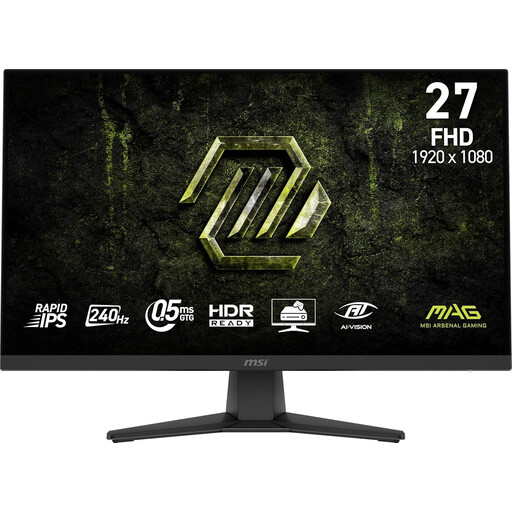
Why it suits this profile: Full HD, 240 Hz and an IPS panel make this a straightforward entry point for fast-paced PC games.
The specifications clearly state Full HD, rather than a higher resolution that would demand more graphics processing power.
240 Hz, IPS panel, Adaptive-Sync and VESA 100 × 100 mm.
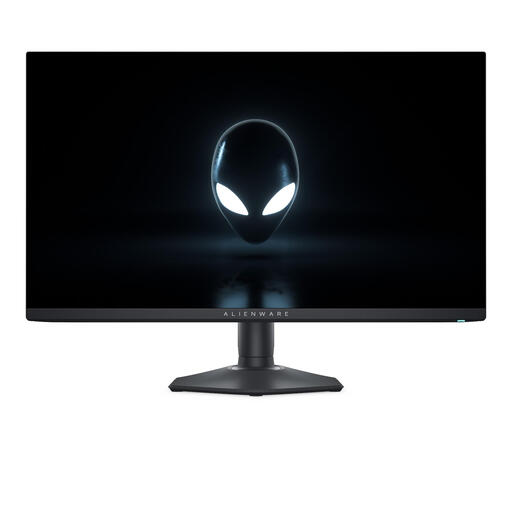
Why it suits this profile: QHD, QD-OLED and 360 Hz are aimed at users who want to combine fast action with strong contrast.
The QHD resolution and high refresh rate are clearly specified; just check whether your PC can make use of 360 Hz.
QD-OLED, 2560 × 1440, 360 Hz and support for FreeSync and G-SYNC Compatible.
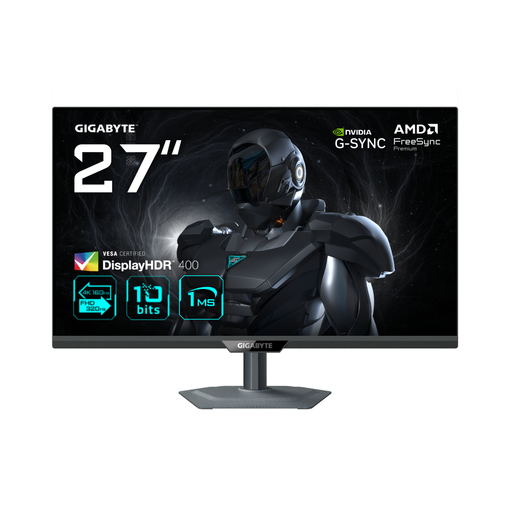
Why it suits this profile: Dual Mode lets you switch between 4K at 160 Hz and Full HD at 320 Hz.
The two modes make the trade-off between detail and speed clear, rather than relying on one setting for every game.
4K 160 Hz, Full HD 320 Hz, HDMI 2.1 and support for FreeSync Premium and G-SYNC Compatible.
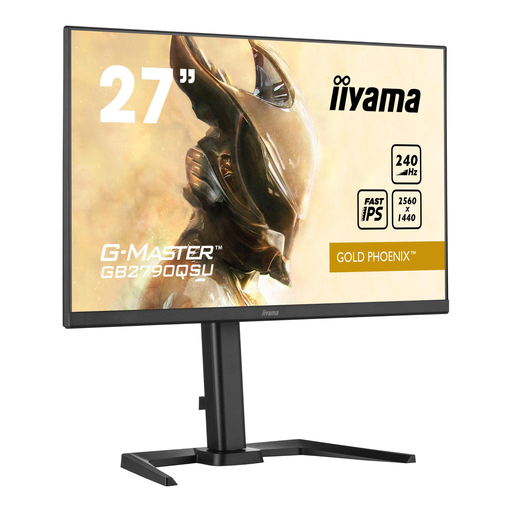
Why it suits this profile: QHD, IPS and 240 Hz are designed for fast-paced PC games, with more detail than Full HD.
The 1 ms figure is backed up by clear panel and resolution specifications, so you don’t have to choose based on response time alone.
QHD resolution, 240 Hz, IPS panel, built-in speakers and USB hub.
We’ve put together a complete, up-to-date list of products that meet these strict selection criteria and current European safety regulations.
Yes, a 27-inch screen gives you plenty of viewing area for fast-paced games. Many esports players choose Full HD or QHD at 240 Hz or higher. The right option depends on your hardware, viewing distance and whether you prefer more detail or the highest possible frame rate.
QHD displays more pixels, so text and details generally look sharper. However, QHD demands more graphics processing power. Full HD may therefore be more practical if your main aim is to achieve high frame rates in competitive games.
Power consumption varies depending on the panel, brightness, HDR settings and refresh rate. Check the energy label and the quoted figures for SDR and HDR. Turn off HDR and reduce the brightness when you don’t need them, and use standby mode during longer breaks.
