
Vandaag of morgen in huis

Kwaliteit gegarandeerd

Welkomstaanbiedingen ontgrendelen: GRATIS bezorging | Tot 80% korting | Gratis 30 dagen JoyPlus-proefperiode
Download de app
A 27-inch 2K gaming monitor combines a practical screen size with a resolution of 2560 × 1440 pixels. This gives you more detail than Full HD, without the same graphics demands as 4K. For Dutch PC gamers, this size is well suited to shooters, racing games, strategy games, streaming and everyday work.
However, a high refresh rate or “1 ms” on the box doesn’t tell you everything. Here are the main pitfalls and things to check before you buy a QHD gaming monitor.
A 200Hz or 240Hz monitor can deliver very smooth images, but your PC also needs to produce enough frames per second. With a less powerful graphics card, the practical benefit will be limited. So first check the frame rate your computer can achieve at 2560 × 1440 in the games you play most.
Pay attention to the connection, too. DisplayPort is often needed for higher refresh rates. HDMI versions may impose limitations, depending on the resolution and settings.
Response times are quoted in different ways, such as GtG, MPRT or a figure that can only be achieved with a particular overdrive setting. A low figure doesn’t automatically mean every image will be free from ghosting.
When choosing a 1ms gaming monitor, always check which measurement method is used. Also see whether you can adjust the monitor’s overdrive settings. A setting that’s too aggressive can actually cause distracting visual artefacts.
HDR support doesn’t automatically mean a screen has a wide brightness range or effective local dimming. Check the brightness, HDR format and backlighting. A model with HDR10 may accept HDR signals, while its actual contrast depends on the panel and lighting.
On some models, HDR is mainly an extra compatibility feature. So if you want to enjoy films and games with clearly defined contrast, look beyond the HDR logo.
A 2560 x 1440 monitor has a pixel density of around 109 ppi at 27 inches. Text, interface elements and game images will generally look sharper than on a 27-inch Full HD screen. QHD is also practical for multitasking, as it gives you more room to work.
Do consider your graphics card’s performance, though. QHD requires more processing power than 1920 × 1080. For competitive gaming, a stable frame rate matters more than simply choosing the highest resolution.
An IPS gaming monitor is generally known for its wide viewing angles and consistent colour reproduction. It’s a good fit if you also use your screen for photos, videos, office work or content creation.
VA panels often offer higher static contrast. This can be appealing for dark games and films, but motion performance varies from model to model. So look at the combination of panel type, response time and refresh rate, rather than focusing on just one specification.
A 100Hz monitor already feels smoother than 60Hz when scrolling and navigating. For fast-paced games, you could choose 144Hz, 180Hz, 200Hz or 240Hz. In practice, the difference between 200Hz and 240Hz is smaller than the jump from 60Hz to 144Hz.
FreeSync gaming monitor models match the refresh rate to the frame rate of a compatible AMD GPU. With a G-Sync Compatible monitor, check whether Nvidia has officially certified the model. If that isn’t stated, the feature may still work, but it isn’t guaranteed.
Check for at least:
A PC gaming monitor that only tilts may be less flexible on a deep or high desk. VESA 100 × 100 mm is a common size, but always check the specifications of your monitor arm.
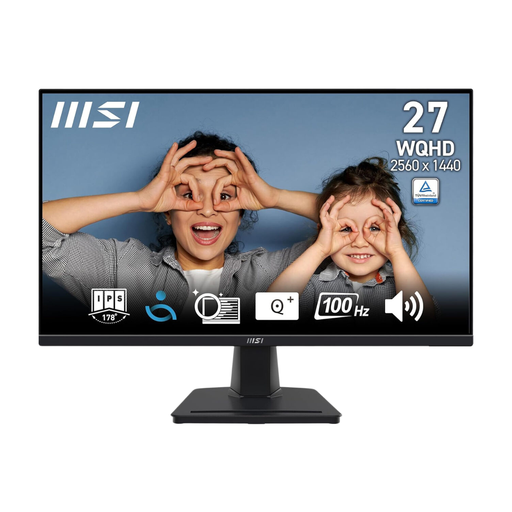
Why it suits this profile: The 27-inch QHD resolution, IPS panel and 100Hz refresh rate make this a good first upgrade for gaming, studying and office work.
The product details clearly state 100Hz, 4ms, IPS, FreeSync and 2560 × 1440, so you can see exactly what you’re buying.
IPS panel, 100Hz, two HDMI ports, DisplayPort and VESA 100 mm.
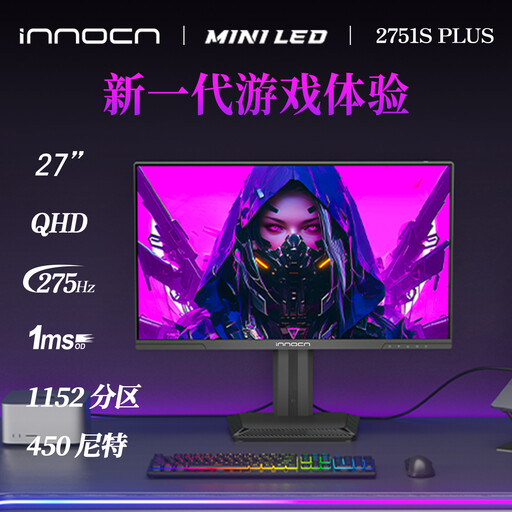
Why it suits this profile: This model is aimed at people who want to combine QHD gaming with HDR, wide colour coverage and an adjustable setup.
The listing specifies 1,152 local dimming zones, HDR1000 and 275Hz. That means you can assess HDR based on specific backlight specifications, rather than relying on a marketing label alone.
Fast IPS, 275Hz, HDR1000, FreeSync, height adjustment and pivot function.
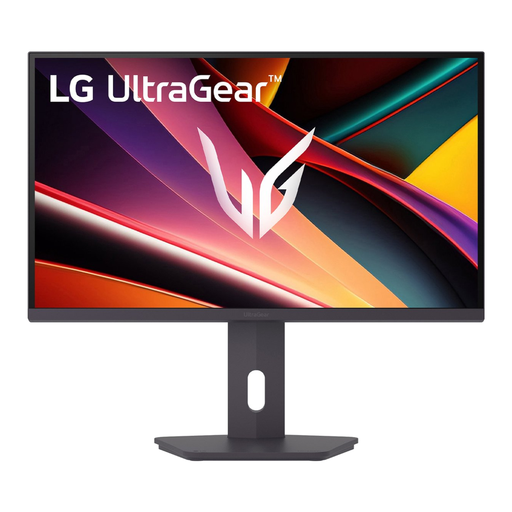
Why it suits this profile: Streamers and PC gamers get a combination of 200Hz, IPS, QHD and ergonomic adjustments for long sessions.
The quoted 1ms figure is specified as GtG in Faster mode. FreeSync Premium and HDR10 are also listed separately, making the claims easier to compare.
IPS panel, 200Hz, 1ms GtG, HDR10, FreeSync Premium and height adjustment.
We’ve put together a complete, up-to-date list of products that meet these strict selection criteria and the applicable European safety regulations.
Yes. At this screen size, 2560 × 1440 generally looks sharp, and the monitor takes up less desk space than an ultrawide. The right choice depends mainly on your viewing distance, graphics card and preferred frame rate.
It depends on the specific model and the combination of resolution and colour settings. DisplayPort 1.4 is often used for high refresh rates at QHD. Always check the official connection specifications and use a suitable cable.
A higher refresh rate, HDR and high brightness can all affect power consumption. Check the stated SDR and HDR power consumption on the energy label. Turn off HDR or the maximum refresh rate when you don’t need them; this can reduce power consumption in some situations.
