
Vandaag of morgen in huis

Kwaliteit gegarandeerd

Welkomstaanbiedingen ontgrendelen: GRATIS bezorging | Tot 80% korting | Gratis 30 dagen JoyPlus-proefperiode
Download de app
A 24-inch 144Hz gaming monitor is a practical choice for PC gamers who want smooth visuals without a large screen or demanding resolution. But a high refresh rate isn’t everything. A monitor may look fast on paper, yet disappoint in everyday use because of the wrong connection, poor ergonomics or a panel that doesn’t suit the way you work and play.
As Joybuy’s Product Recommendation Officer, I focus on specifications that can be verified. Below, you’ll find out which features matter, which sales claims to treat with caution and which models suit different types of user.
A 144Hz refresh rate can make movement look smoother than 60Hz, but your PC also needs to deliver enough frames per second. With an entry-level graphics card, you may not reach 144 fps in every game. So check not only the monitor, but also your graphics card and the settings in your favourite games.
A 240Hz monitor isn’t automatically a worthwhile purchase for everyone. For casual gaming, entry-level esports and everyday computer use, 144Hz can be a good balance.
Response times are listed in different ways, such as MPRT or GtG. These measurement methods aren’t directly comparable. So an impressively low figure in an advert doesn’t automatically mean that every image will appear without any motion blur.
Also check the refresh rate, panel type and overdrive settings. A Full HD gaming monitor with a realistic response time and well-adjusted settings may be more practical than a model that simply boasts an extreme figure in its product title.
A monitor with HDMI and DisplayPort gives you more flexibility with a desktop PC, laptop or console. Just check which input supports the refresh rate you want. On some models, a higher refresh rate is only available via DisplayPort.
Also check what’s included in the box. For example, the product information for the Titan Army C24A1H lists an HDMI cable, but no DisplayPort cable. You may need to buy one separately.
For a screen measuring around 23.6 to 24 inches, 1920 × 1080 Full HD is a common resolution. It’s a good option for gamers who want a high refresh rate without needing a particularly powerful graphics card. A 1080p 144Hz monitor is also suitable for streaming, office work and general computer use.
A higher resolution can look sharper, but it usually requires more graphics processing power. For a compact gaming set-up, Full HD is often a practical balance between image quality, performance and purchase cost.
An IPS 24-inch monitor generally offers wide viewing angles and consistent colour reproduction. That’s useful if you also use your monitor for photos, videos, studying or working from home. According to the product description, the KTC H24B9S has an IPS panel and lists HDMI, DisplayPort and a tilt range of -5° to 15°.
VA panels often put more emphasis on contrast. The Titan Army C24A1H, for example, has a VA panel with a stated contrast ratio of 3000:1 and a curved 1500R design. It may suit users who value stronger contrast and a more immersive image.
A gaming monitor with Adaptive Sync can match its display output to the graphics card’s frame rate. The product information for the models mentioned here refers to this as Adaptive Sync or FreeSync. Check your graphics card’s manual and settings to see which feature is actually supported.
Features such as flicker-free technology, a blue light mode or a reading mode can make viewing more comfortable. They’re no substitute for good posture, suitable brightness and regular breaks. If you also use your monitor for studying or working from home and want an eye-friendly gaming monitor, it’s worth adjusting these settings to suit you.
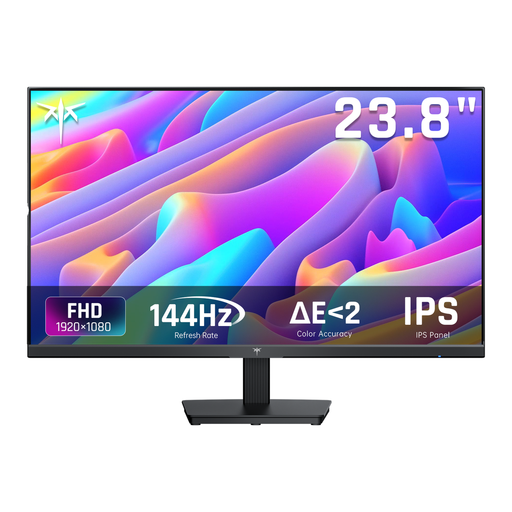
Why it suits this user: This model combines a 24-inch Full HD screen and a 144Hz refresh rate with an IPS panel. It’s a good fit for a first gaming set-up that’s also used for school, office work or streaming.
The product information lists both HDMI and DisplayPort, Adaptive Sync and a response time of 5ms MPRT. So there’s more to consider than just the 144Hz figure.
IPS panel, 1920 × 1080, 144Hz, HDMI, DisplayPort and tilt adjustment from -5° to 15°.

Why it suits this user: For gamers who value high refresh rates and extensive ergonomic adjustment. The screen is slightly larger than 24 inches, but still compact enough for a desk.
The specifications list HDMI 2.1, DisplayPort 1.4, G-SYNC Compatible and FreeSync Premium. Just check that your PC can make the most of this speed.
320Hz, IPS panel, 1920 × 1080, height adjustment, pivot function and VESA 100 × 100mm.
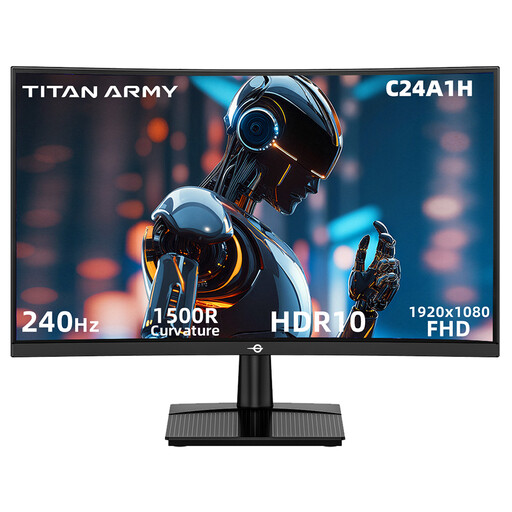
Why it suits this user: This model is aimed at users who mainly play fast-paced competitive games and want a curved screen with a higher refresh rate.
The product details list 240Hz, 1ms MPRT, FreeSync Compatible, HDMI 2.0 and DisplayPort 1.2 separately, making it easier to compare the features that matter.
23.6-inch VA panel, Full HD, 240Hz, 1500R curvature, HDR10 support and VESA 100 × 100mm.
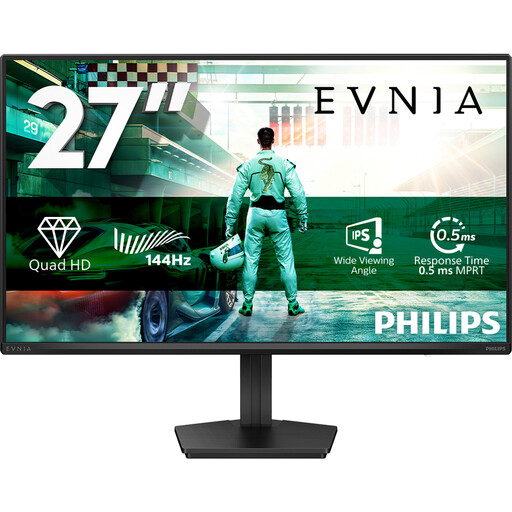
Why it suits this user: For anyone happy to go bigger than 24 inches to combine QHD resolution with gaming features and a screen for everyday work.
The product details list 144Hz, 0.5ms Smart MBR, Adaptive Sync, HDMI 2.0 and DisplayPort 1.4 separately, so it’s clear which features are included.
27-inch IPS, 2560 × 1440, 144Hz, HDR10, Adaptive Sync, Flicker-Free and LowBlue Mode.
We’ve put together a complete, up-to-date list of products that meet these strict selection criteria and current European safety regulations.
Fast-moving images can look smoother at 144Hz than at 60Hz, provided your PC can deliver enough frames per second. Once connected, manually set the refresh rate you want in Windows or your graphics card settings.
It depends on the monitor and resolution. Check the specifications for the HDMI and DisplayPort versions. DisplayPort is often a practical choice for a desktop PC, but always use a cable and port that support the resolution and refresh rate you want.
Power consumption varies by model, brightness and usage settings. A higher refresh rate can affect energy use, but screen size, backlighting and power mode also play a part. Put the monitor into standby if you’re not going to use your PC for a while, and compare the stated power consumption before you buy.
