
Vandaag of morgen in huis

Kwaliteit gegarandeerd

Welkomstaanbiedingen ontgrendelen: GRATIS bezorging | Tot 80% korting | Gratis 30 dagen JoyPlus-proefperiode
Download de app
A 1TB SSD gives you room for games, photos, videos, documents and programmes without the slower performance of a traditional hard drive. However, a high read speed doesn’t automatically make it the right choice. An internal M.2 SSD, for example, won’t fit every laptop, and an external SSD will only reach its stated speed if the USB port and cable are suitable too.
That’s why Joybuy Product Recommendation Officer has selected the key specifications to consider and the common pitfalls to avoid. This will help you choose between a 1TB NVMe SSD, an external 1TB SSD or a portable storage solution.
Brands often list the maximum sequential read and write speeds. These are useful for comparing products, but they’re no guarantee of performance in every real-world situation. A PCIe 4.0 SSD, for example, will run more slowly if installed in a PCIe 3.0 slot. A PCIe 5.0 SSD needs a motherboard with PCIe 5.0 to get close to its advertised performance.
The same applies to external SSDs. A model with USB 3.2 Gen 2x2 and speeds of up to 2,000 MB/s needs a compatible USB-C port and a suitable cable. Speeds can be considerably lower when using an older USB connection.
An internal 1TB M.2 SSD needs to match your device’s slot, form factor and protocol. So check:
For a PS5 SSD, also check the console’s maximum dimensions and installation requirements. A heatsink can help manage temperatures during longer gaming sessions, but physical fit is still essential.
After formatting and allowing for system functions, the available storage will be less than the stated capacity. You’ll also need to leave free space for updates and temporary files, and to maintain performance. If you store lots of 4K videos, large games or project files, you may reach the limit sooner than expected with 1TB.
An internal 1TB SSD is a good choice if you want to upgrade a PC, laptop or compatible console. NVMe models use an M.2 connection and are generally designed to be installed inside the device.
A portable 1TB SSD connects via USB. It’s a more practical option for backups, taking files with you, transferring video footage or using with multiple devices. When choosing a USB-C SSD, look beyond the connector: check the USB generation and the cable included too.
The advertised sequential speed is most relevant when transferring large files, such as video projects and backups. Random read performance, latency and system support also affect how quickly programmes and games start.
As a guide:
These figures are the brands’ product specifications. Actual performance may vary depending on file size, temperature, cable, software and the computer you’re using.
Fast NVMe SSDs can get hot during prolonged transfers. An integrated or compatible heatsink is therefore worth considering for intensive use. Check that the heatsink will fit in your laptop, motherboard or PS5.
An SSD has no moving parts, but that doesn’t mean backups are unnecessary. An SSD can fail due to electronic faults or power issues. Keep important files in a second location too.
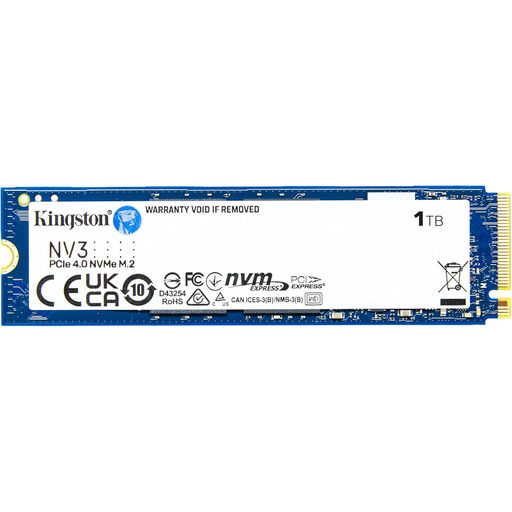
Why it suits this type of user: This internal M.2 SSD is designed for PCs, laptops and compatible compact systems. According to the product specifications, it supports PCIe 4.0 and offers read speeds of up to 6,000 MB/s and write speeds of up to 5,000 MB/s.
The product clearly states its M.2 form factor and PCIe 4.0 interface. Check in advance that your system supports this connection.
PCIe 4.0, NVMe, M.2 2280 form factor and a low profile of around 2.3 mm.
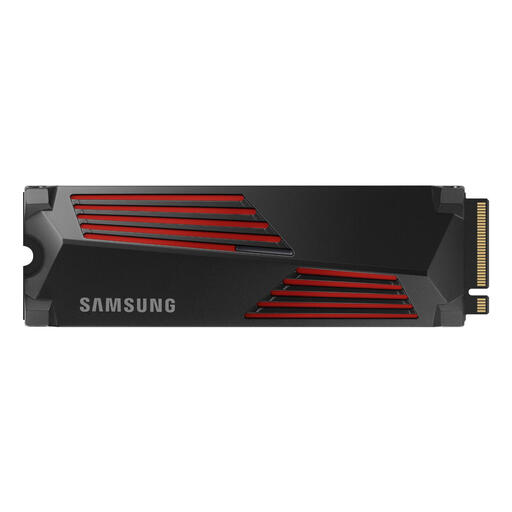
Why it suits this type of user: According to the product information, this PCIe 4.0 NVMe SSD offers read speeds of up to 7,450 MB/s, write speeds of up to 6,900 MB/s and an integrated heatsink. The model is listed as suitable for PCs, laptops and PlayStation 5.
The included heatsink makes it easier to decide whether you need additional cooling. If you’re using it with a PS5, always check the dimensions and installation requirements.
High stated PCIe 4.0 speeds, an integrated heatsink and 600 TBW according to the product information.
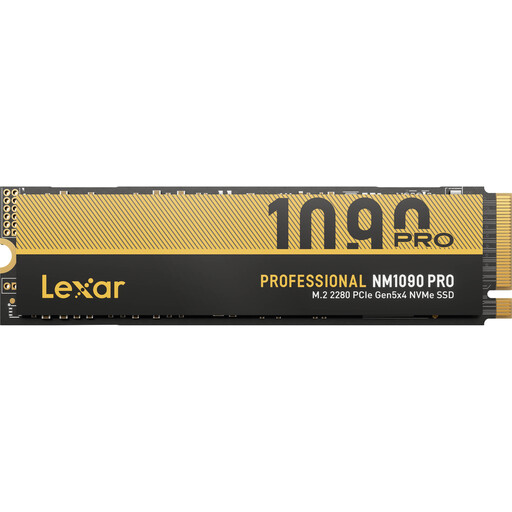
Why it suits this type of user: This is a PCIe 5.0 SSD for systems with a compatible motherboard. According to the product information, the model has a heatsink with a fan and offers high sequential speeds for gaming, rendering and large files.
Active cooling helps manage the heat that can build up during prolonged PCIe 5.0 use. A PCIe 5.0 slot and space for the fan connection are required.
PCIe 5.0 x4, DRAM cache, dynamic SLC cache and included cooling.
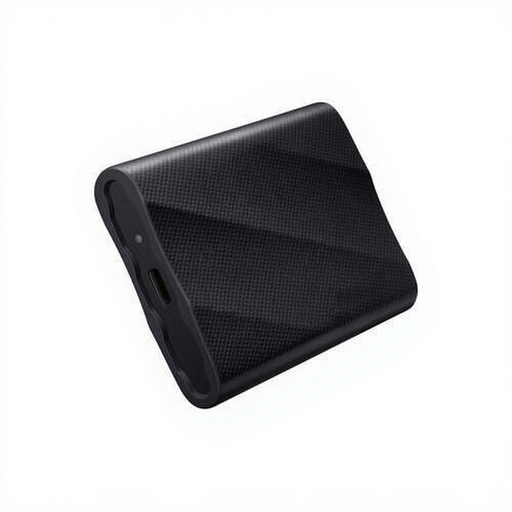
Why it suits this type of user: According to the product information, this external 1TB SSD uses USB-C and is compatible with Windows, macOS and Android. It offers stated read speeds of up to 2,000 MB/s when used with a compatible USB 3.2 Gen 2x2 connection.
The included USB-C-to-C and USB-C-to-A cables make it easier to connect to different devices. The device’s port still determines the actual speed.
Portable design, USB-C connectivity, hardware encryption and drop protection from a height of up to 3 metres according to the product information.
We’ve put together a complete, up-to-date list of products that meet these strict selection criteria and the applicable European safety regulations.
For many users, yes. A gaming SSD generally shortens loading times compared with a hard drive. If you’re using a PC or laptop, check the M.2 slot and PCIe generation. A PS5 SSD must meet the console’s requirements and have suitable cooling fitted if needed.
Its lifespan depends on the type of flash memory, write load, temperature and power supply. Manufacturers sometimes state a TBW rating, which indicates how many terabytes can be written to the drive according to their specifications. This isn’t an exact end date. Regular backups are still important.
An external SSD usually draws power via USB and doesn’t need a separate adapter. Power consumption depends on the interface and workload. Prolonged use with smartphones and tablets may drain the battery more quickly. So check that your device supplies enough power and use a suitable data cable.
