
Vandaag of morgen in huis

Kwaliteit gegarandeerd

Welkomstaanbiedingen ontgrendelen: GRATIS bezorging | Tot 80% korting | Gratis 30 dagen JoyPlus-proefperiode
Download de app
A 1TB magnetic external SSD can be useful for videographers, photographers and iPhone users who want to store large files on the go. Think 4K video, ProRes recordings, RAW photos and backups from a USB-C laptop. However, not every compact drive is automatically right for your workflow.
The main problems often stem from three misunderstandings:
An external USB-C SSD uses a USB-C connector, but transfer speeds are also determined by the USB standard. According to DigiEra’s product information, a USB 3.2 Gen 2x2 SSD can support read speeds of up to 2000 MB/s and write speeds of up to 1800 MB/s.
In practice, speeds may be lower if:
So check the specifications of your iPhone, laptop, tablet or camera as well as the SSD. A USB-C connector alone doesn’t tell you enough.
For users looking for an SSD for iPhone 15 and iPhone 16, direct recording to external storage is an important consideration. According to the product description, the DigiEra LPS2000M series supports direct ProRes recording on compatible iPhone models. Its stated support includes 4K at 60 fps on iPhone 15 Pro and Pro Max, and 4K at 120 fps on iPhone 16 Pro and Pro Max.
This doesn’t mean every iPhone 15 or iPhone 16 version has the same capabilities. Check:
An SSD for ProRes video is particularly useful if you regularly record long, large video files. For everyday photos or documents, a cheaper USB stick or HDD may be enough.
A magnetic SSD is especially handy when you want to film without an extra clip or holder. According to the stated product specifications, the DigiEra LPS2000M-3 weighs 1.62 oz, or approximately 46 grams, and has an aluminium casing. Its built-in magnetic ring is designed to attach to compatible iPhone models.
Keep the following points in mind:
Always keep important files in at least two locations. Also use the safe eject function before disconnecting the SSD.
The selection below matches product features with familiar user profiles. The stated speeds, compatibility and protection ratings are based on the product information provided.
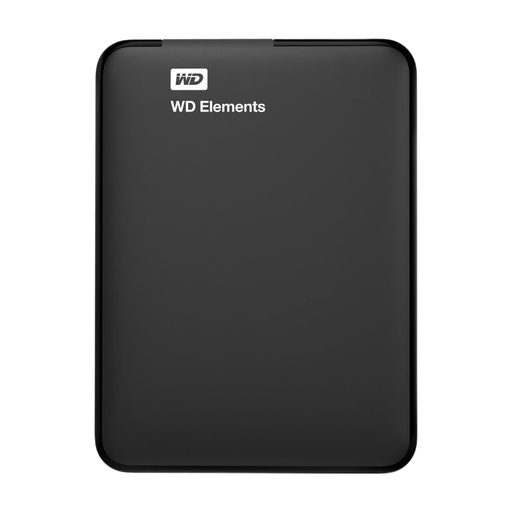
Why it suits this profile: This compact 1TB drive is designed for straightforward storage and backups via USB 3.0. That makes it suitable for documents, photos and media files when maximum SSD speed isn’t essential.
The product information clearly specifies USB 3.0 and a Windows format. So don’t expect 2000 MB/s or direct ProRes recording; use it for everyday storage instead.
1TB capacity, USB-powered and weighing approximately 130 grams according to the product specifications.
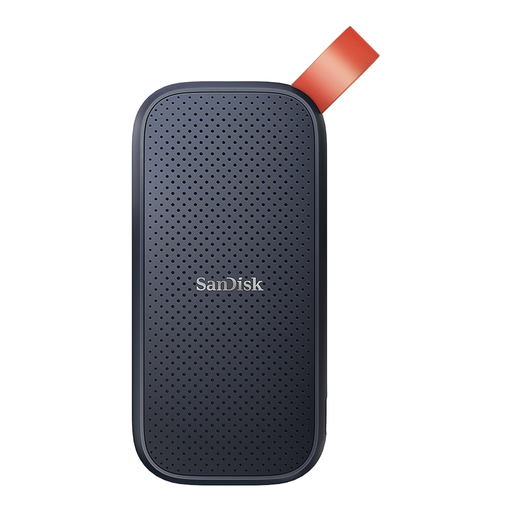
Why it suits this profile: If you’re looking for a compact SSD for your laptop, photos and videos, this portable option offers a stated read speed of up to 800 MB/s.
Its stated speed is lower than that of a 2000 MB/s model, which makes expectations clearer. According to the product description, the casing protects against drops of up to 2 metres.
1TB SSD storage, a stated read speed of up to 800 MB/s and a rubber attachment loop.

Why it suits this profile: Content creators and iPhone users looking for compact external storage for iPhone, 4K video and large project files can make use of its magnetic attachment and USB-C connection.
The product information explicitly lists the USB 3.2 Gen 2x2 interface, maximum speeds and compatibility with iPhone 15/16. Make sure you check your exact model, cable and port.
1TB 3D NAND TLC storage, stated read/write speeds of up to 2000/1800 MB/s and a magnetic ring.
We’ve put together a full, up-to-date list of products that meet these strict selection criteria and the applicable European safety regulations.
No. Check your iPhone generation, exact model, USB-C support and recording app. According to DigiEra’s product information, the magnetic SSD mentioned is designed for iPhone 15 and newer models, not iPhone 14 or earlier models.
It depends on the resolution, frame rate and recording length. 1TB gives you room for several large projects, but ProRes files use up storage quickly. So plan to transfer files regularly to a computer or a second backup drive.
When used with a mobile device, an SSD is generally powered via USB-C. Actual power consumption varies depending on the device, cable and how you use it. During long recordings, your iPhone or laptop battery may drain faster. Connecting directly without an unnecessary hub can help reduce connection issues.
