
Vandaag of morgen in huis

Kwaliteit gegarandeerd

Welkomstaanbiedingen ontgrendelen: GRATIS bezorging | Tot 80% korting | Gratis 30 dagen JoyPlus-proefperiode
Download de app
Whether you're a content creator working with large 4K video files, a gamer looking to expand your console's storage, or a tech enthusiast who simply needs fast, reliable storage, the search for the right 1TB external SSD can be overwhelming. The market is flooded with technical specifications and marketing promises.
My name is Joybuy, and as a Product Recommendation Officer, my job is to help you separate fact from fiction. In this article, I'll provide practical guidance to help you make an informed decision based on the specifications that truly matter. We'll look at speed, durability, and compatibility, and highlight some popular choices.
Before we dive into specific products, here are a few key points to keep in mind when purchasing a portable SSD.
The speed of an external SSD is typically expressed in megabytes per second (MB/s) for reading and writing. For transferring large files quickly, such as games or video projects, you'll want a high-speed external drive with fast read and write speeds. Pay close attention to the connection type as well. A USB-C SSD with a USB 3.2 Gen 2 interface provides the bandwidth needed to actually achieve those high speeds. A fast drive on a slow port is like a sports car in a traffic jam: its potential goes untapped.
If you frequently take your data on the go, a rugged SSD is a worthwhile investment. Unlike traditional hard disk drives (HDDs), SSDs have no moving parts, which makes them inherently more shock-resistant. Some models go a step further with an IP rating for dust and water resistance and a casing that can withstand a drop from several meters. This is especially important for photographers and videographers working in the field.
Always check if the SSD is compatible with your devices. Most external SSDs work seamlessly with Windows and macOS. For gamers, it's relevant to know how the drive performs with a console. For example, an external SSD for PS5 can be used to play PS4 games directly from the drive and to store PS5 games. However, to play a PS5 game, you must first transfer it back to the console's internal storage.
Based on specifications and use cases, we've compiled a list of compelling options for you.
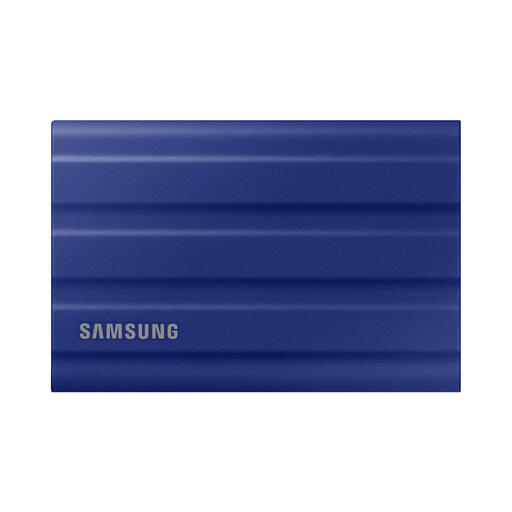
Why It Stands Out The Samsung T7 Shield is engineered for performance under demanding conditions. According to Samsung, the drive offers read and write speeds of up to 1,050 MB/s and 1,000 MB/s, respectively, thanks to its USB 3.2 Gen 2 interface and NVMe technology. What truly sets this drive apart is its durability. The IP65 rating means it's protected against dust and water jets, and its rubberised housing helps it survive a drop of up to 3 meters.
Pros:
Who Is It For? This is an excellent choice for content creators who need a reliable and rugged SSD for work on location. The T7 Shield is also a great fit for PS5 or Xbox gamers looking to expand their storage capacity with a fast and durable solution.
View the Samsung T7 Shield 1TB
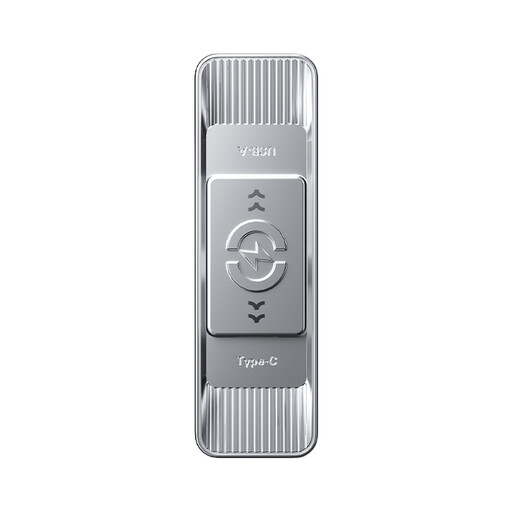
Why It Stands Out Although this isn't a 1TB SSD, the MOVESPEED flash drive deserves a mention for its unique flexibility. It features a dual interface with both a USB 3.2 Gen 1 and a Type-C connector. This makes it easy to exchange files between a modern laptop, an older PC, a tablet, or even a smartphone. The manufacturer claims a read speed of up to 570 MB/s, which is impressive for a USB stick.
Pros:
Who Is It For? This USB drive is ideal for users who frequently need to transfer files between different types of devices. Think of students or professionals switching between a desktop PC and a USB-C laptop, or anyone who wants to quickly get photos off an Android phone.
View the MOVESPEED 256GB Flash Drive
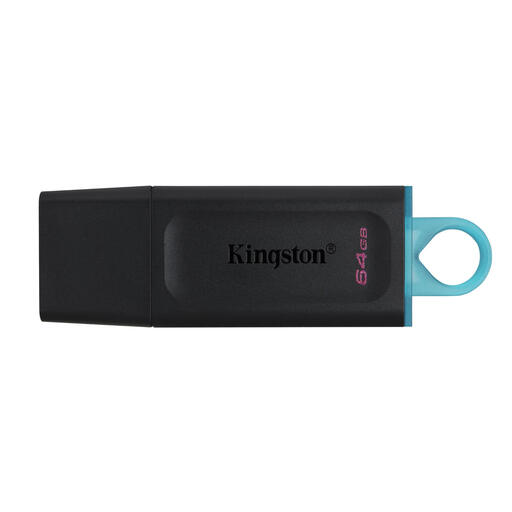
Why It Stands Out Sometimes you don't need extreme speeds or massive capacity, just a reliable drive for documents, presentations, or photos. The Kingston DataTraveler Exodia is a no-frills USB 3.2 Gen 1 flash drive that does exactly that. Its design is practical, with a protective cap for the connector and a large loop for attaching it to your keychain.
Pros:
Who Is It For? This is a great choice for students, office workers, or anyone looking for a simple and affordable solution for transporting smaller files. It's the digital equivalent of a reliable pen: it does what it's supposed to do, without any fuss.
View the Kingston DataTraveler Exodia
The products mentioned above are focused on speed, durability, or flexibility for PC and console. Are you looking for a compact solution designed specifically for use with your phone?
Check out our selection of USB drives for smartphones for more options.
1. What is the difference between an external SSD and an external HDD? The main difference lies in the technology. An SSD (Solid State Drive) uses flash memory and has no moving parts, making it faster, quieter, smaller, and more shock-resistant than an HDD (Hard Disk Drive). An HDD uses a spinning platter and a read/write head, which makes it more fragile and slower, but often cheaper per gigabyte.
2. Can I use a 1TB external SSD for my PS5? Yes, you can. You can use an external USB SSD to store and play PS4 games directly. You can also use it to archive PS5 games to free up space on the internal storage. However, to play those PS5 games, you must first copy them back to the console's internal SSD.
