
Vandaag of morgen in huis

Kwaliteit gegarandeerd

Welkomstaanbiedingen ontgrendelen: GRATIS bezorging | Tot 80% korting | Gratis 30 dagen JoyPlus-proefperiode
Download de app
Are you working with large files, running out of laptop storage, or looking to shorten your game loading times? A 1TB external SSD offers a fast and portable solution. However, the market is flooded with technical specifications and marketing promises, making it difficult to determine which drive truly fits your needs.
As a Joybuy Product Recommendation Officer, my job is to help you make a clear choice. In this article, I'll provide practical buying tips and highlight several popular models based on their specifications and intended use.
Before we dive into the products, here are a few key points to help you make the right choice.
The speed of an external SSD is largely determined by its USB interface. Most modern drives use a USB-C connection, but the underlying technology varies.
A fast external drive therefore depends on both the SSD itself and the device you connect it to.
A good external SSD is not just fast, but also reliable and versatile.
Below is a selection of 1TB external SSDs that stand out for their unique features.
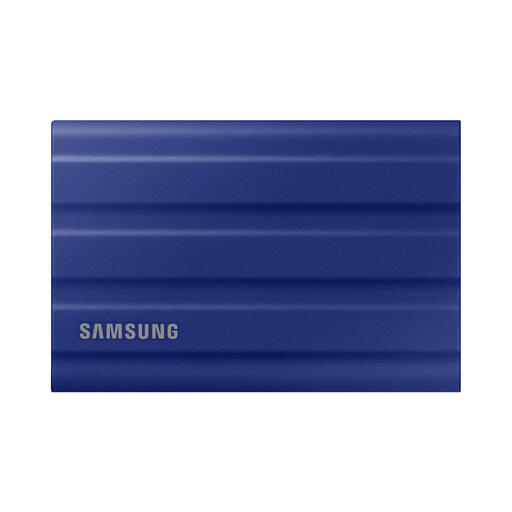
Why it stands out: The Samsung T7 Shield 1TB is designed for durability. With its rugged housing, it's a reliable partner for those who are always on the go and work in varying conditions.
Pros:
Who is it for? This 1TB portable SSD is an excellent choice for photographers, adventurers, and field workers who need a drive that can withstand rough handling without compromising on speed.
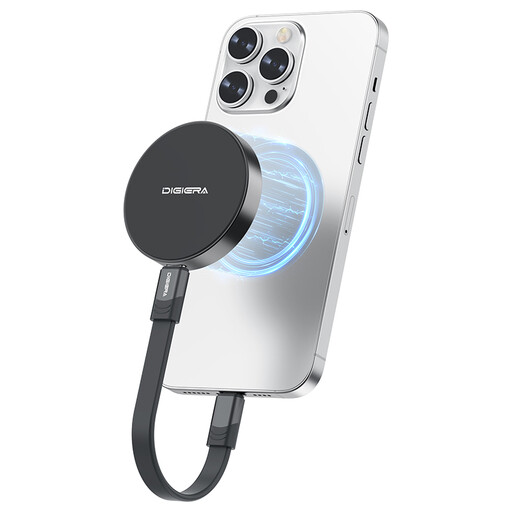
Why it stands out: This SSD from DigiEra distinguishes itself with a magnetic design, specifically aimed at users of the iPhone 15 and newer models. This allows you to attach the drive directly to your phone for mobile recording.
Pros:
Who is it for? Perfect for mobile filmmakers, vloggers, and tech enthusiasts who want a seamless workflow between their smartphone and other USB-C devices. A powerful USB-C SSD for on-the-go creation.
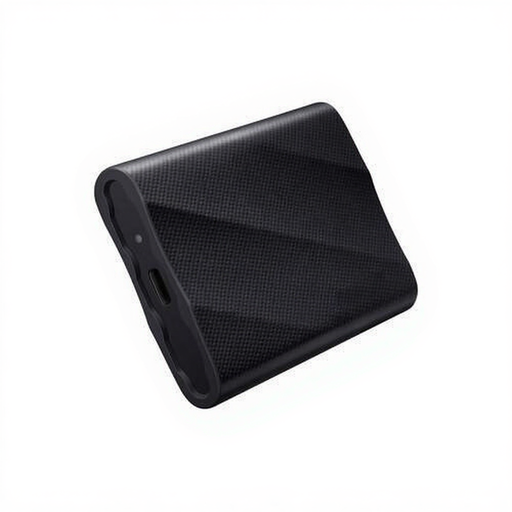
Why it stands out: The Samsung T9 1TB is focused on maximum performance. With its Gen 2x2 interface, it's one of the fastest consumer options available, designed for the most demanding professional workflows.
Pros:
Who is it for? This SSD is intended for professionals like video editors, 3D designers, and data analysts who work with extremely large files and have no time to waste.
These three models represent different use cases, from ruggedness to sheer speed and mobile integration. If your ideal match isn't among them, there are plenty of other options available that might better suit your specific needs and budget.
Check out our full range of USB-C External Storage for more choices.
An external SSD (Solid State Drive) has three key advantages. First, it's significantly faster, which means files transfer much more quickly and programs load faster. Second, it's more durable because it has no moving parts, making it more resistant to shocks and drops. Finally, SSDs are typically more compact and lightweight.
Yes, an external SSD for PS5 is a practical way to manage your storage space. You can install and play PS4 games directly from the external SSD. You can archive PS5 games on the SSD to free up space on the console's internal storage. To play a PS5 game, however, you must first move it back to the console's internal storage.
Most modern external SSDs with a USB-C connection work seamlessly with a Mac. Sometimes, a drive may be formatted for Windows (NTFS) out of the box. In that case, you can easily reformat the drive using Disk Utility on your Mac. Choose APFS for exclusive Mac use or exFAT if you want to use the drive on both macOS and Windows.
